Chevrolet Bolt EV Owner Manual (GMNA-Localizing-U.S./Canada-
14637856) - 2021 - CRC - 10/2/20
184 Driving and Operating
End Charge
1. Unlock the vehicle with the RKE
transmitter to disarm the charge cord
theft alert.
2. Unplug the vehicle plug of the charge
cord from the vehicle. Unlock the vehicle
plug of the charge cord from the vehicle
by pressing the button on the top of the
charge cord plug.
3. Close the charge port door by pressing
firmly in the center until it latches.
4. Unplug the charge cord from the
electrical outlet.
5. Place the charge cord into the storage
compartment.
DC Charging (If Equipped)
DC Charging Station Hardware
Check the charge station DC vehicle plug for
compatibility with the DC charge port on
this vehicle. When recharging at a DC fast
charge station, the power cable connected
to the vehicle must be less than 10 m (33 ft)
in length.
Follow the steps listed on the charging
station to perform a DC vehicle charge.
If for any reason DC charging does not
begin or is interrupted, check the DC charge
station display for messages. Unplug to
restart the DC charge process.
Start Charge
1. Make sure the vehicle is parked.
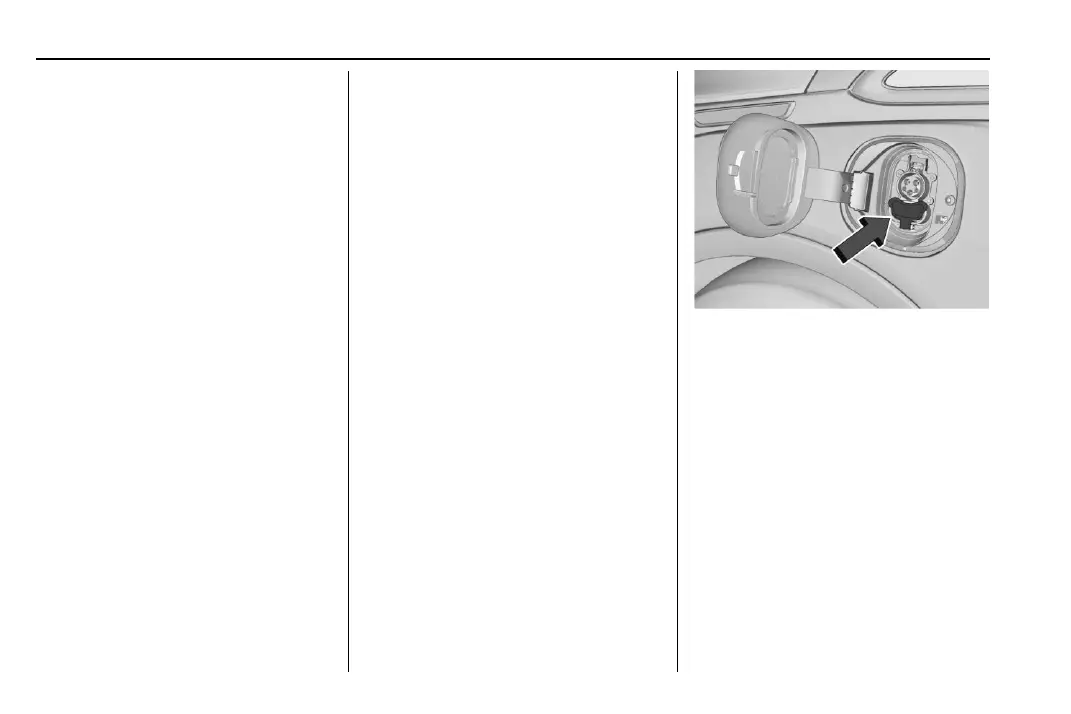
2. Push the rearward edge of the charge
port door and release to open the door.
In cold weather conditions, ice may form
around the charge port door. The charge
port door may not open on the first
attempt. Remove ice from the area and
repeat attempting to open the charge
port door.
3. Unlatch the DC charging dust cover and
lower it fully.
4. Plug in the DC vehicle plug into the DC
charge port on the vehicle. Make sure
that the DC vehicle plug is fully
connected to the DC charge port. If it is
not properly seated then the charge may
not occur. Proper plug connection can be
checked by information on the DIC.
5. Follow the steps listed on the charging
station to start charging.






 To Next Page