Infotainment System 43
3. Press h.
4. Press the Guide screen button.
See “Getting Started on Your
Route” in this section for more
information.
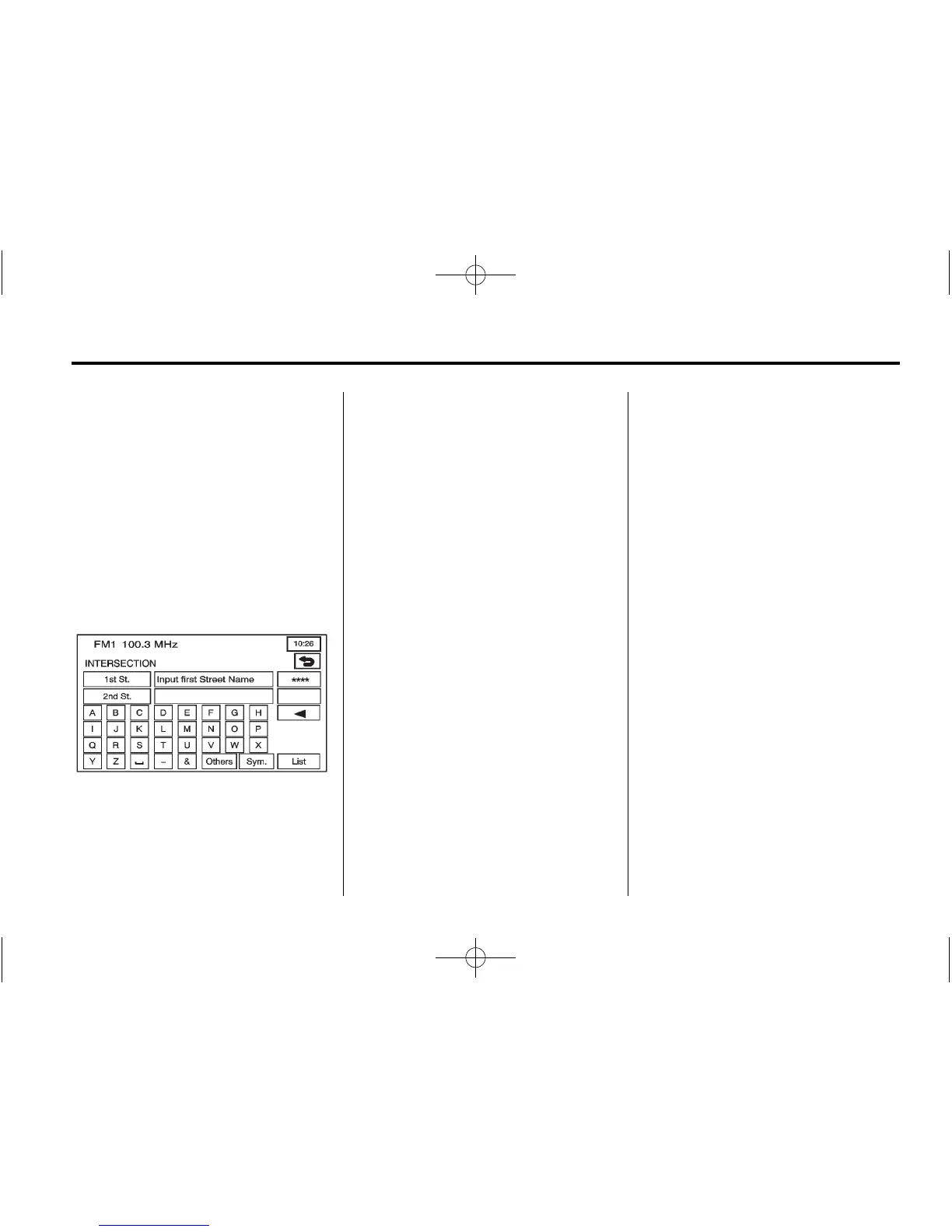
Intersection
The intersection destination entry
method allows two intersecting
streets to be set as the destination.
? (Intersection): Press this
button from the ENTER
DESTINATION screen to access the
INTERSECTION screen.
To use this destination entry
method:
1. Enter the first of two streets in
the intersection. A list of
available street names display
when there are less than five
available. Press the List screen
button at any time to view the
available street names.
2. Select a street from the list,
or continue to spell the street
name to further reduce the
number of available street
names.
3. After the first street has been
selected, enter the second street
name. The List button may again
become available.
4. Select the second street from
the list, or continue to spell the
street name to further reduce the
number of available street
names.
After both streets have been
selected, a map screen appears
with the destination marked.
5. Press
h.
6. Press the Guide screen button.
See “Getting Started on Your
Route” in this section for more
information.














 To Next Page