Infotainment System 45
To use this destination entry
method:
1. Input the phone number of a POI
using the numeric keypad.
If the phone number can be
found on the map DVD, a map
screen appears with the
destination marked. If the phone
number is dependent on the
area code, a list of POIs appear
to select from. Once a POI is
selected, a map screen appears
with the destination marked.
2. Press
h.
3. Press the Guide screen button.
See “Getting Started on Your
Route” in this section for more
information.
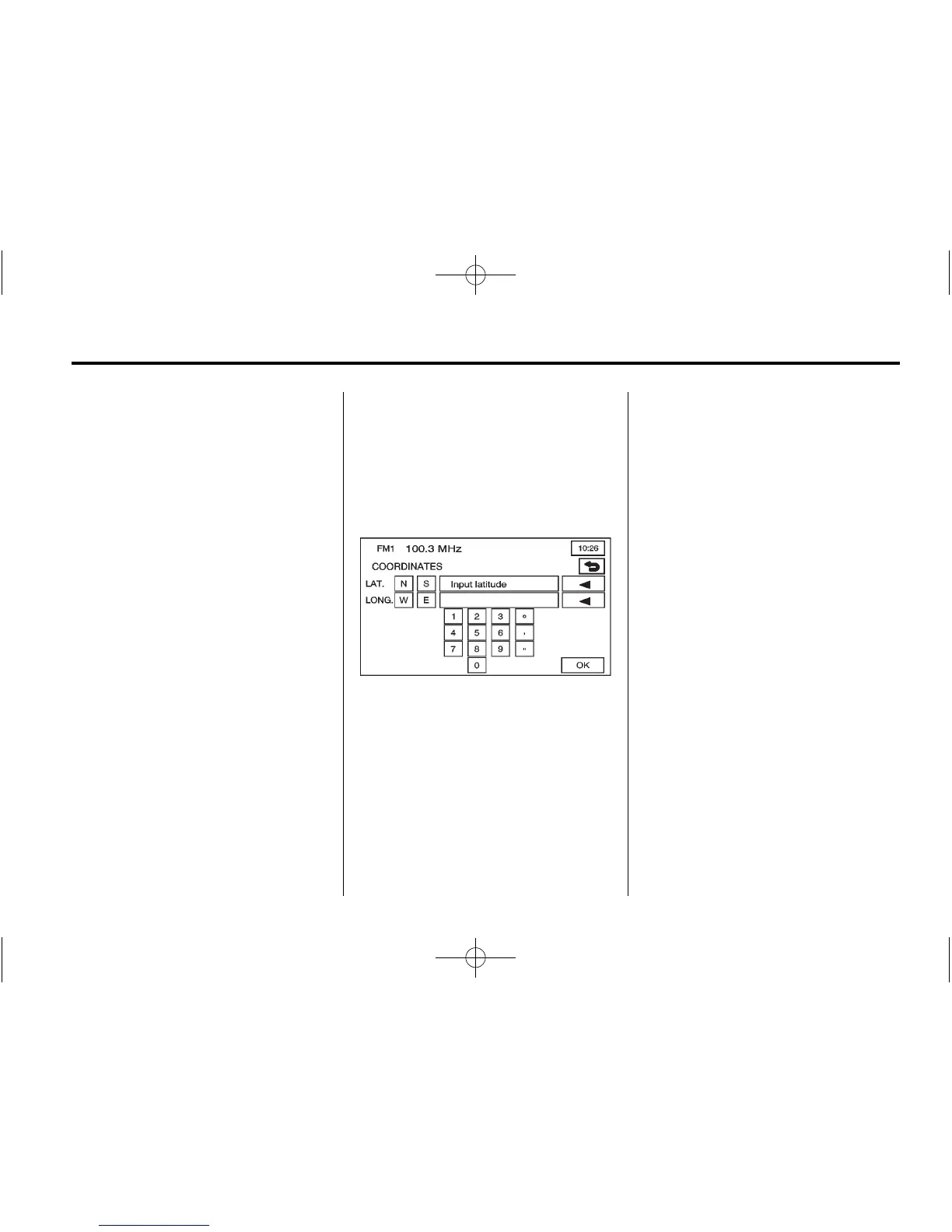
Coordinates
The coordinates destination entry
method lets you select a destination
by entering latitude and longitude
coordinates.
) (Coordinates): Press this button
from the ENTER DESTINATION
screen to access the
COORDINATES screen.
To use this destination entry
method:
1. Press N (North) or S (South)
next to LAT (latitude) to enter the
direction of the latitude
coordinate.
2. Input the numeric portion of the
latitude coordinate using the
keypad.
3. Press E (East) or W (West) next
to LONG (longitude) to enter the
direction of the longitude
coordinate.
4. Input the numeric portion of the
longitude coordinate using the
keypad.
5. Once both coordinates are
entered, press OK.
A map screen appears with the
destination marked.
If the coordinates are outside of
the coverage area on the map, a
message that there is no
information on that location
displays.















 To Next Page