Keys, Doors, and Windows 31
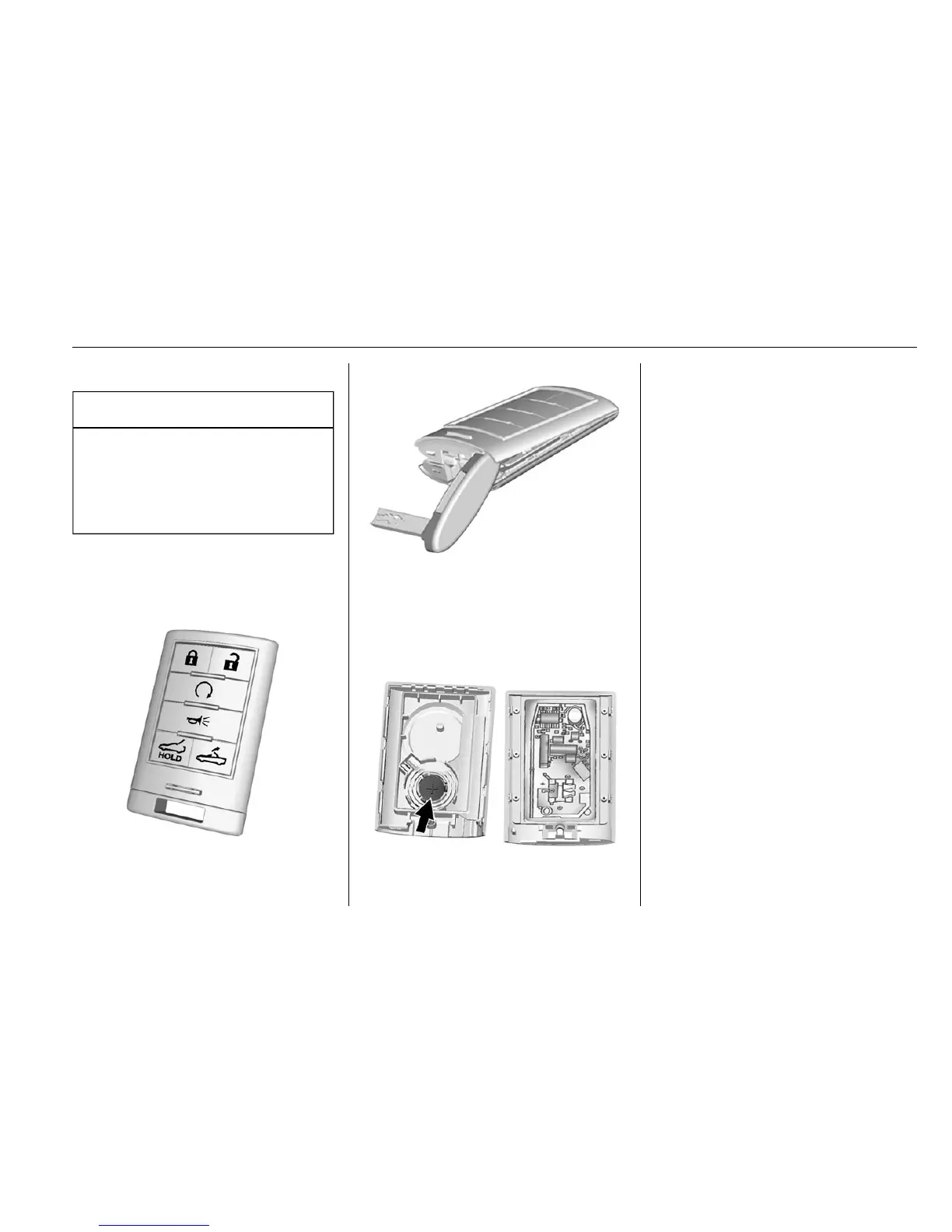
Battery Replacement
Caution
When replacing the battery, do
not touch any of the circuitry on
the transmitter. Static from your
body could damage the
transmitter.
Replace the battery if the REPLACE
BATTERY IN REMOTE KEY
message displays in the DIC.
1. Press the button near the
bottom of the transmitter and
pull the key out.
2. Use the oval base of the key
blade to separate the two
halves of the transmitter.
3. Remove the old battery. Do not
use a metal object.
4. Insert the new battery on the
back housing, positive side
facing down. Replace with a
CR2032 or equivalent battery.
5. Align the key release button
and snap the transmitter back
together.
Remote Vehicle Start
If equipped, this feature allows the
engine to be started from outside
the vehicle.
/ (Remote Vehicle Start) : This
button will be on the RKE
transmitter if the vehicle has remote
start.
The climate control system will use
the previous settings during a
remote start. The rear window
defogger may come on during
remote start based on cold ambient
conditions. The rear defog indicator
light does not come on during
remote start.










 To Next Page