Telescopic Steering Column
If your vehicle has this feature, the telescopic
steering column will allow you to adjust the
distance the steering wheel is from the instrument
panel.
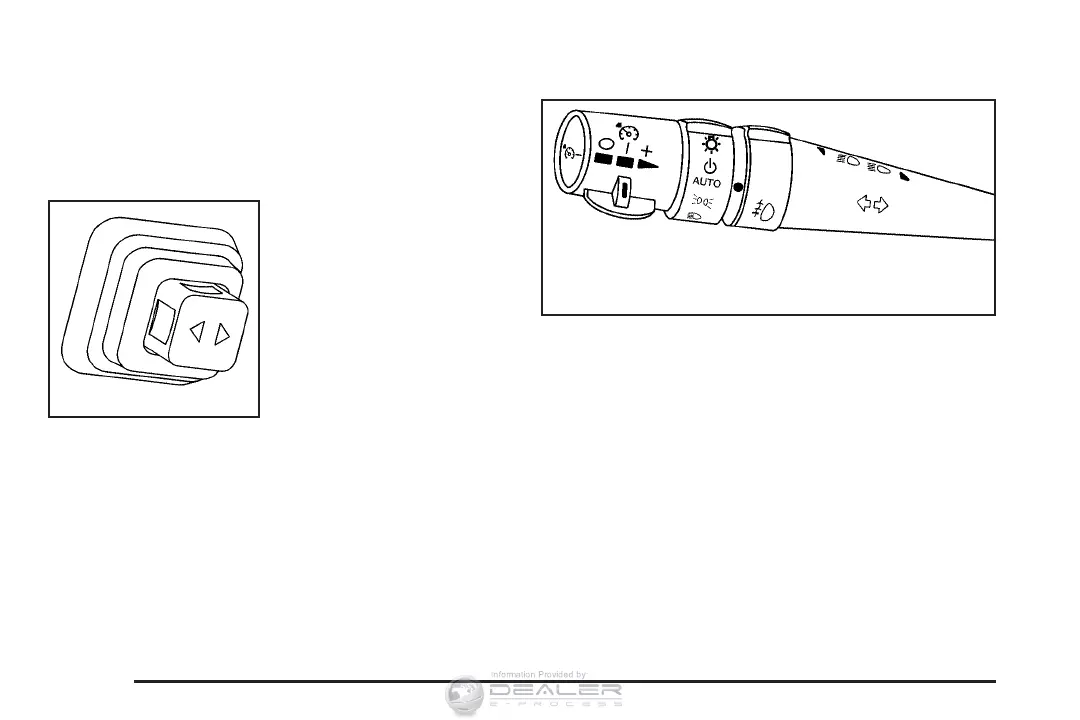
The telescopic steering
column switch is located
on the right side of
the steering column.
To operate the telescopic steering column, push
the switch forward and the wheel will move
away from you. Pull the switch rearward and the
wheel will move toward you
The telescopic steering column position can be
stored with your memory settings. See Memory
Seat, Mirrors and Steering Wheel on page 10
for more information.
Turn Signal/Multifunction Lever
The lever on the left side of the steering column
includes the following:
• G Turn and Lane-Change Signals. See Turn
and Lane-Change Signals (Auto Signal) on
page 159.
• 3 Headlamp High/Low-Beam Changer. See
Headlamp High/Low-Beam Changer on
page 160.
• - Fog Lamps. See Fog Lamps on page 169.
158













 To Next Page