Be sure to continue scanning the displays,
controls and driving environment just as you would
in a vehicle without HUD. If you never look at
your instrument panel cluster, you may miss
something important, such as a warning light.
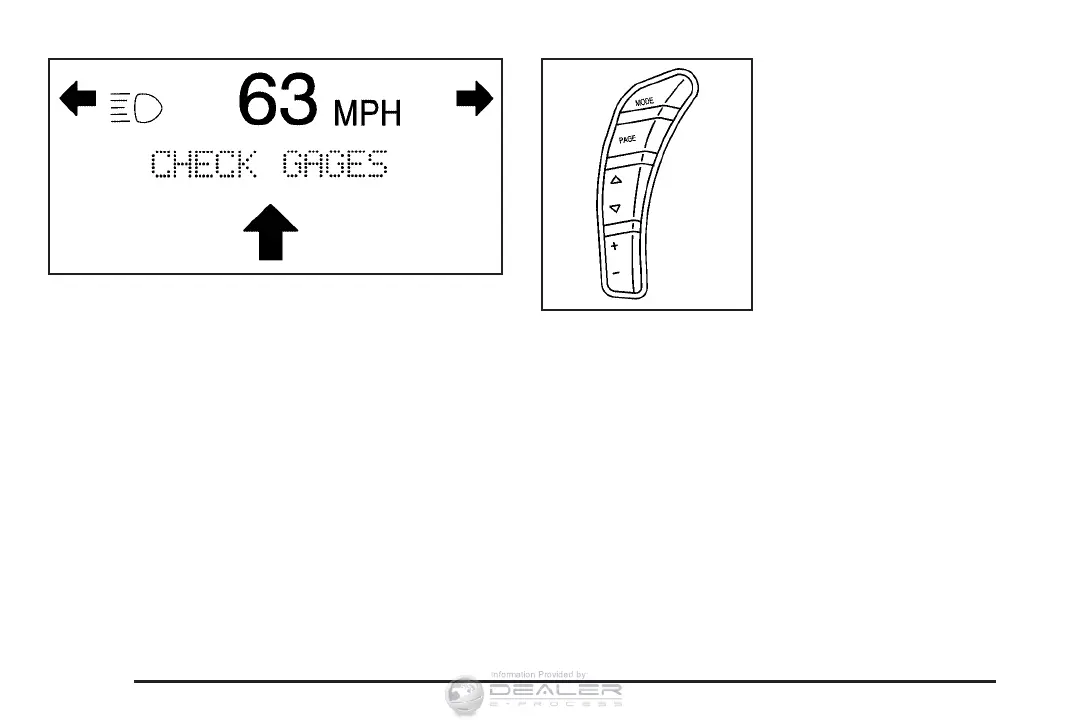
Under important warning conditions, the CHECK
GAGES warning will illuminate in the HUD.
View your Driver Information Center (DIC) for
more information.
The HUD controls are
located to the left of the
steering wheel.
To adjust the HUD so you can see it properly, do
the following:
1. Start the engine and press the HUD
dimmer control all the way up by pressing
the (+) button.
The brightness of the HUD image is determined
by the light conditions in the direction the
vehicle is facing and where you have the HUD
dimmer control set. If you are facing a dark
object or a heavily shaded area, your HUD may
anticipate that you are entering a dark area and
may begin to dim.
174









 To Next Page