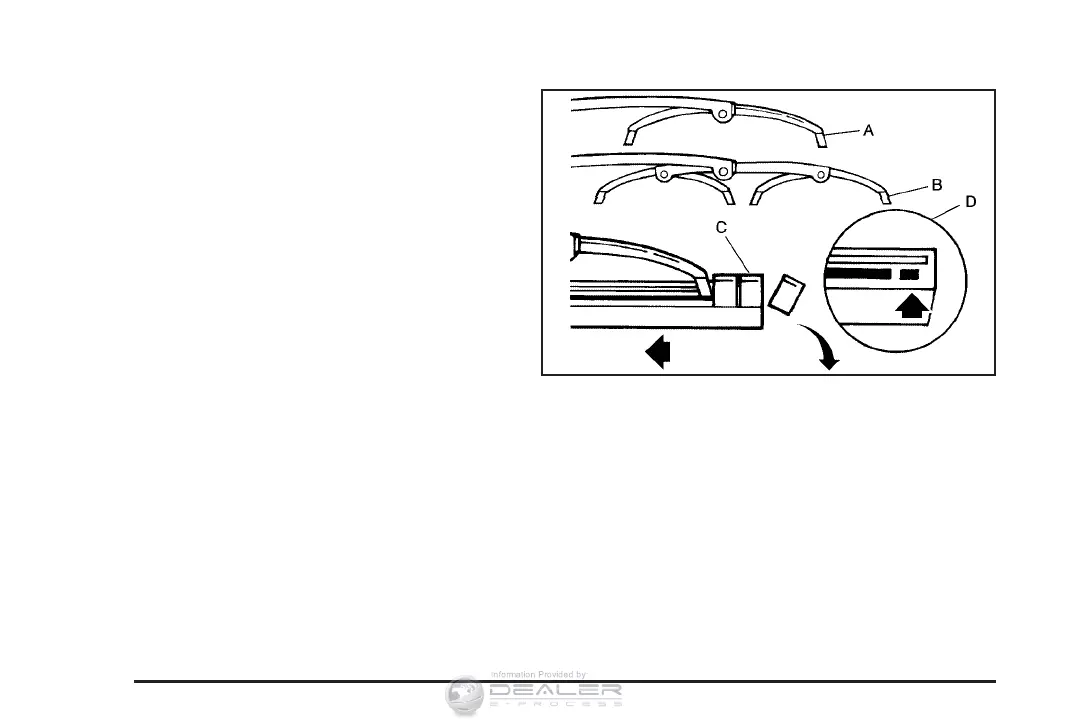
3. Press down on the blade assembly pivot
locking tab (C). Pull down on the blade
assembly (A) to release it from the wiper
arm hook (F).
4. Remove the insert from the blade
assembly (A). The insert has two notches
at one end that are locked by the bottom
claws of the blade assembly. At the notch end,
pull the insert from the blade assembly.
To install the new wiper insert:
1. Slide the insert (D), notched end last, into the
end with the two blade claws (A). Slide the
insert all the way through the blade claws at
the opposite end (B). Plastic caps (C) will
be forced off as the insert is fully installed.
376















 To Next Page