134 Infotainment System
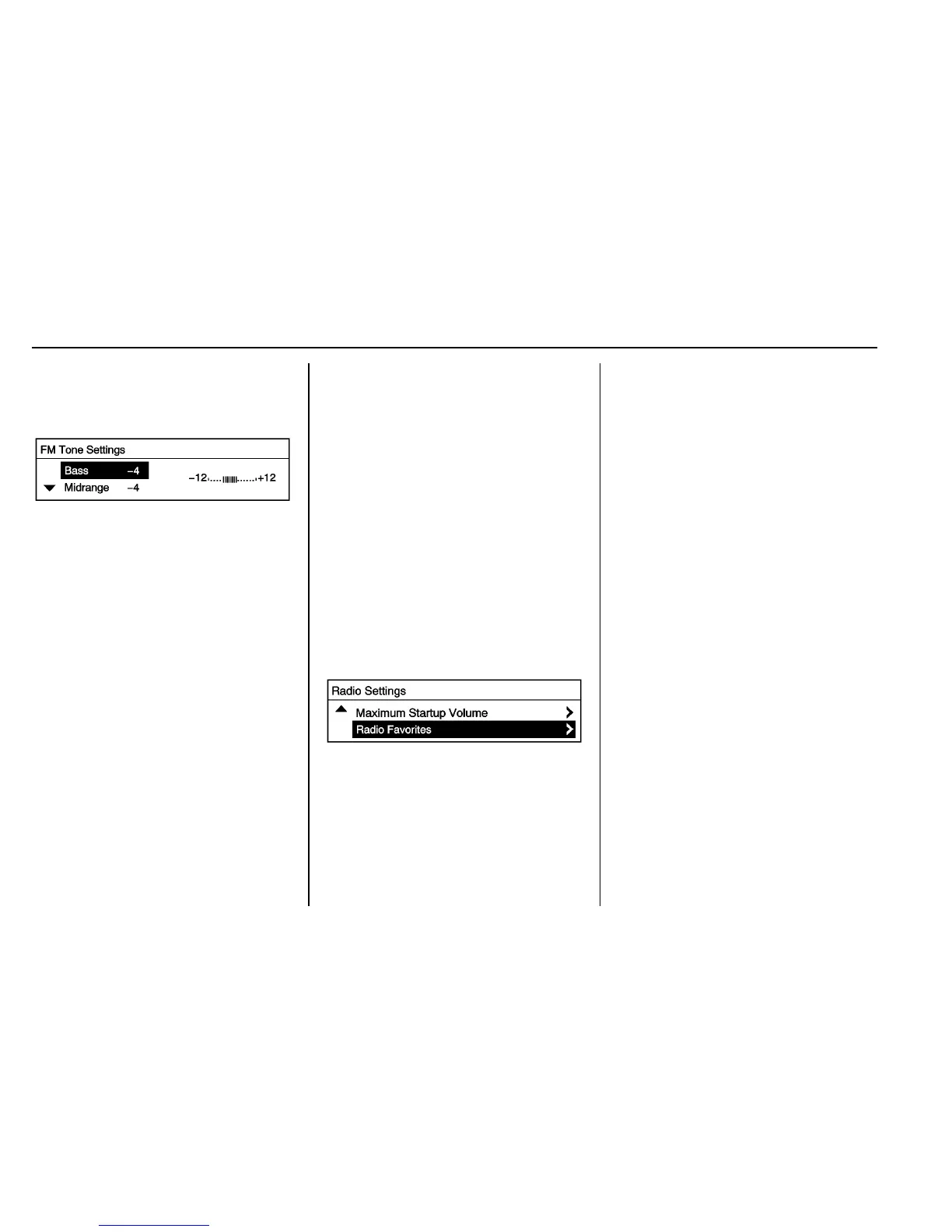
Adjusting the Treble, Midrange,
and Bass
1. Press the TONE button.
2. Select Treble, Midrange,
or Bass.
3. Turn the Push/MENU/TUNE
knob to select the value
between -12 and +12.
Press the
/ BACK button to go
back to the Tone Settings menu.
Adjusting the Fader and Balance
1. Press the TONE button.
2. Select Fader or Balance.
3. Turn the Push/MENU/TUNE
knob to select the value
between -15 and +15.
Press the
/ BACK button to go
back to the Tone Settings menu.
Adjusting the EQ (Equalizer)
For vehicles with an equalizer:
1. Press the TONE button.
2. Select EQ.
3. Select the setting for Pop,
Rock, Classical, Talk,
or Country.
Press the
/ BACK button to go
back to the Tone Settings menu.
System Settings
Configuring the Number of
Favorite Pages
To configure the number of available
favorite pages:
1. Press the Push/MENU/TUNE
button.
2. Select Radio Settings.
3. Select Radio Favorites.
4. Select the number of available
favorite pages.
5. Press the
/ BACK button to go
back to the System
Configuration menu.
Auto Volume
The auto volume feature
automatically adjusts the radio
volume to compensate for road and
wind noise as the vehicle speeds up
or slows down, so that the volume
level is consistent.
The level of volume compensation
can be selected, or the auto volume
feature can be turned off.
1. Press the Push/MENU/TUNE
button.
2. Select Radio Settings.
3. Select Auto volume control.
4. Select the setting.
5. Press the
/ BACK button to go
back to the System
Configuration menu.














 To Next Page