90 Instruments and Controls
Controls
Steering Wheel
Adjustment
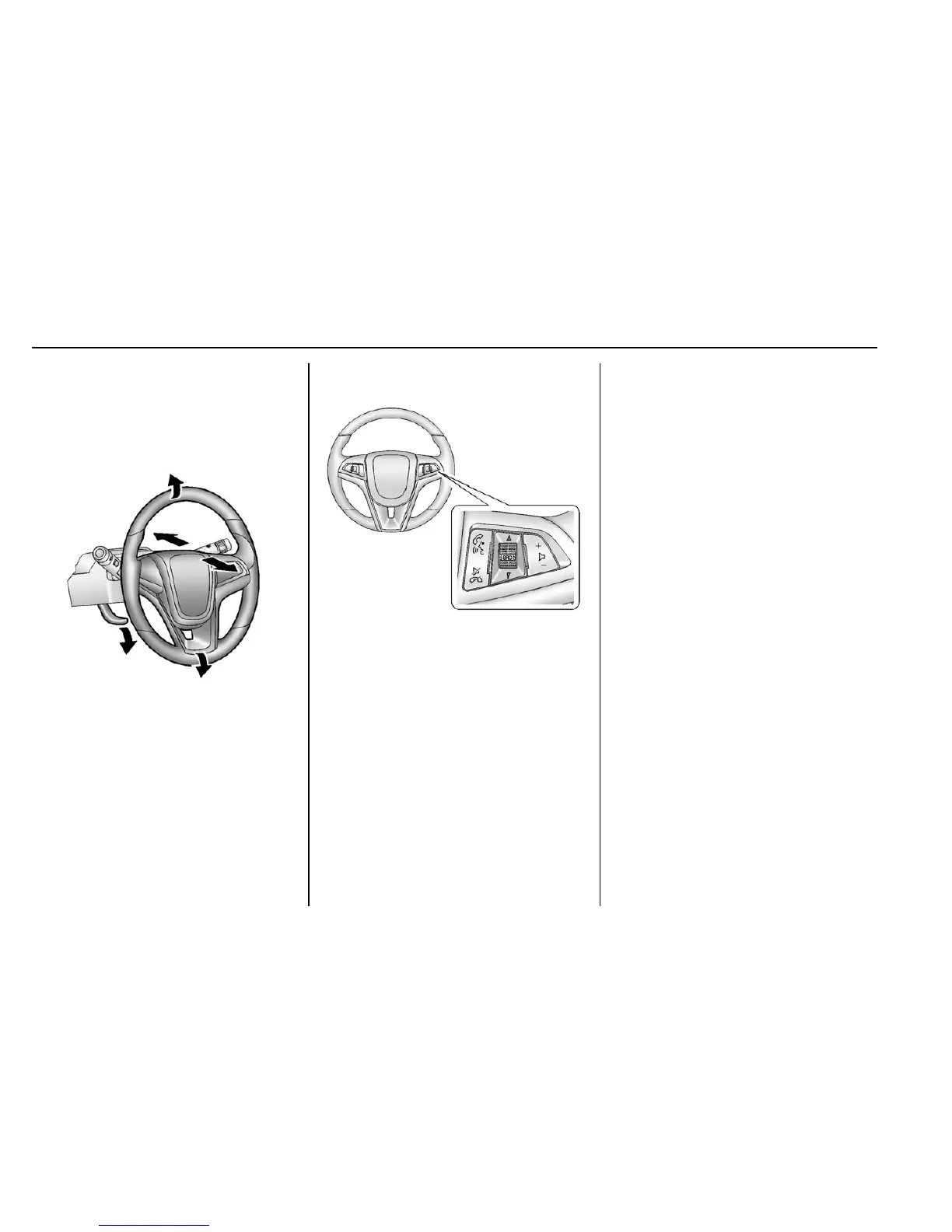
To adjust the steering wheel:
1. Pull the lever down.
2. Move the steering wheel up,
down, forward, and backward.
3. Pull the lever up to lock the
steering wheel in place.
Do not adjust the steering wheel
while driving.
Steering Wheel Controls
Some audio steering wheel controls
could differ depending on the
vehicle's options. Some audio
controls can be adjusted at the
steering wheel.
b / g (Press to Talk) : For vehicles
with Bluetooth or OnStar, press to
interact with those systems. See
Bluetooth (Voice Recognition) 0 153
or Bluetooth (Overview) 0 146 or
Bluetooth (Infotainment Controls)
0 147 or OnStar (if equipped).
$ / i (Mute/End Call) : Press to
decline an incoming call, to end
speech recognition, or to end a
current call. Press to silence the
vehicle speakers while using the
infotainment system. Press again to
turn the sound on.
For vehicles with OnStar or
Bluetooth systems, press to reject
an incoming call, or end a
current call.
_ SRC ^ (Source) : Press to select
an audio source.
Toggle up or down to select the next
or previous favorite radio station,
USB file, iPod/iPhone song or
Bluetooth music.
Toggle and hold up or down to fast
forward or reverse the radio
stations, USB files, iPod/iPhone
songs or Bluetooth music.
+
x − (Volume) : Press + or − to
increase or decrease the volume.
Horn
Press a on the steering wheel pad
to sound the horn.















 To Next Page