Infotainment System 167
terminal, the music file will play,
but can’t be controlled by the
infotainment system.
.
The iPod/iPhone playback
functions and the information
displayed may be different when
played on the infotainment
system.
.
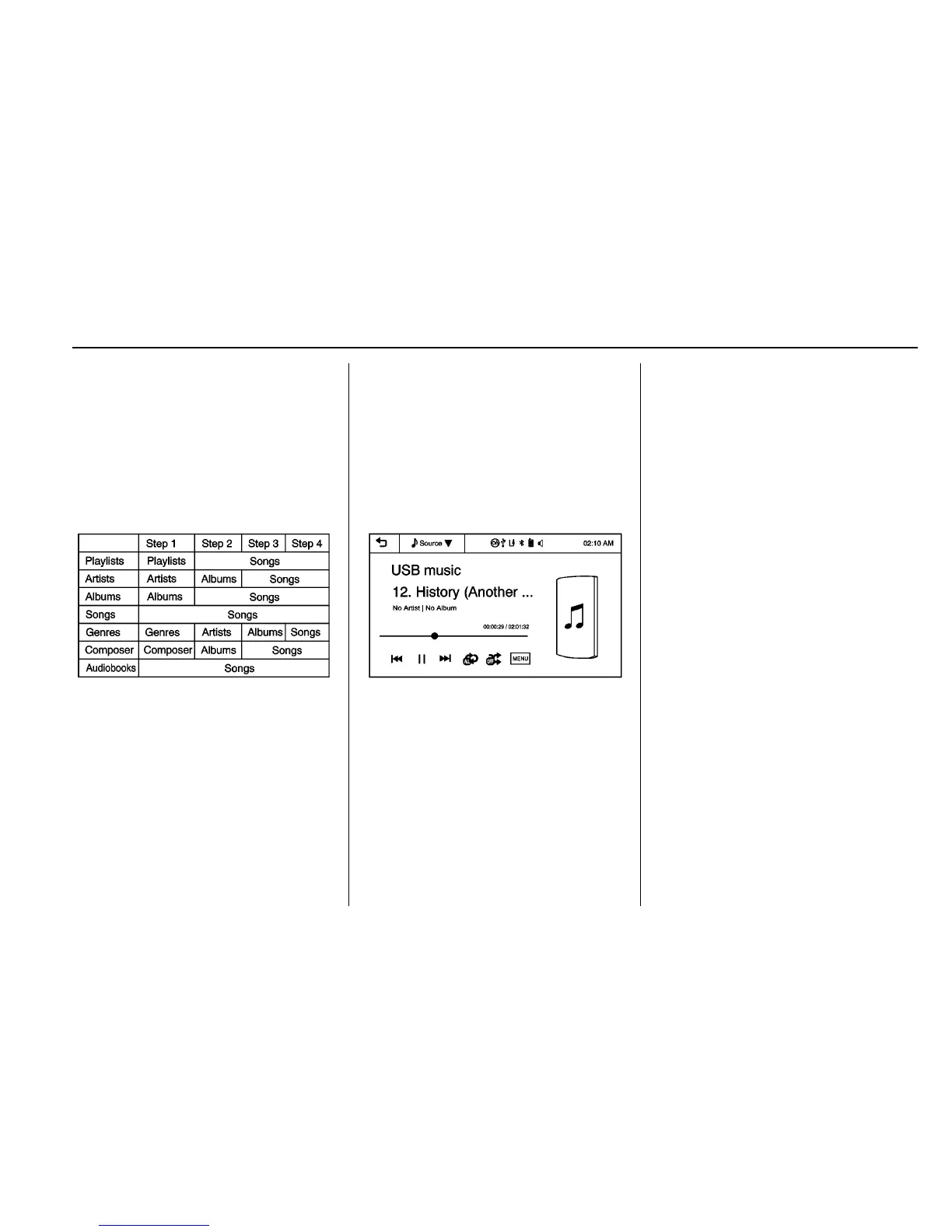
Refer to the table for the
classification items related to the
search function provided by the
iPod/iPhone.
USB Player
Playing Music from a USB Device
.
Connect the USB device to the
USB port.
.
Play will start automatically after
the system has finished reading
the USB device.
.
If a non-readable USB device is
connected, an error message
displays and the system will
switch to the previous audio
function.
If the USB device is already
connected:
.
Press
D.
.
Press audio.
.
Press Source
R.
.
Press USB.
To stop the USB device and select
another media source, press
Source
R, then select the other
source.
To remove the USB device, select
another function, then remove the
USB device.
Pause
.
Press
j to pause.
.
Press
r to resume.
Changing to Next/Previous Files
.
Press
l to change to the
next file.
.
Press
g within five seconds of
the playback time to play the
previous file.
Returning to the Beginning of the
Current File
Press
g after five seconds of the
playback time.
Scanning Forward or Backward















 To Next Page