222 Vehicle Care
Hood
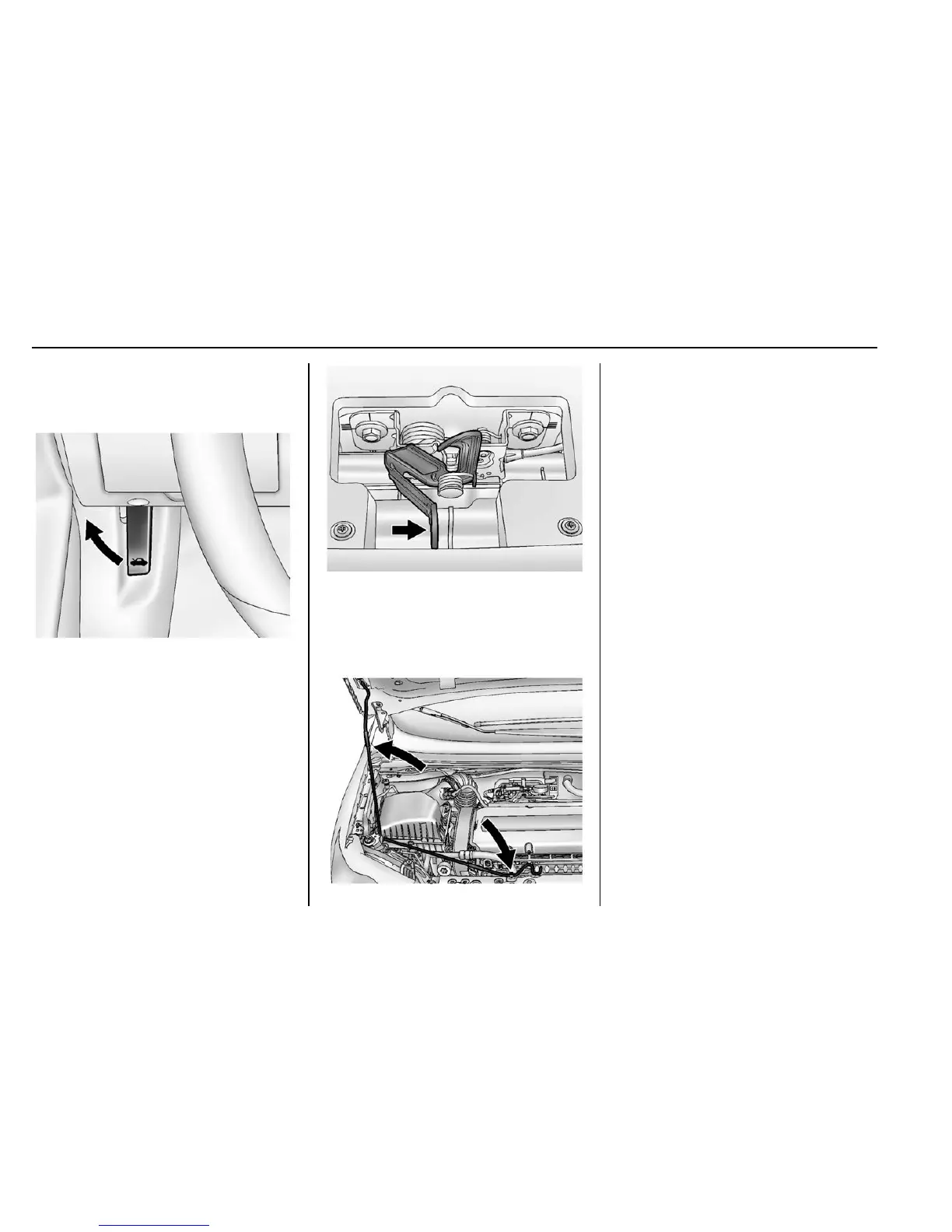
To open the hood:
1. Pull the hood release handle
inside the vehicle. It is located
on the lower left side of the
instrument panel.
2. Go to the front of the vehicle
and move the secondary hood
release lever toward the right
side of the vehicle.
3. Lift the hood and release the
hood prop from its retainer,
located in front of the engine
compartment. Securely place
the hood prop into the slot on
the underside of the hood.
To close the hood:
1. Before closing the hood, be
sure all filler caps are on
properly. Then, lift the hood to
relieve pressure on the hood
prop. Remove the hood prop
from the slot in the underside
of the hood and return the prop
to its retainer. The prop rod
must click into place when
returning it to the retainer to
prevent hood damage.
2. Lower the hood 30 cm (12 in)
above the vehicle and release
it so it fully latches. Check to
make sure the hood is closed
and repeat the process if
necessary.















 To Next Page