Infotainment System 139
Hold and drag to the left or right of
the radio station to automatically
search for available radio stations.
Manual Tuning
Continue pressing
q TUNE r to
manually change the radio station.
Favorite List
.
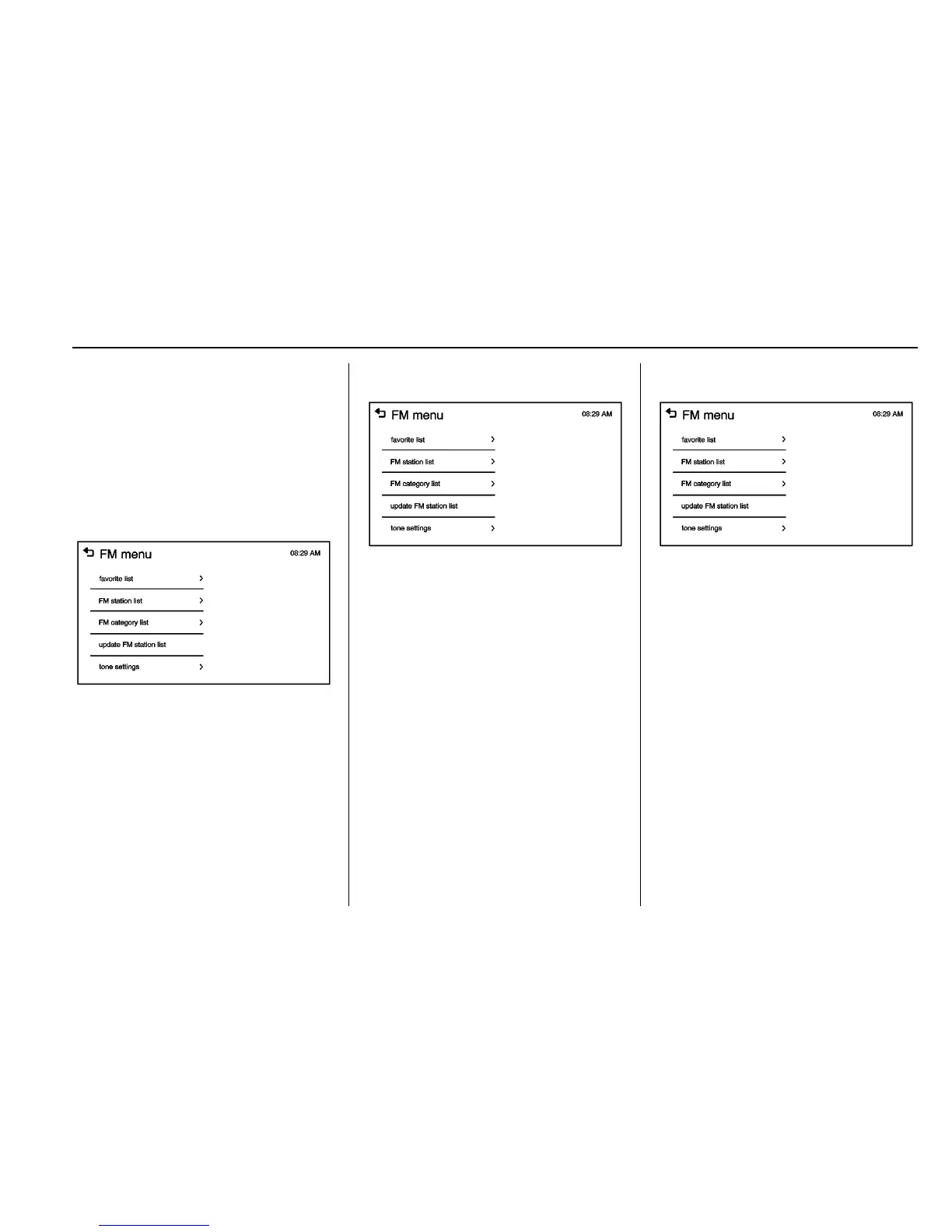
From the AM or FM menu, press
favorite list on the screen.
.
Press
Q or R to scroll through
the list. Press on the station to
select it.
Station List
.
From the AM or FM menu, press
AM or FM station list on the
screen.
.
Press
Q or R to scroll through
the list. Press on the station to
select it.
Category List
.
From the FM menu, press FM
category list on the screen.
.
Press
Q or R to scroll through
the list. Press on the station to
select it.
Update Station List
.
From the AM or FM menu, press
update AM or FM station list on
the screen. The broadcasting list
updating will begin.
.
During the AM or FM
broadcasting list update, press
Cancel to stop the updates.
Storing a Favorite Station
Stations from all bands can be
stored in any order in the favorite
pages.
Up to five stations can be stored in
each of the seven favorites pages.














 To Next Page