Infotainment System 171
2. Press the screen to open to full
screen. Press the screen again
to return to the previous
screen.
If the USB device is already
connected:
1. Press
D.
2. Press
G picture & movie.
3. Press Source
R.
4. Press USB picture.
Some features are disabled while
the vehicle is in motion.
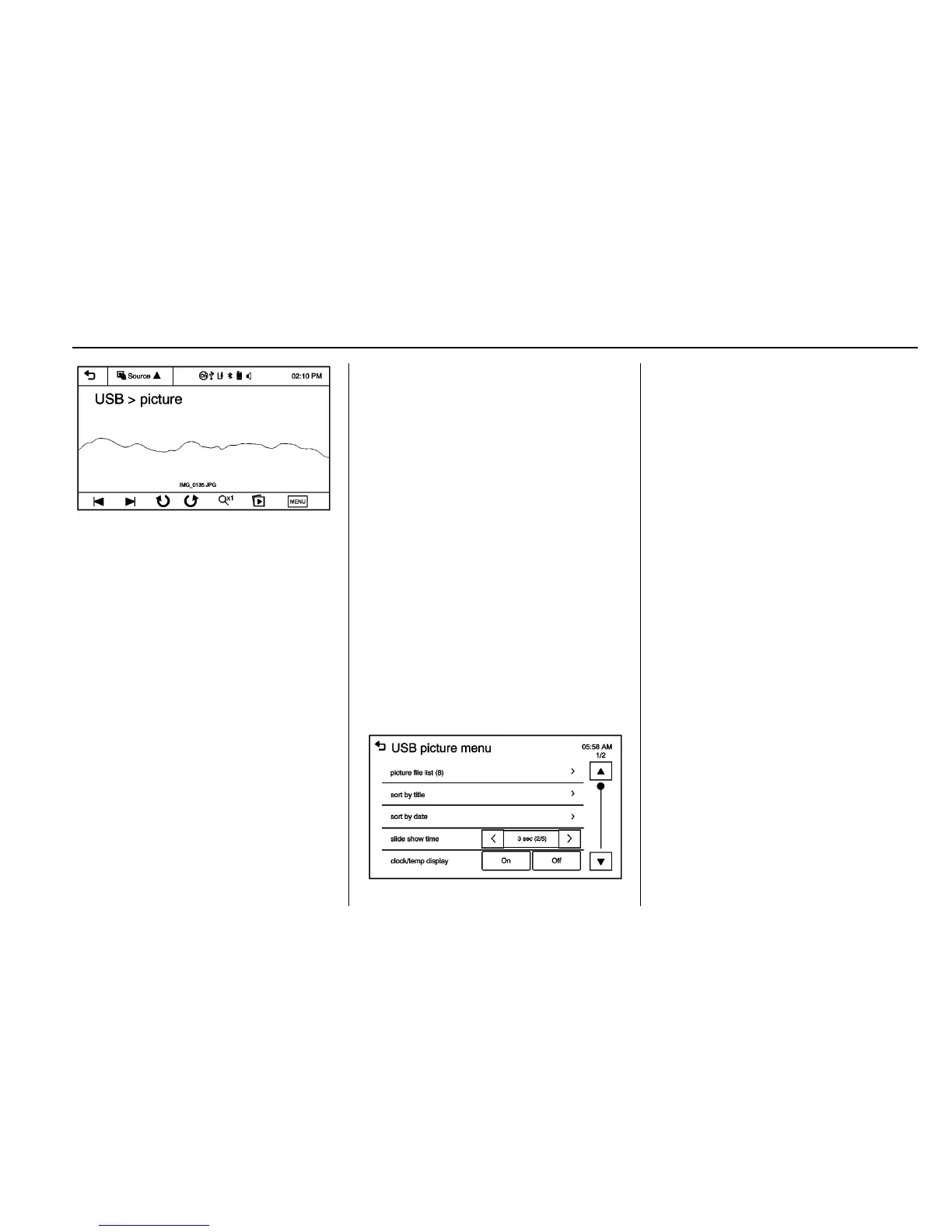
Viewing a Slide Show
1. From the picture screen, press
z. The slide show will start
to play.
2. Press the screen to cancel the
slide show during the slide
show playback.
Viewing a Previous or Next
Picture
Press
t or u from the picture
screen.
Rotating a Picture
Press
y or w from the picture
screen.
Enlarging a Picture
Press
x from the picture screen.
Using the USB Picture Menu
1. Press MENU from the picture
screen.
2. Press the appropriate menu:
.
picture file list: lists all
picture files.
.
sort by title: shows pictures
in title order.
.
sort by date: shows pictures
in date order.
.
slide show time: allows
selection of the slide show
interval.
.
clock/temp display: allows
selection of On or Off to
show the clock and
temperature on the full
screen.
.
display settings: adjusts for
Brightness and Contrast.
3. Press
4 to exit.














 To Next Page