Infotainment System 173
Returning to the Beginning of the
Current Movie
Press
t after five seconds of the
playback time.
Scanning Forward or Backward
Press and hold
t or u during
playback to rewind or fast forward.
Release the button to resume
playback at normal speed.
Viewing Full Screen
Press
t from the movie screen.
Press
t again to return to the
previous screen.
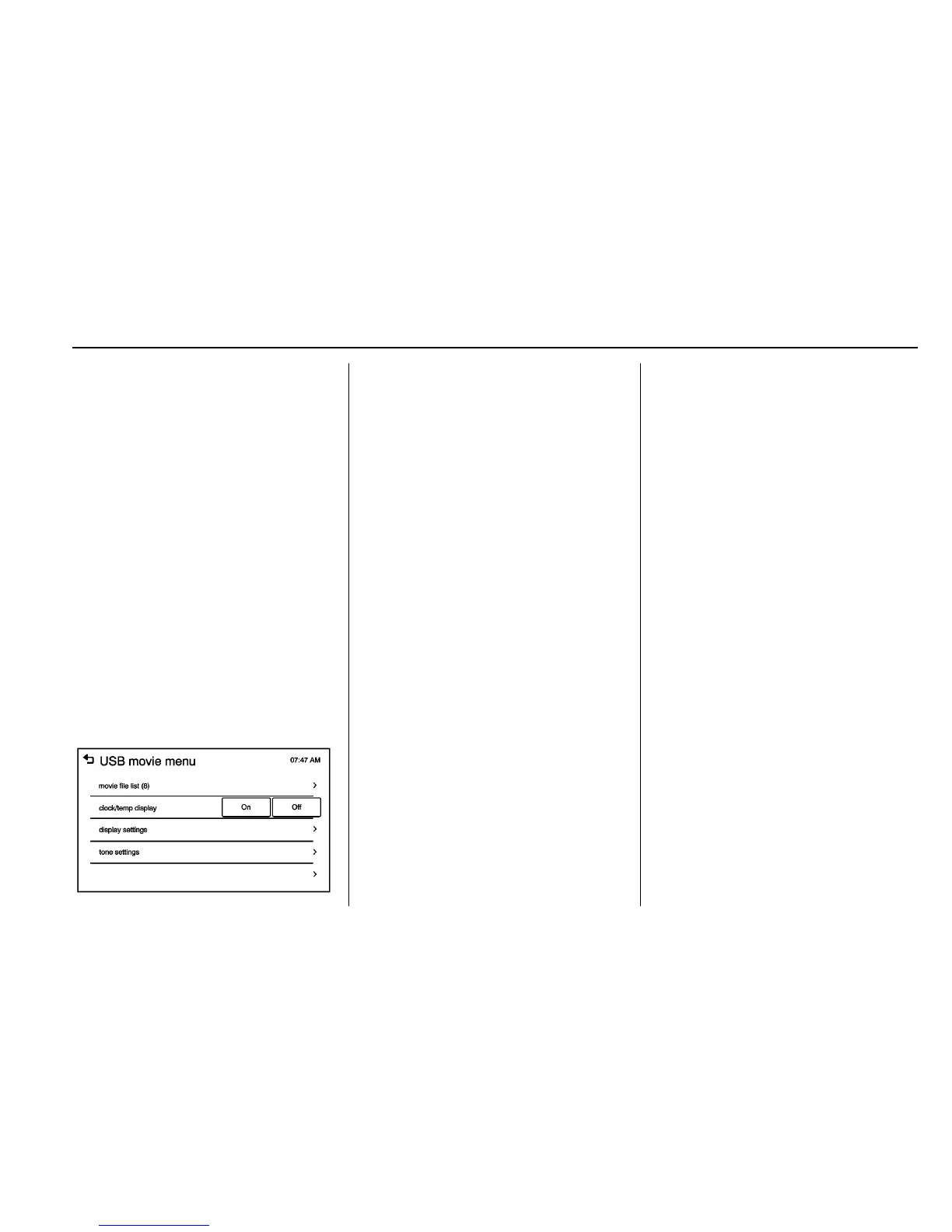
Using the USB Movie Menu
1. Press MENU from the movie
screen.
2. Press the appropriate menu:
.
movie file list: lists all movie
files.
.
clock/temp display: allows
selection of On or Off to
show the clock and
temperature on the full
screen.
.
display settings: adjusts for
Brightness and Contrast.
.
tone settings: shows the
sound setup. See “Tone
Settings” under “Radio
Controls with Touchscreen”
in Operation 0 132.
3. Press
4 to exit.
Subtitle Language
If the movie file has a subtitle
language, it can be viewed.
.
Press
q from the movie screen.
.
Press
S or T on the pop-up
screen.
.
Press
r to close the pop-up
screen.
If there is only one subtitle
language, it can be set to On/Off.
Audio Language
If the movie file has an audio
language, it can be used.
.
Press
q from the movie screen.
.
Press
Z S or T on the pop-up
screen.
.
Press
r to close the pop-up
screen.
An audio language can be set only
when supported by the DivX
movie file.















 To Next Page