1-16 In Brief
Bluetooth
®
The Bluetooth system allows users
with a Bluetooth-enabled cell phone
to make and receive hands-free
calls using the vehicle audio
system, microphone, and controls.
The Bluetooth-enabled cell phone
must be paired with the in-vehicle
Bluetooth system before it can be
used in the vehicle. Not all phones
will support all functions.
See Bluetooth on page 7‑85.
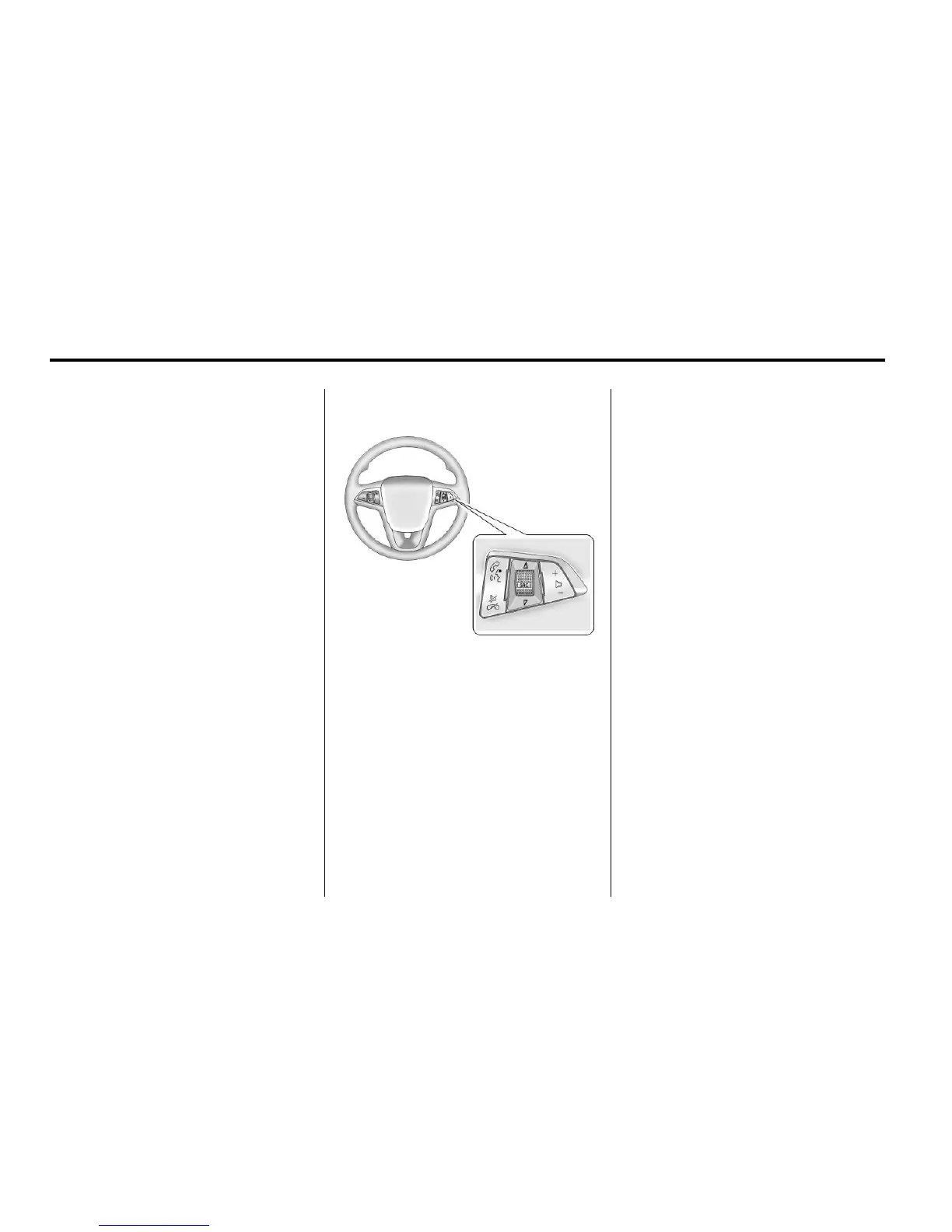
Steering Wheel Controls
For vehicles with audio steering
wheel controls, some audio controls
can be adjusted at the steering
wheel.
b / g : Press to interact with
the available Bluetooth, OnStar,
or navigation system.
$ / i : Press to silence the
vehicle speakers only. Press again
to turn the sound on. For vehicles
with OnStar or Bluetooth systems,
press to reject an incoming call,
or to end a current call.
_ SRC ^ : Turn _ or ^ to select a
radio band or audio source.
Turn
_ or ^ to select the next or
previous favorite radio station, CD,
or MP3 track.
Press SRC to change between
radio and CD or DVD.
+ x −: Press + to increase or − to
decrease the volume.
For more information, see Steering
Wheel Controls on page 5‑6.














 To Next Page