7-96 Infotainment System
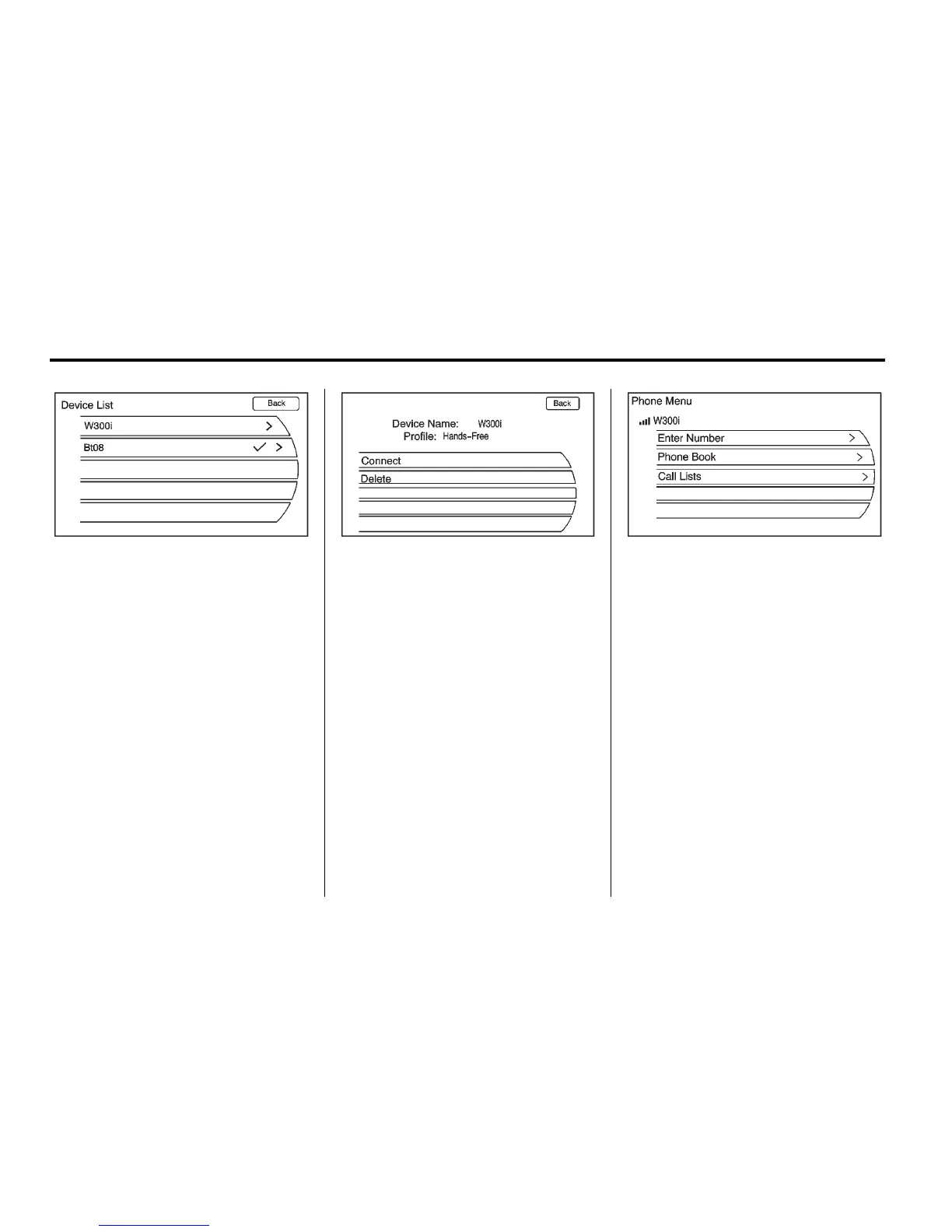
3. Turn the TUNE/MENU knob until
Device List displays. Press the
TUNE/MENU knob or press the
Device List screen button to
display other options.
4. Select the phone to be linked
and then follow the on-screen
prompts.
5. The Phone menu will be
displayed with the name
of the phone linked.













 To Next Page