- 16 -
If a special status has elapsed, the active view will be
entered again automatically.
If an Alarm comes up, the Alarm Display is shown.
Parameter list
The Parameter Menu's are pre-programmed!
A password will be asked for when an attempt to change a
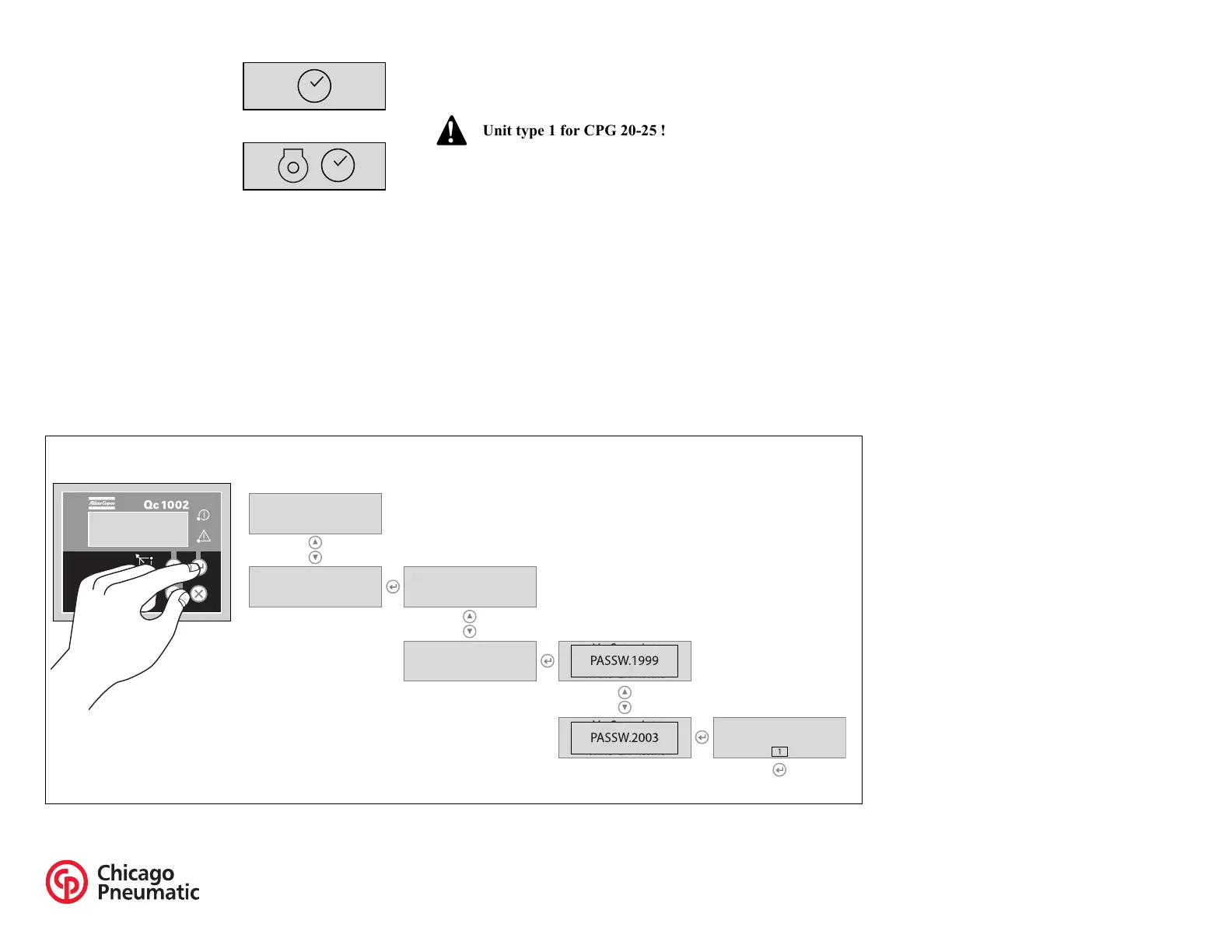
setting is about to be done (user password = 2003).
Menu's shown on the Parameter list LCD:
– Running hours adjust
This menu is used to adjust the amount of running hours. The
running hours can only be raised, not lowered.
– Unit Type
– Service Timer 2 reset
– Service Timer 1 reset
These menus are used to reset the service timers. When a
service timer alarm occurs and is acknowledged, the service
timer will be reset automatically.
– Unit Menu
This menu is used to select whether tempreature and pressure
should appear in °C/bar or °F/psi.
– Language selection
Icons is the default factory set language, but 6 other languages
can be selected: English, French, German, Italian, Spanish
and Cyrillic (Russian). All information in the Parameter List
display is always in English.
– Generator Underfrequency: failclass, enable, delay,
setpoint
– Generator Overfrequency: failclass, enable, delay,
setpoint
– Generator Undervoltage: failclass, enable, delay, setpoint
– Generator Overvoltage: failclass, enable, delay, setpoint
It's possible to scroll between configuration menu's by
using the pushbuttons UP and DOWN.
Pushing the ENTER button activates the configuration
menu which is shown at the display.
START OFF/
EXTENDED STOP
TIMER
COOLDOWN
Unit type 1 for CPG 20-25 !
This is the described menu flow for changing the unit type:
Qc 1002
145
Qc1002
145
Parameter Running time
Unit type
Unit type


 To Next Page