For technical questions, please call 1-800-444-3353;
Troubleshooting section at end of manual.
Page 18SKU 94164
SETTING UP THE WELD
WARNING!
Before welding, make sure to read and understand all safety
precautions and warnings discussed on pages 3 through 10.
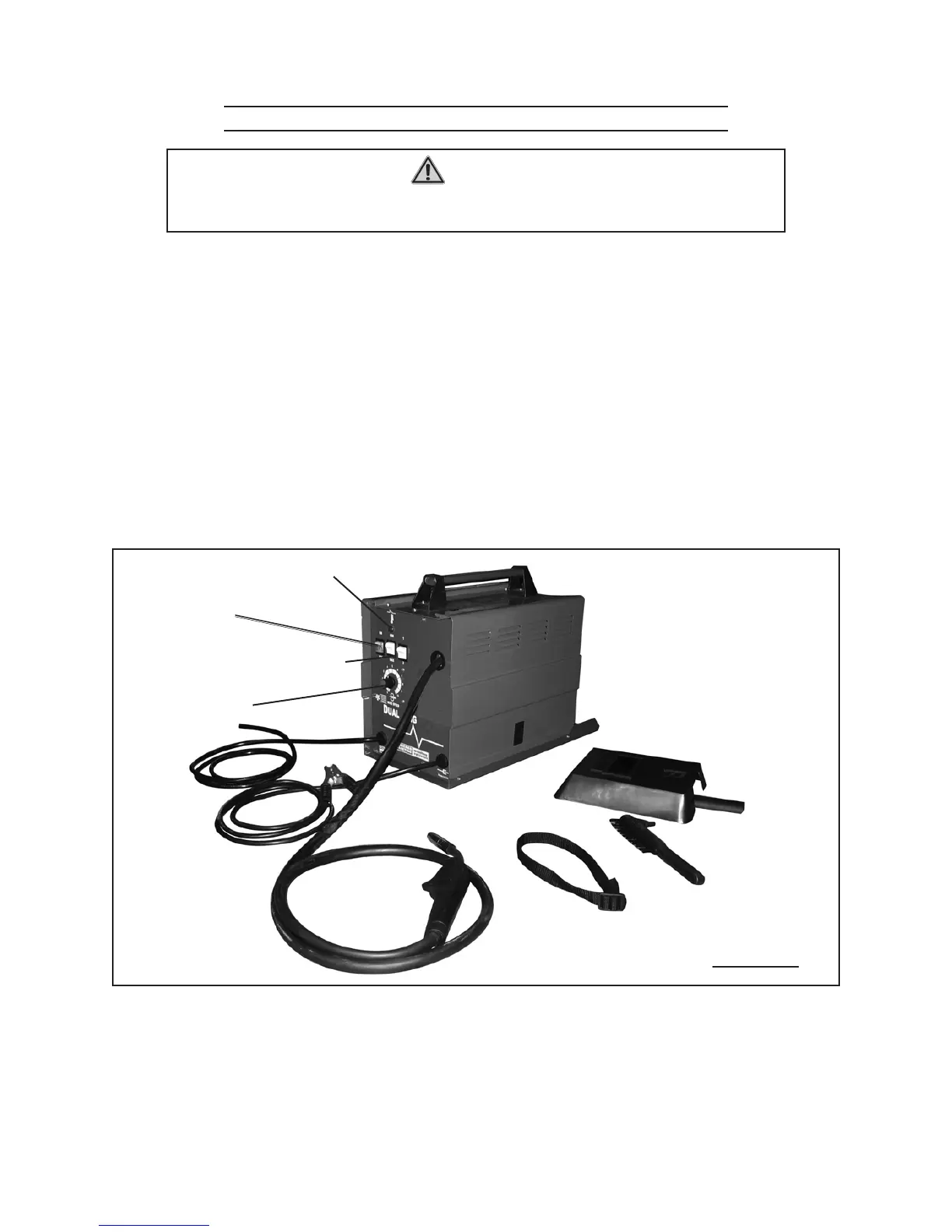
1. Overload Indicator Light (28): If too much current is drawn from the Welder, the
Overload Protector will activate. The RED Overload Indicator Light will illuminate
and the Welder will automatically turn off until it cools down. If this happens, turn
the Power Switch to its “OFF” position and wait approximately 20 minutes.
(See Figure L.)
Wire Speed Control Knob (17): 2. The Scale surrounding the Knob is relative value,
not wire feed speed. (See Figure L.)
Voltage Controls (18, 19): 3. Adjust the Voltage Controls based on thickness of metal
being welded. (See Figure L.)
If using solid-core wire, connect and secure an Argon/ CO4.
2
gas hose to the rear of
the Welder. (If using ux core wire, protective gas is not required.)
VOLTAGE CONTROLS
(18, 19)
WIRE SPEED
CONTROL KNOB
(17)
OVERLOAD INDICATOR
LIGHT (28)
FIGURE L
POWER SWITCH
(19)
5. Securely clamp the Ground Clamp (14) as close as possible to the metal object to
be welded, or to the metal workbench where the object is mounted and electrically
connected. (See Figure L.)
NOTE: 6. The workpieces should be rmly held together and in position while welding.
Use clamps (not included) to hold the workpieces so you can concentrate on the


 To Next Page