3. Use instructions
13
Operation and instructions:
“On / Off” button:
1) Control the system ““On / Off” state.
2) In time of the remote controller power-on, press the “On / Off” button long to enter the self-test
mode, and then you can release the “On / Off” button.
“Mode” button:
In the “On” state, once the “Mode” button or the “Mode” button of the remote controller is
pressed, the mode will switch.
Auto Mode → Refrigeration → Dehumidification →Heating →Ventilation →Auto Mode
“TEMP+” and “TEMP-” buttons:
1) Press the “TEMP+” button once, the set temperature will increase by 1˚C, and when the set
temperature rises up to 32˚C, press this button again, and the set temperature will stay unchanged at
32˚C.
2) Press the “TEMP-” button once, the set temperature will decrease by 1˚C, and when the set
temperature lowers to 16˚C, press this button again, and the set temperature will stay unchanged at
16˚C. Press the “TEMP+” and “TEMP-” buttons at the same time for 3 seconds, the buttons can be
locked, and then a lock icon will be displayed on the LCD. To have the buttons invalid, press the
“TEMP+” and “TEMP-” buttons at the same time for 3 seconds to unlock.
“TIMER” button:
Set the timed “On” or “Off”. The remote controller has its timing range from 1 to 24 hours.
1) In the “Off” state, press the “TIMER” button to enter the 1-hour period for timed “On”, press the
“TIMER” button again until the 24-hour period for timed “On”, and then if the “TIMER” button is
pressed again, the timed “On” will be cancelled;
2) In the “On” state, press the “TIMER” button to enter the 1-hour period for timed “Off”, press the
“TIMER” button again until the 24-hour period for timed “Off”, and then if the “TIMER” button is
pressed again, the timed “Off” will be cancelled;
“Fan Speed” button:
1) In the “Refrigeration Mode”, “Heating Mode” and “Air Supply Mode”, the “Fan Speed” button is
effective.
2) In the “Refrigeration Mode” and “Heating Mode”, press the line controller fan speed button or the
remote controller wind volume button, and the wind volume will change as follows.
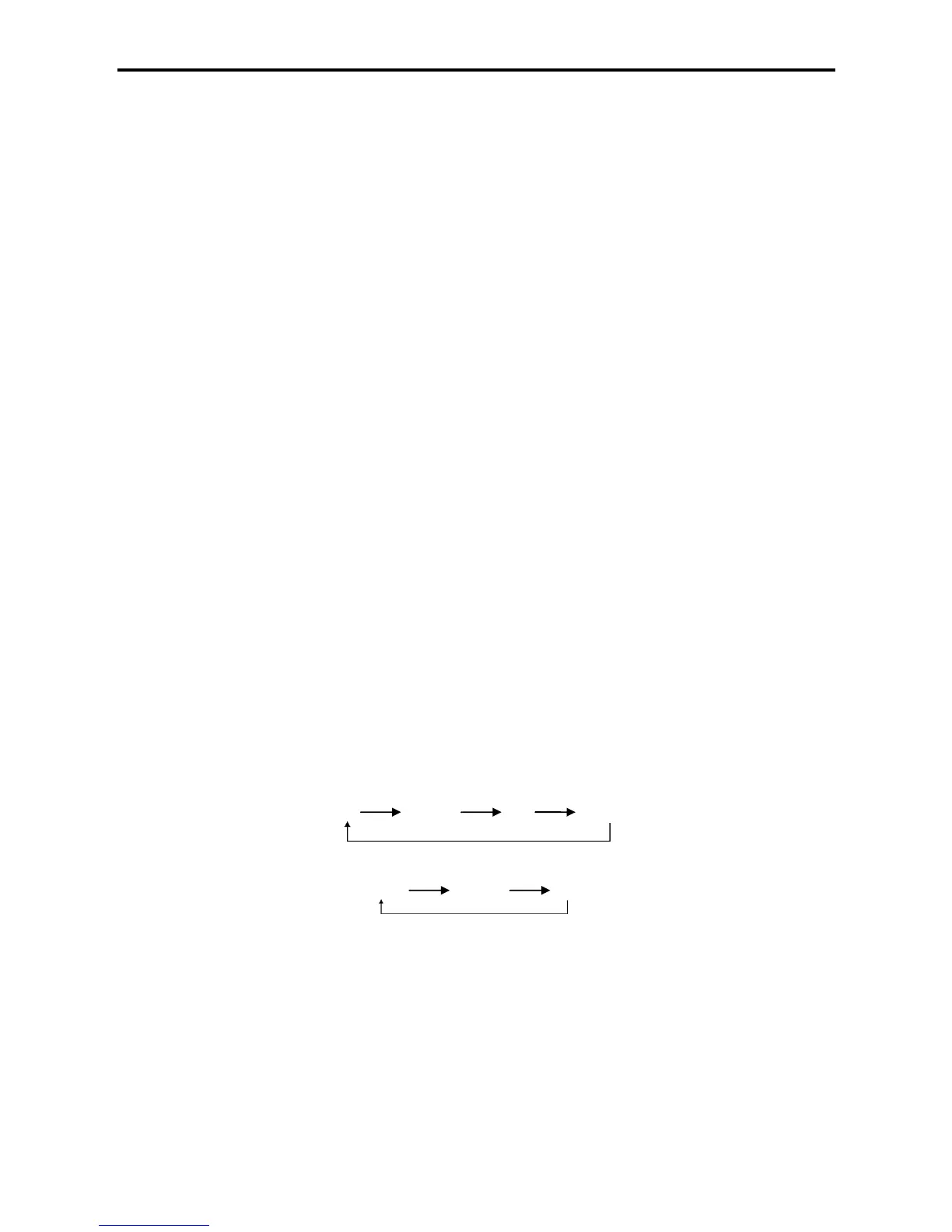
High Medium Low Auto
3) In the “Air Supply Mode”, there is no automatic wind, and the fan speed switches as follows:
High Medium Low
“SWING”:
1) The “Swing” icon will appear swinging back and forth after this button is pressed.
2) Press the “Swing” button, the up-down and left-right air deflectors will swing automatically in the
specified range and press the button again to stop swinging.
Button search function:
Press the “Search” button once to display the addresses of the indoor units and the mode Ps, twice to
display the energy consumption of the indoor units, third to display T1, fourth to display T2, fifth to
display T2B, sixth to display the average temperature (T2), seventh to display the expansion valve
opening and eighth to come back to the home page.



 To Next Page