27
English
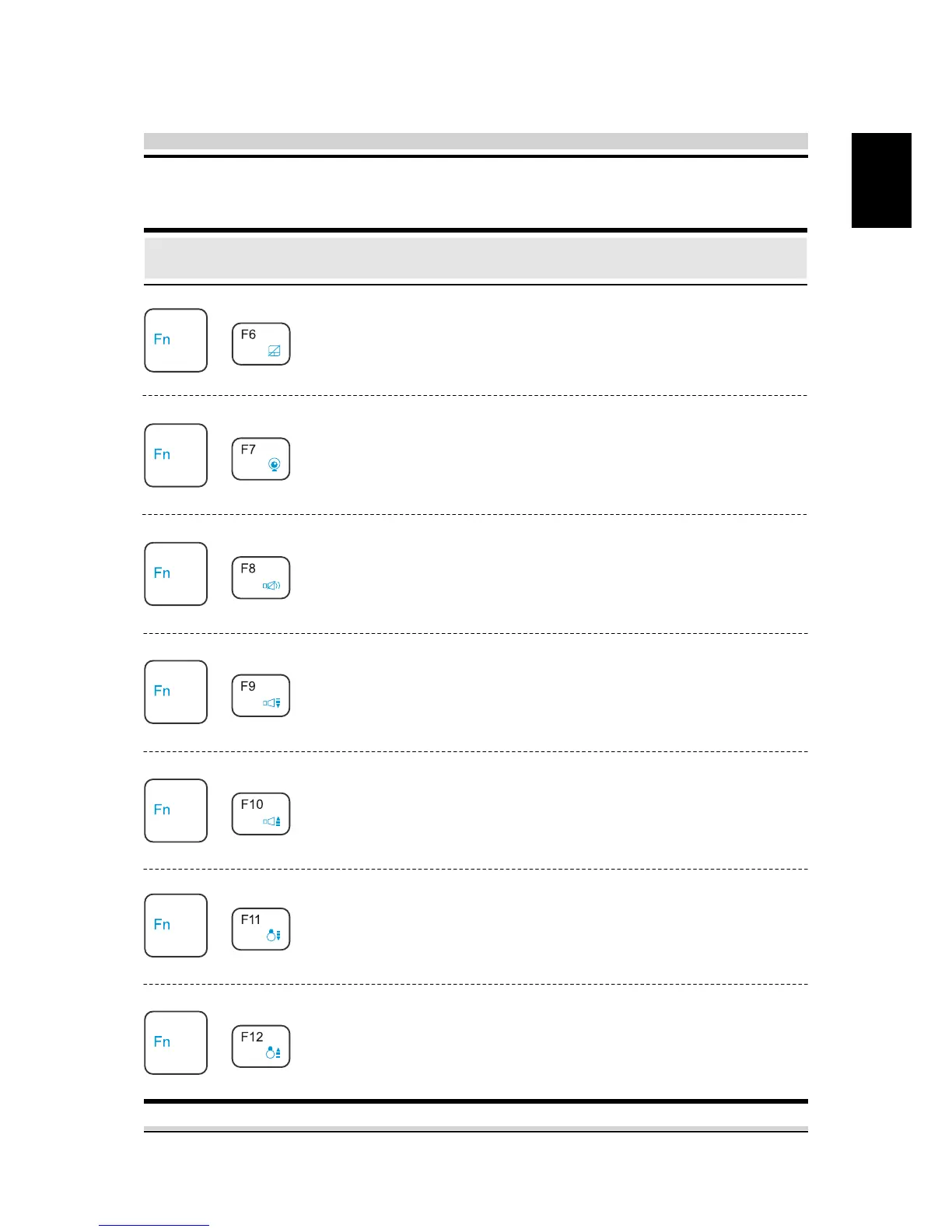
Function Keys
Function Description
Keypad
+
+
+
+
+
+
+
Touch pad:
Webcam
on/o:
MUTE:
Volume
down:
Volume
up:
Brightness
down:
Brightness
up:
Press this key combination (Fn+F6)
to enter Touch pad mode.
Press this key combination (Fn+F7)
to enter Webcam on/o mode.
Press this key combination (Fn+F8)
to enter MUTE mode.
Press this key combination (Fn+F9)
to enter Volume down mode.
Press this key combination (Fn+F10)
to enter Volume up mode.
Press this key combination (Fn+F11)
to decrease brightness of LCD
display.
Press this key combination (Fn+F12)
to increase brightness of LCD
display.



 To Next Page