CHIYU TECHNOLOGY CO., LTD
http://www.chiyu-t.com.tw
2. Setting up Your Computer’s IP Address
Use this section to set up your computer to assign it a static IP address in the 192.168.168.1 to 192.168.168.254
(except for 192.168.168.125) range with a subnet mask of 255.255.255.0. This is necessary to ensure that your
computer can communicate with your BF-450(M)/BF-430/BF-431.
Your computer must have an Ethernet card and TCP/IP installed. TCP/IP should already be installed on computer
using Windows 98/2000/XP and later operating systems.
Note: Connect a computer to BF-450(M)/BF-430/BF-431 Ethernet port directly should be with crossover
Ethernet cable, if both connect to hub/switch should be with straight-through Ethernet cable.
2.1 Installing the TCP/IP Protocol
If you are not sure whether the TCP/IP Protocol has been installed, follow these steps to check, and if necessary,
install TCP/IP onto your PCs.
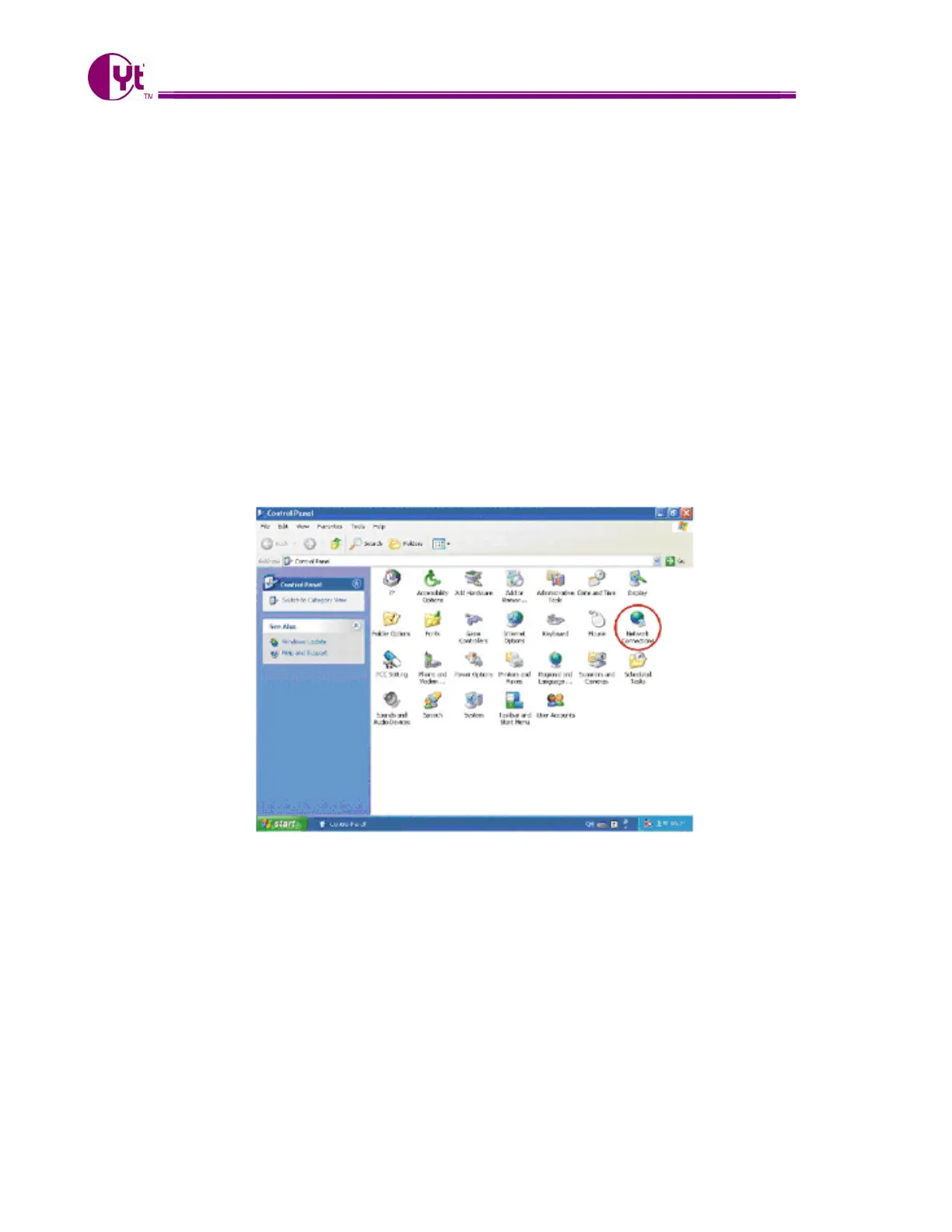
1. Click the “Start” button. Choose “Settings”, then “Control Panel”. Double-click the “Network Connections”
icon. Your Network window should appear as follows:
3



 To Next Page