EasyManua.ls Logo

ChocoVision REVOLATION 1 - User Manual

ChocoVision REVOLATION 1
9 pages
Print Icon
To Next Page IconTo Next Page
Loading...
REVOLATION 1

Other manuals for ChocoVision REVOLATION 1

Question and Answer IconNeed help?

Do you have a question about the ChocoVision REVOLATION 1 and is the answer not in the manual?

Summary

REVOLATION 1

Assembly

Bowl Installation

Install the bowl by placing it in the machine and rotating until it locks into position.

Scraper Attachment

Attach the scraper to the baffle, ensuring it curves towards the front of the machine for proper installation.

Baffle to Bowl Assembly

Baffle Clip Installation

Machine Controls Overview

Quick Start Guide

Step-by-step guide for initial operation, including placing chocolate, selecting type, and adding seed chocolate.

Control Button Functions

Explains the function of the READY MODE INDICATOR, CHOCOLATE TYPE selection, SEED IN/TEMPER, SELECT BUTTON, and RESET.

Operating the Machine

Loading Chocolate

Specifies the maximum loading capacity for the machine, up to 1.5 pounds of chocolate.

Selecting Chocolate Type

Guidance on how to select the desired chocolate type using the 'S' button.

Seeding the Chocolate

Adding Seed Chocolate

Add at least 4 oz of tempered 'seed' chocolate when the seed/temper light flashes, then press 'S'.

Tempering Completion

Tempering is complete upon three beeps and the READY light. Remove remaining seed chocolate.

Definition of Seed Chocolate

Solid tempered chocolate with proper crystalline structure used to improve tempering time.

Final Phase

Tips and Useful Hints

Chocolate Thickening Causes

Reasons for chocolate thickening include moisture, high humidity, or not removing seed chocolate on time.

General Usage Tips

Avoid water, ensure items are dry and room temperature, and use ventilation for cooling.

Overview

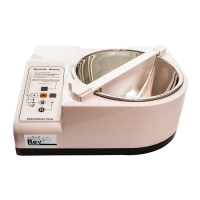
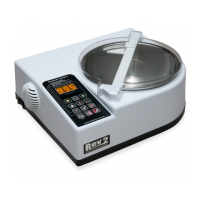
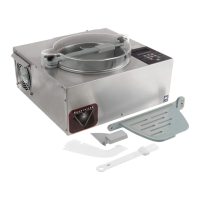
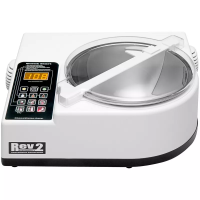
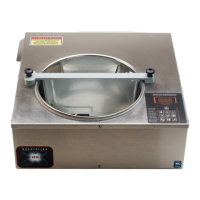
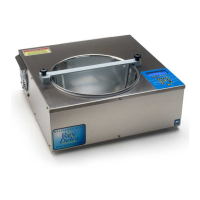
The device presented in the manual is a chocolate tempering machine, specifically the "Revolation 1" model from ChocoVision Corp. Its primary function is to melt and temper chocolate, making it ready for various culinary applications such as dipping.

Function Description:

The Revolation 1 is designed to automate the process of tempering chocolate, which is crucial for achieving a smooth, glossy finish and a proper snap when the chocolate hardens. It uses a controlled heating and cooling process to stabilize the cocoa butter crystals in the chocolate. The machine features a removable bowl where the chocolate is melted, and a baffle with a scraper mechanism that continuously stirs the chocolate to ensure even tempering. The tempering process involves melting the chocolate, then adding "seed" chocolate (pre-tempered solid chocolate) to initiate crystallization, and finally maintaining the chocolate at a working temperature.

Important Technical Specifications:

While specific numerical technical specifications like power consumption or precise temperature ranges are not explicitly detailed in the provided slides, the manual indicates several operational parameters:

  • Capacity: The machine can hold up to 1.5 lbs of chocolate at a time.
  • Controls: It features a "Quick Start" guide with LED indicators for different chocolate types and operational modes (Melt, Temper, Ready).
  • Indicators:
    • READY MODE INDICATOR: Illuminates when the chocolate is tempered and ready to use.
    • CHOCOLATE TYPE-LED: Scrolls through different chocolate types, allowing the user to select the appropriate tempering profile.
    • SEED IN/TEMPER: Flashes to indicate when "seed" chocolate should be added to start the tempering cycle.
  • Buttons:
    • SELECT BUTTON ("S"): Used to select the chocolate type (by holding down) and to initiate the MELT cycle (upon release). Pressing it again after the SEED IN light flashes begins the TEMPER cycle.
    • RESET BUTTON ("R"): Stops the machine and resets the controls.
  • Recommended Room Conditions: Ideal room temperature for operation is between 20-22°C (68-72°F), with humidity not above 50%.

Usage Features:

The Revolation 1 is designed for ease of use, with a straightforward assembly and operation process:

  • Assembly:

    • Bowl Placement: The bowl is placed into the machine and rotated until it drops into place, securing it.
    • Scraper Attachment: The scraper attaches to the baffle and should curve towards the front of the machine when properly installed.
    • Baffle to Bowl: The baffle is fitted into the bowl and rotated clockwise until its connector pins engage into the baffle lock.
    • Baffle Clip: A baffle clip slides onto the baffle to prevent solid chocolate from climbing out of the bowl as it rotates.
  • Operation (Quick Start Guide):

    1. Load Chocolate: Place chocolate behind the baffle. The manual recommends loading up to 1.5 lbs at a time.
    2. Select Chocolate Type & Melt: Hold down the "S" button to scroll through and select the desired chocolate type. Release the "S" button to start the MELT MODE.
    3. Seed Chocolate & Temper: When the SEED IN/TEMPER light flashes, add at least 4 oz of solid, tempered "seed" chocolate behind the baffle. Press the "S" button again to initiate the TEMPER cycle.
    4. Ready Indication: The READY MODE INDICATOR will illuminate, and three beeps will sound, signaling that the chocolate is tempered and ready to use. At this point, any remaining "seed" chocolate should be removed.
  • "Priming" the Bowl/Scraper: For the first few uses, it is recommended to "prime" the bowl/scraper by rubbing a small piece of chocolate on the inside of the bowl. This ensures a smooth initial start-up and helps prevent damage to the scraper.

  • Dipping: Once the chocolate is tempered, it can be used for dipping items like pretzels, as demonstrated in the manual.

Maintenance Features:

The manual provides tips to ensure proper operation and address common issues, which can be considered aspects of maintenance and troubleshooting:

  • Preventing Chocolate Thickening:
    • Moisture Control: Avoid mixing water with melted chocolate. Ensure all items being dipped are at room temperature and completely dry. High room humidity can also cause thickening.
    • Temper Mode Duration: Do not leave the chocolate in Temper mode for too long.
    • Seed Chocolate Removal: Remove the "seed" chocolate promptly when the machine indicates the chocolate is ready. Failure to do so can cause the tempered pool to thicken.
  • Resetting the Process: If chocolate thickens or other issues arise, the user can simply press the MELT button and start over.
  • Environmental Control: Maintaining an ideal room temperature (20-22°C / 68-72°F) and low humidity (not above 50%) is crucial for successful tempering.
  • Cooling Assistance: Moving large volumes of air across the product can aid in the cooling process, which is part of effective tempering.

The Revolation 1 aims to provide a reliable and user-friendly solution for chocolate tempering, suitable for both small-scale professional use and enthusiastic home users.

ChocoVision REVOLATION 1 Specifications

General IconGeneral
BrandChocoVision
ModelREVOLATION 1
CategoryKitchen Appliances
LanguageEnglish

Related product manuals