Need help?
Do you have a question about the ChocoVision REVOLATION DELTA and is the answer not in the manual?
Ensure proper grounding, avoid extension cords, and unplug when not in use.
Never immerse the machine in water or allow splashing near the unit.
Maintain minimum 16cm clearance for intake and exhaust fans.
Keep packaging material, including small parts, away from children.
Never open the case to avoid electrical shock.
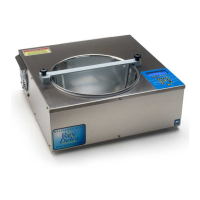
Details the main case, heat outlet, intake and exhaust fans.
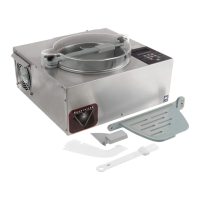
Describes the bowl, scraper, baffle, probe, and related parts.
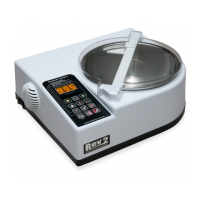
Covers the keypad, display window, and power switch.
Includes the optional hopper and notes its incompatibility with the dust cover lid.
Wash all components in contact with chocolate using mild soap and a soft sponge.
Properly install the bowl, scraper, and baffle, ensuring correct alignment and securing.
Assemble dust cover and hopper; components can be disassembled for cleaning.
Use 'S' button to choose chocolate type; can hold for extended pause.
Select Quick, Normal, or Extended temper mode via the 'T' button.
Use 'M' button for manual temperature setting, ideal for coatings.
Up/Down Arrow keys adjust temperatures in various modes.
Pause bowl rotation or activate Overnight Mode for extended melting.
Use 'P' for programming and 'R' to reset; preserves stored programs.
Plug in, power on, select chocolate, and wait for bowl rotation at 29°C.
Chocolate melts into a pool, taking approx. 45 minutes for 4.5kg.
Select temper mode, add seed, cool down, remove seed, and await 'READY' signal.
Adjust melt/temper points using arrow keys for precise control.
Save manual temperature adjustments via Programming Mode (Fahrenheit).
Explains Quick, Normal, and Extended Temper Modes and their uses.
Position away from water; never mix water with chocolate.
Keep contact strips clean for proper machine function.
Ensure scraper is correctly installed and bent towards the probe.
Maintain adequate chocolate level above the thermistor/probe.
Avoid AC vents for even heat distribution; use lid for efficiency.
Bowl pauses until temperature reader on baffle reaches 30°C.
Toggle between Fahrenheit and Celsius using the ARROW DOWN button.
Pause bowl rotation for 90 seconds; resumes automatically or on repeat press.
Keep melted chocolate overnight; not kept in temper, requires re-tempering.
Save custom temper cycles, melt, delta, and temper points.
Set a target temperature; machine heats or cools to reach it.
Bowl is dishwasher safe; baffle and knobs are hand-wash only.
Avoid submerging probes; do not use spray solvents or abrasives.
Wipe down metal casing with a damp cloth and mild soap.
Use baffle cleaning brush for hard-to-reach areas.
Explains 'pure' chocolate vs. 'compound' chocolate.
Tempering ensures stable cocoa butter crystals for gloss and snap.
Tempered chocolate chunks used to initiate crystallisation for a proper temper.
Guidelines for ideal cooling temperatures for moulding and coating.
Bloom is surface discolouration from sugar or fat separation.
Climate affects tempering; ideal conditions are 18.5-21°C and <50% humidity.
Store properly to maintain temper; avoid moisture and odours.
Increases capacity from 4.5kg to 7kg.
New scrapers feature two notches for improved stability.
Align scraper notches with baffle notches for secure fit.
New scrapers fit old baffles; old scrapers do not fit new baffles.
Contact Customer Service for questions regarding baffles or scrapers.
Bowl requires 30°C sensed by baffle probe to start rotating.
Use tempered 'seed' chocolate for best results in bean-to-bar production.
Adjust temperature curve by 2°C for first run without tempered seed.
Reserve tempered chocolate from subsequent batches for future seeding.
Utilize Programming mode (P) for custom Fahrenheit temperatures.
The machine is designed solely for tempering, not mixing.
Batch tempers can become less fluid over time; ETM mode helps maintain fluidity.
Poor tempering or cooling can cause mould removal issues and discolouration.
Indicates chocolate or moulds are too hot; check temper and temperature.
Caused by over-crystallisation or incorrect cooling temperatures.
Result from cold refrigerators, fast cooling, or thin product.
Clean moulds using hot water (<60°C) and mild soap; air dry.
Callebaut offers troubleshooting and tutorials with provided login credentials.
Verify machine is plugged in and switched on; check if display turns on.
Check fuses in the plug and machine; replace if necessary.
If fuses are functional, a broken power supply may cause issues (Error A1).
Indicates an error when the machine is turned on with the baffle installed.
Clean contact points on the baffle and machine for residue.
Test with another baffle; persistent error suggests faulty baffle or machine (Errors B1, B2, B3).
Suggests the machine or baffle is too cold; warm up probe or check baffle.
Confirm air is expelled from the left-side exhaust fan.
Confirm air is drawn into the back intake fan.
Non-functional fans indicate a potential breakage (Errors C1, C2).
Ensure bowl rotates after program selection and baffle reaches 29.5°C.
Confirm hot air is directed towards the bowl area after baffle reinstallation.
Lack of hot air suggests a faulty heater (Error D3).
Seized motor (D1) or broken power supply (D2) if hot air is present.
Conduct temper test on page 24 to assess chocolate quality.
Failed tests may indicate a faulty baffle or difficult-to-temper chocolate.
Contact support or complete baffle test form for detailed problem resolution.
Use standard settings with 1/3 to 1/2 full bowl of fresh, melted chocolate.
Collect sample, refrigerate 10-20 mins at 5-15°C.
Assess snap, shine, and non-melting properties of the cooled sample.
Passing tests confirms machine operation; issues may be external.
Record chocolate brand/type, baffle used, and test with both baffles.
Document machine and thermometer readings at melt, seed out, and temper.
Note the appearance of the chocolate upon reaching the tempered stage.
 General
| Brand | ChocoVision |
|---|---|
| Model | REVOLATION DELTA |
| Category | Kitchen Appliances |
| Language | English |

 To Next Page