Chord Electronics
Mojo 2 | User manual
8
6.5 Connectivity: outputs
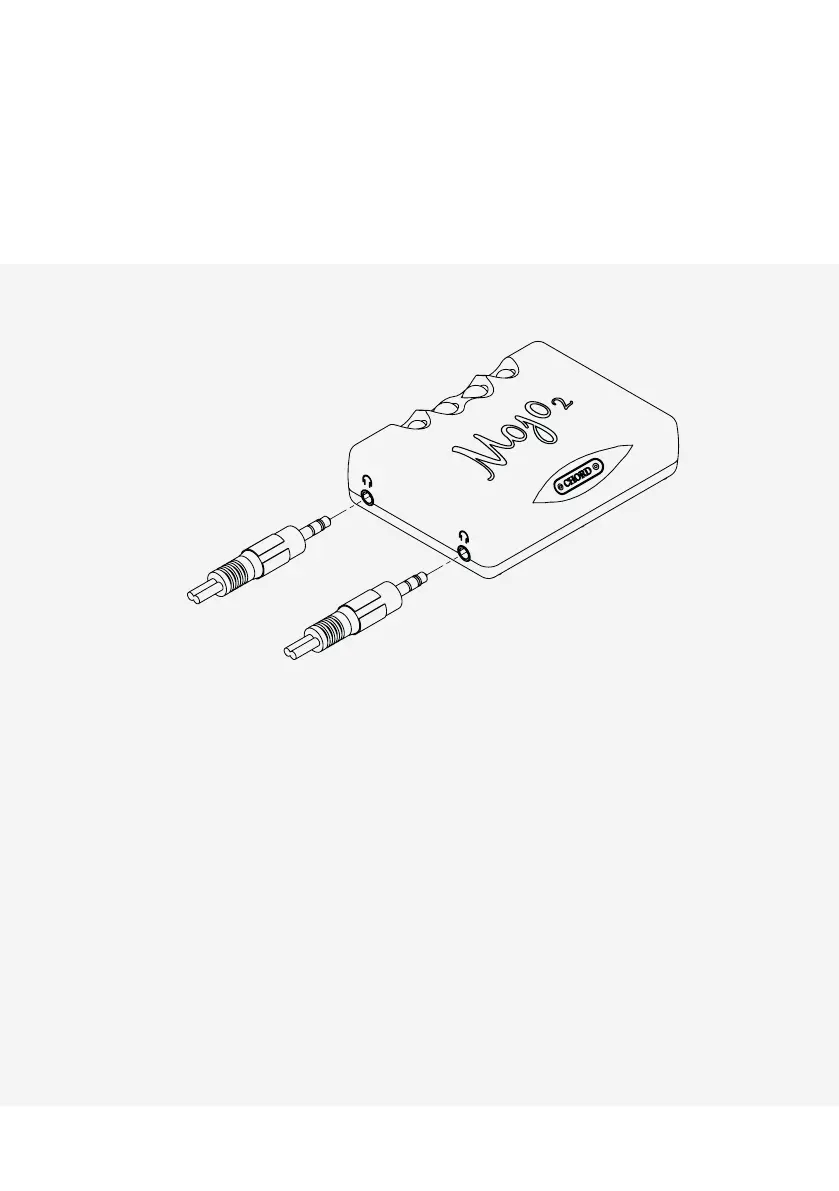
Connect up to two pairs of (3.5 mm mini-jack) headphones to Mojo 2, simultaneously. The device’s volume
control (see section 6.8) will adjust both headphone outputs together (there is no independent volume control
for each headphone).
6.6 Powering on/o
Press and hold the power button (see section 4) until it becomes illuminated, then release. Mojo 2 will perform
a number of start-up checks indicated by the power button cycling through a range of colours. During this
process, the menu button will also automatically cycle through its designated colours; any previously saved
menu settings will be displayed using colour on the ‘+’ and ‘- ‘ buttons (see section 7 for menu options and a
full guide to colours). Mojo 2 is ready to use once the colours have stopped cycling. To power down, press and
hold the power button until the lights are extinguished.


 To Next Page