EasyManua.ls Logo

Christie CP22 Series - User Manual

Christie CP22 Series
2 pages
Print Icon
To Next Page IconTo Next Page
Loading...
Preparing CP22XX and
CP42XX Projectors for
Initial Use
The reservoir plug is used during transit to prevent coolant leaks. It must be removed during the
installation of the projector.
Affected products
The following products are affected:
Christie CP2215 (P/N: 127-010113-02)
Christie CP2220 (P/N: 127-002114-04)
Christie CP2230 (P/N: 127-009100-02)
Christie CP4220 (P/N: 129-006107-02)
Christie CP4230 (P/N: 129-007108-02)
Removing the reservoir plug
Prior to using the projector, remove the plug from the reservoir assembly.
1. Follow the instructions in the projector's documentation to access the coolant reservoir.
CP2215 Service Manual (P/N: 020-101226-XX)
CP2220 User Manual (P/N: 020-100420-XX) or CP2220 Service Manual (P/N: 020-100472-
XX)
CP2230 Setup Guide (P/N: 020-100515-XX) or CP2230 Service Manual (P/N: 020-100562-
XX)
CP4220 Service Manual (P/N: 020-100691-XX)
CP4230 User Manual (P/N: 020-100621-XX) or CP4230 Service Manual (P/N: 020-100622-
XX)
2. Remove the plug from the reservoir's cap.
Preparing CP22XX and CP42XX Projectors for Initial Use Instruction Sheet 1
020-103515-01 Rev. 1 (04-2021)
Copyright
©
2021 Christie Digital Systems USA, Inc. All rights reserved.
Question and Answer IconNeed help?

Do you have a question about the Christie CP22 Series and is the answer not in the manual?

Overview

This document outlines the essential steps for preparing Christie CP22XX and CP42XX series projectors for initial use, focusing specifically on the removal of the reservoir plug. The reservoir plug is a critical component used during transit to prevent coolant leaks and must be removed before the projector is installed and operated. Failure to remove this plug could lead to operational issues or damage to the projector.

Function Description:

The Christie CP22XX and CP42XX series projectors are high-performance digital cinema projectors designed for professional use. While the document does not detail the full range of functions, it implicitly indicates their reliance on a coolant system for proper operation, suggesting advanced thermal management capabilities necessary for sustained high-output performance. The primary function addressed here is the initial setup procedure that enables the coolant system to function correctly by removing a transit-specific plug.

Important Technical Specifications (as derived from the document):

The document lists specific product models and their corresponding part numbers, which are crucial for identification and support:

  • Christie CP2215: P/N: 127-010113-02
  • Christie CP2220: P/N: 127-002114-04
  • Christie CP2230: P/N: 127-009100-02
  • Christie CP4220: P/N: 129-006107-02
  • Christie CP4230: P/N: 129-007108-02

These part numbers are vital for ensuring that the correct documentation and support resources are accessed for each specific projector model. The inclusion of these part numbers highlights the precision required in handling and maintaining these sophisticated devices.

The document also references various user and service manuals by their part numbers, which are essential for detailed technical specifications and operational guidance:

  • CP2215 Service Manual: P/N: 020-101226-XX
  • CP2220 User Manual: P/N: 020-100420-XX
  • CP2220 Service Manual: P/N: 020-100472-XX
  • CP2230 Setup Guide: P/N: 020-100515-XX
  • CP2230 Service Manual: P/N: 020-100562-XX
  • CP4220 Service Manual: P/N: 020-100691-XX
  • CP4230 User Manual: P/N: 020-100621-XX
  • CP4230 Service Manual: P/N: 020-100622-XX

These references underscore the complexity and modularity of the projector systems, requiring specific documentation for different aspects of their use and maintenance. The "XX" suffix in the part numbers typically indicates a revision or version number, allowing for precise tracking of documentation.

Usage Features (Initial Setup):

The primary usage feature detailed in this document is the initial preparation of the projector for operation. This involves:

  1. Accessing the coolant reservoir: This step implies that the reservoir is located within the projector's casing and requires following specific instructions from the projector's documentation to gain access. This suggests a design that prioritizes internal component protection and possibly a streamlined aesthetic, requiring specific procedures for internal access.
  2. Removing the reservoir plug: This is a critical step to enable the coolant system to function. The plug is explicitly stated to be for transit purposes, indicating a design consideration for safe transportation.
  3. Securing the plug for future use: Users are instructed to tape the removed plug to the top of the cap. This feature highlights a forward-thinking design that anticipates potential future transportation needs, making it easier for users to re-secure the coolant system.
  4. Ordering a replacement plug: An alternative option is provided to order a new plug as part of a Reservoir Cap service kit (P/N: 003-200638-XX). This indicates that Christie provides readily available spare parts, supporting long-term usability and maintenance.
  5. Closing the projector case: This final step ensures the projector is properly sealed and ready for operation after the plug removal.

Maintenance Features:

While the document primarily focuses on initial setup, it touches upon several aspects related to maintenance:

  • Preventative measure for transit: The reservoir plug itself is a maintenance-related feature, designed to prevent coolant leaks during transportation, thus protecting the internal components and ensuring the projector arrives in optimal condition.
  • Documentation for maintenance: The extensive list of service manuals and user manuals indicates a comprehensive support system for maintenance. These manuals would contain detailed instructions for troubleshooting, part replacement, and routine servicing.
  • Availability of spare parts: The mention of ordering a new plug in a service kit (P/N: 003-200638-XX) confirms that Christie supports the long-term maintainability of its projectors by providing access to necessary spare parts. This is crucial for extending the lifespan of the equipment and minimizing downtime.
  • Technical support channels: The document provides multiple channels for technical support, including email (Support.cinema@christiedigital.com), a general support phone number (+1-877-334-4267), and a dedicated line for Christie Professional Services (+1-800-550-3061 or NOC@christiedigital.com). These robust support options are a key maintenance feature, ensuring that users can quickly resolve issues and access expert assistance. This multi-channel approach caters to different levels of urgency and types of inquiries, from general troubleshooting to professional service needs.

In summary, the Christie CP22XX and CP42XX projectors are sophisticated devices designed for professional cinema environments, requiring careful initial setup. The document emphasizes the importance of the coolant reservoir plug for safe transit and provides clear instructions for its removal and subsequent handling. The detailed references to manuals and robust technical support channels highlight Christie's commitment to product longevity and user support, making these projectors not only high-performing but also maintainable over their operational lifespan.

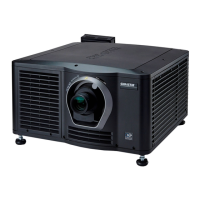
Christie CP22 Series Specifications

General IconGeneral
BrandChristie
ModelCP22 Series
CategoryProjector
LanguageEnglish

Related product manuals