
 Need help?
Do you have a question about the Christie CP2208-LP and is the answer not in the manual?
Learn about the labels that may be used on the product.
Details various hazards like electric shock, hot surface, pinch, fan, and voltage.
Consult the user manual for required actions.
Explains symbols for protective earth ground and earth ground.
Identifies light hazard and refers to manual for distance.
Class 1 Laser Product information.
General safety guidelines to prevent injury and damage.
Guidelines for installing and operating the projector safely.
Safety guidelines for connecting to AC power.
Details hazard zones and distances for optical/thermal radiation.
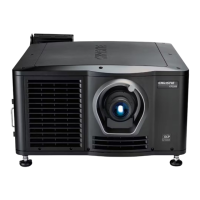
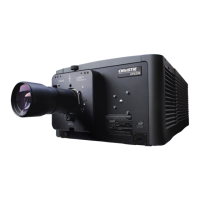
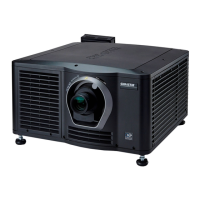
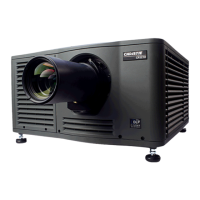
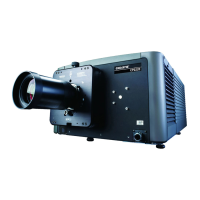
Identifies and describes front projector components.
Identifies and describes rear projector components.
Explains the function and use of the touch panel controller.
Steps to log in to the projector via the touch panel controller.
How to view component status and interpret LED indicators.
Captures diagnostic information for issue diagnosis.
How to collect system logs for troubleshooting.
Runs a test for subtitle/metadata XML file errors.
How to acknowledge and view projector alarms.
Procedure to safely power down the projector.
Stops DLP communication for maintenance.
Resets DLP to remove image artifacts.
Tests ICP and DLP functionality.
Downloads the ICP certificate for KDM creation.
Disables ICP signature test to prevent network monitoring disruption.
Creates a file for light source power settings.
Changes settings of an existing light source file.
Controls LiteLOC power management.
Increases or decreases light source power percentage.
Checks sensor readings on the Light Power/LiteLOC screen.
Creates customized projector settings for different inputs.
Activates saved customized projector settings.
Resets channel settings to default.
Modifies the icon associated with a channel.
Manages channels in the Preferred Channels pane.
Creates files for input device resolution, offset, and aspect ratio.
Changes settings in an existing source file.
Defines display size and image cropping.
Changes settings in an existing screen file.
Creates MCGD files for on-screen color correction.
Changes settings in an existing MCGD file.
Creates TCGD files based on content provider settings.
Changes settings in an existing TCGD file.
Creates new files for the intelligent lens system.
Changes settings in an existing ILS file.
Enables/disables automatic ILS adjustments per channel.
Resets ILS file settings to default.
Adds lens serial number for identification.
Moves lens to position specified by channel settings.
Resets lens position to default on startup.
Calibrates the projection lens before use.
Resets ILS and lens to default position.
Sets automatic schedule for projector power.
Modifies an existing scheduled event.
Removes a specific scheduled event.
Removes all scheduled events.
Disables the scheduler feature.
Adjusts administrator preferences for projector and TPC.
Adjusts time zone, daylight savings, and offset.
Configures network settings and communication parameters.
Adds network devices for interaction.
Interacts with network devices.
Calibrates the internal light meter to Foot Lamberts.
Views running processes via Task Manager.
Manages local/remote computer settings using Computer Management.
Navigates projector files using Windows Explorer.
Views and modifies network connections.
Displays serial number, software version, DLP version, lens type.
Lists TPC permissions for different user roles.
Creates new user accounts with specific permissions.
Updates user account password or access rights.
Removes a user account when no longer needed.
Adds an upgrade file to the projector.
Removes an unwanted upgrade file.
Installs an upgrade file onto the projector.
Backs up projector settings for later restoration.
Restores configuration, preference, channel, or user files.
Restores configuration, reference, channel, and user files.
Moves files from USB drive to the projector.
Deletes files from the projector.
Manages test patterns in the Preferred Test Patterns pane.
Activates or deactivates test patterns.
Displays test patterns in full screen mode.
Lists hardware requirements for 3D image display.
Details pin functions for the 3D Sync terminal.
Sets up hardware for 3D viewing.
Creates 24Hz, 48Hz, 60Hz high frame rate 3D files.
Edits the default 3D light file for 3D hardware specs.
Defines an MCGD file for 3D hardware specs.
Edits projector settings for 3D flat content.
Edits projector settings for 3D scope content.
Uses 3D test patterns to verify hardware function.
Addresses issues where the 3D effect is reversed or broken.
Provides solutions for images appearing too dark.
Troubleshooting for when no 3D effect is visible.
Addresses blurred edges and misaligned images.
Solutions for visible motion artifacts in 3D content.
Fixes distracting flashing in one eye during 3D viewing.
Covers issues like the projector not turning on.
Addresses problems with input device communication.
General display problems and their solutions.
Resolves flickering, shadows, or dim projected images.
Fixes issues where the screen remains blank.
Resolves smearing and double image perception.
Corrects vertical stretching or squeezing of the image.
Troubleshoots incorrect image colors.
Fixes issues with non-rectangular display shapes.
Resolves projected image noise.
Addresses issues where the image freezes.
Fixes issues with alternate content not displaying.
Resolves jittery or unstable display issues.
Fixes issues with parts of the image being cut off.
Addresses changing projected image quality.
Covers common TPC issues and solutions.
Troubleshoots TPC startup failures.
Fixes incorrect button press interpretation on TPC.
Details projector dimensions and weight.
Lists AC input and power consumption details.
Details UPS AC input and power specifications.
Covers operating and non-operating environment requirements.
Lists panel resolution and refresh rate.
Specifies contrast ratios.
Details displayable colors and gray scale resolution.
Provides nominal white point coordinates.
Specifies nominal gamma value.
Lists compatibility for Ethernet and RS232.
Specifications for the 3D terminal interface.
Details TPC display size, resolution, and OS.
Lists standard and optional accessories.
Lists product safety and EMC regulations.
Lists safety standards compliance.
Lists countries where the product is approved.
Details emissions and immunity standards.
 General
| Light Source | Laser Phosphor |
|---|---|
| Projection Technology | DLP |
| Contrast Ratio | 2000:1 |
| Lens Options | Optional lenses available |
| Input Connectors | HDMI |
| Operating Temperature | 0°C to 40°C (32°F to 104°F) |
| Cooling System | Liquid cooling |






 To Next Page

