EasyManua.ls Logo

Christie LX501 - User Manual

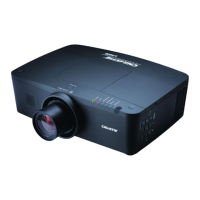
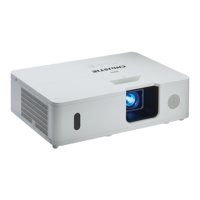
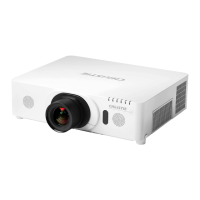
Christie LX501
128 pages
Print Icon
To Next Page IconTo Next Page
Loading...
LX501/LW401/LWU421/
LX601i/LW551i/LWU501i
User Manual-Operating Guide
020-000461-02

Table of Contents

Other manuals for Christie LX501

Questions and Answers

  • S
    Sarah DaySep 12, 2025
    What should I do if my Christie LX501 won't turn on because the lamp or lamp cover isn't properly fixed?
    • K
      Kyle HeathSep 12, 2025
      If your Christie Projector doesn't turn on because the lamp/lamp cover isn't properly fixed, turn the power off, disconnect the power plug, and allow the projector to cool down for at least 45 minutes. After cooling down, confirm the attachment state of the lamp and lamp cover.
  • S
    Sherry HernandezAug 25, 2025
    What to do if my Christie LX501 Projector is operating abnormally?
    • P
      Penny LarsonAug 25, 2025
      If your Christie Projector starts operating abnormally, stop using it immediately and disconnect the power plug from the outlet. Then, contact your dealer or a service company for assistance.
  • D
    David HutchinsonAug 25, 2025
    How do I resolve no picture on my Christie Projector due to incorrect signal cable connections?
    • J
      jeffery65Aug 26, 2025
      If your Christie Projector displays no picture, ensure that all connection cables are correctly and securely connected.
  • J
    Julie TaylorSep 23, 2025
    Why does my Christie LX501 Projector keep turning off and on when connected to the network?
    • D
      Derek MillsSep 23, 2025
      If your Christie Projector powers off and on when connected to the network due to a network configuration loop issue, disconnect the LAN cable and check for Ethernet switching hub loops.
  • B
    bcarpenterSep 12, 2025
    Why doesn't my Christie LX501 Projector recognize my USB drive?
    • K
      kevin33Sep 12, 2025
      If your Christie Projector doesn't recognize the USB storage device inserted into the USB TYPE A ports, use the REMOVE USB function first, remove the USB storage device, and then insert it into the port again.
  • M
    Mercedes SpenceSep 16, 2025
    How to unfreeze my Christie LX501 Projector screen?
    • J
      Jennifer FieldsSep 16, 2025
      If the video screen display on your Christie Projector freezes, press the FREEZE button to restore the screen to normal.
  • L
    lmyersSep 4, 2025
    How do I fix mismatched input changeover settings on my Christie LX501?
    • J
      Joshua LopezSep 5, 2025
      If your Christie Projector outputs neither sounds nor pictures due to mismatched input changeover settings, select the correct input signal and adjust the settings accordingly.
  • M
    Mary HartSep 5, 2025
    How to fix faded or poor colors on Christie LX501?
    • S
      Susan EstradaSep 5, 2025
      If the colors on your Christie Projector appear faded or the color tone is poor, adjust the COLOR TEMP, COLOR, and/or TINT settings using the menu functions.
  • A
    Andrew EdwardsSep 17, 2025
    How do I reduce flickering or stripes on my Christie LX501 by adjusting VIDEO NR?
    • V
      Victor ShannonSep 17, 2025
      If you are experiencing image degradation such as flickering or stripes on the screen of your Christie Projector, and there's excessive VIDEO NR, change the setting of VIDEO NR in the INPUT menu.
  • J
    Jacqueline CannonAug 30, 2025
    Why are the pictures on my Christie LX501 too dark?
    • M
      Michelle BarreraAug 30, 2025
      If the pictures on your Christie Projector appear dark, adjust the BRIGHTNESS and/or CONTRAST settings to a higher level using the menu function.

Christie LX501 Specifications

General IconGeneral
Brightness5000 lumens
Contrast Ratio2000:1
Technology3LCD
Native Resolution1024 x 768
Input ConnectorsComposite, S-Video
Noise Level35 dB (Eco)

Related product manuals