Digital Power Meter 66203/66204 User’s Manual
4-38
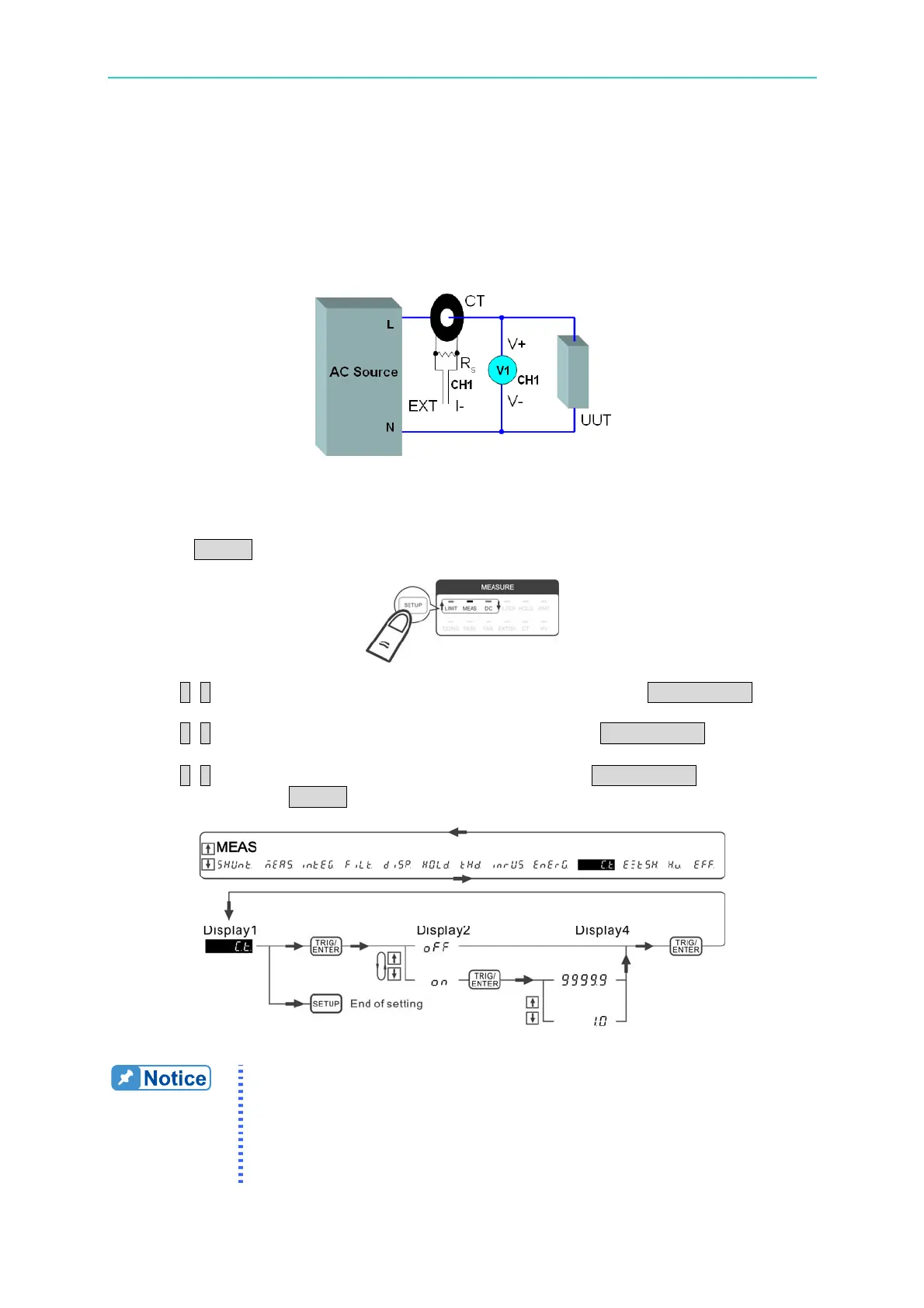
connected to the EXT terminal (EXT, I-) will be transformed into the actual measured current
of CT primary side by the power meter.
Besides the CT ratio is required for this application, it still needs to key in the R
s
resistance in
the ExtSH function. Please see the section of ExtSH for detail ExtSH function setting.
For the usage of DC CT (current transducer), please read the caution notes 2 below.
Figure 4-58 CT Wiring for EXT & I-
Following is the procedure to set the CT function:
1. Press SETUP to select Meas. The Meas indicator is on.
2. Use ↑, ↓ to select C.t. function in the 1
st
display window and press TRIG/ENTER to
confirm it.
3. Use ↑, ↓ to select on in the 2
nd
display window and press 下 TRIG/ENTER to confirm it.
When the CT indicator is on, it means the CT function is enabled.
4. Use ↑, ↓ to adjust ratio in the 4
th
display window and press TRIG/ENTER to confirm it.
5. When done, press SETUP to exit the menu.
Figure 4-59 Process for Setting CT
1. If CT is not used for current measurement, the CT function should
be turned off to avoid wrong calculation.
2. The internal shunt of the 66203/66204 is the load of CT secondary
side. The shunt resistance is 5mΩ (High shunt) and 500mΩ (Low
shunt) respectively. The shunt resistance is related to the output
capacity and linearity of CT. Please use this function properly.



 To Next Page