Page | 42
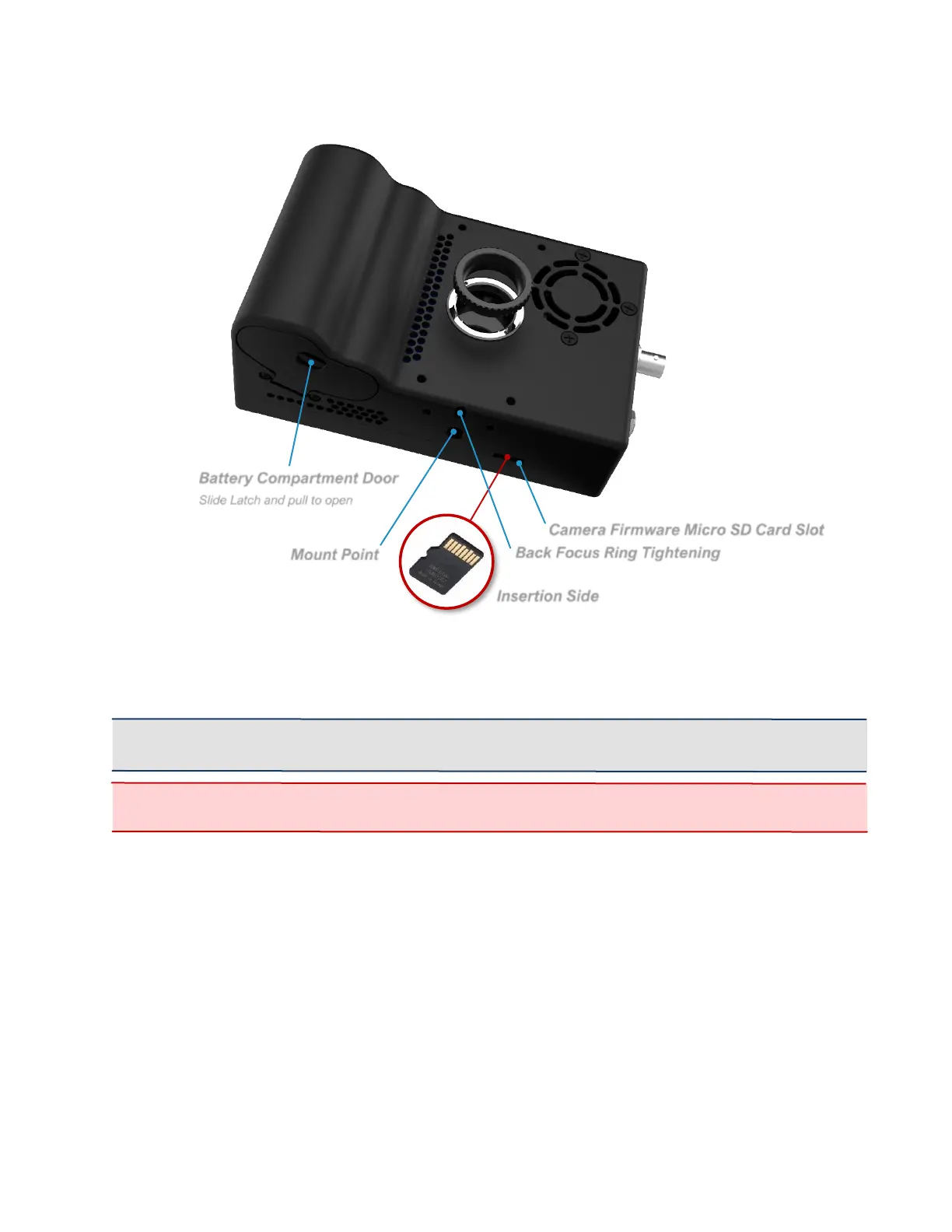
CAMERA’S BOTTOM
SYSTEM SD SLOT & CARD
• Bootable media for the camera that holds the camera’s operating system.
• During software upgrades, the camera writes new files to this card.
IMPORTANT: A Class 10 or faster SD card is recommended for the fastest video saving.
However, any properly formatted SD card will work. (FAT32, EXT2 and EXT3 file systems only.)
WARNING: Make sure the card is correctly oriented when inserting it into the System SD Card
Slot. The card is very difficult to retrieve if flipped or forced.
MOUNT POINT
• Standard mount point for the camera, to attach tripods or other equipment.
BACK-FOCUS LOCK SCREW
• Prevents the Back-Focus ring from moving. See Back-Focus Adjustment (Pg.
44).
BATTERY COMPARTMENT
• To open, push latch up and pull out.
• Holds an EN-EL4a 11.1V 2500mAh or 3100mAh battery during normal
operation.



 To Next Page