NOTE:
• After pushing the door handle lock button, you must
wait two seconds before you can lock or unlock the
doors, using either passive entry door handle. This is
done to allow you to check if the vehicle is locked by
pulling the door handle without the vehicle reacting and
unlocking.
• The passive entry system will not operate if the key fob
battery is dead.
The vehicle doors can also be locked by using the key fob
lock button or the lock button located on the vehicle’s
interior door panel.
WINDOWS
Power Windows
The window controls on the driver’s door control all the
door windows.
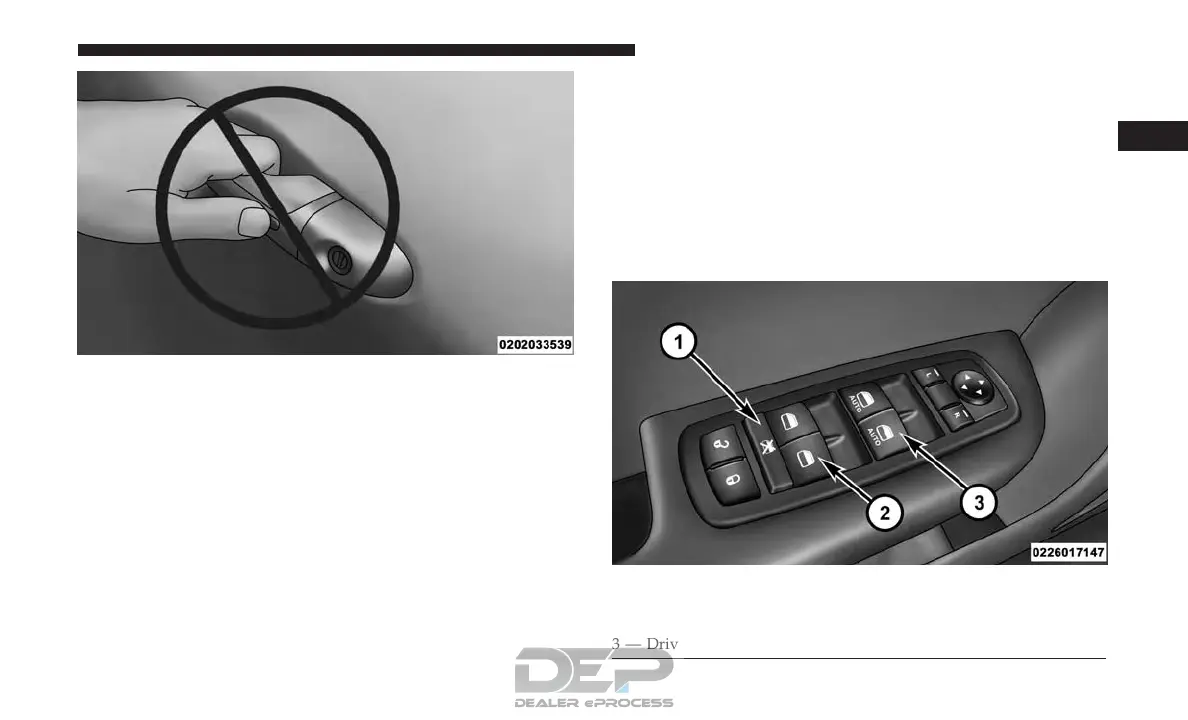
Do NOT Grab The Handle When Locking
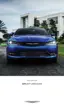
Power Window Controls
1 — Window Lockout Switch
2 — Rear Passenger Window Controls
3 — Driver/Passenger Window Controls
2
THINGS TO KNOW BEFORE STARTING YOUR VEHICLE 33














 To Next Page