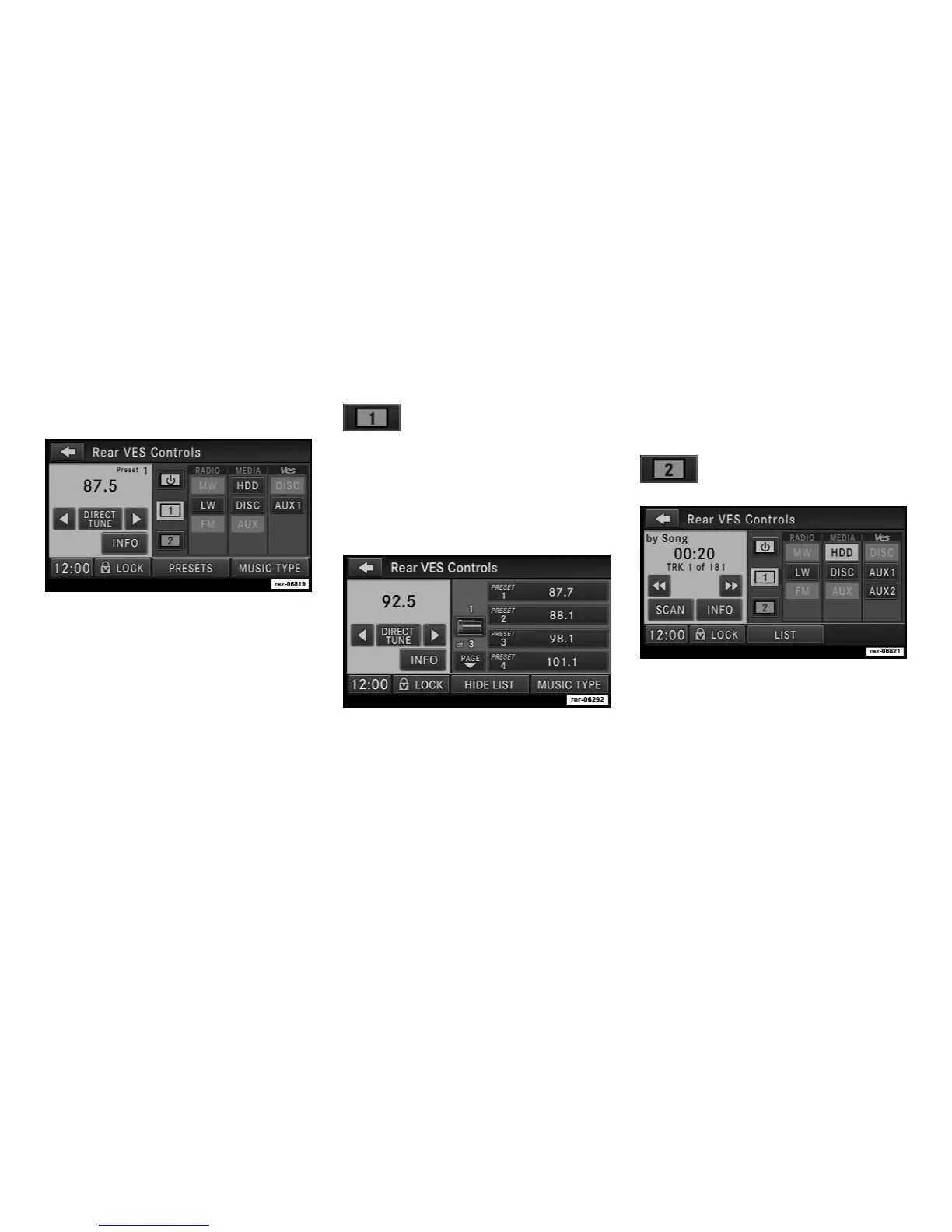
Touch the Rear VES soft-key to display the Rear
VES Controls.
The Rear VES Controls are displayed in the
right half of the screen.
NOTE:
Press the HIDE LIST soft-key, and/or the
CLOSE INFO soft-key, if you cannot see the
Rear VES Controls.
The first column controls VES on/off and the
headset audio channels 1, or 2.
A VES™ headset can listen to either audio
Channel 1 or audio Channel 2.
Touch the soft-key tab 1 to select
Channel 1.
The left half of the screen displays the audio
source information, which, if FM was chosen for
example, a radio frequency would be dis-
played.
Touch the LIST soft-key to display the selected
source details.
In this case the FM preset list within the se-
lected tuner is displayed.
You may touch a preset soft-key to change the
station, or touch the DIRECT TUNE soft-key to
enter a frequency, or press the SEEK up or
SEEK down hard-keys to change the radio
station.
Touch the 2 soft-key tab to set the
desired audio source for the sec-
ond VES™ audio channel.
The left half of the screen displays the audio
source information, which is in this case track 1
of a playlist on the HDD of the radio.
30



 To Next Page