9 10
Add New Accessories to the Hub
Remote control, Door sensor and other accessories.
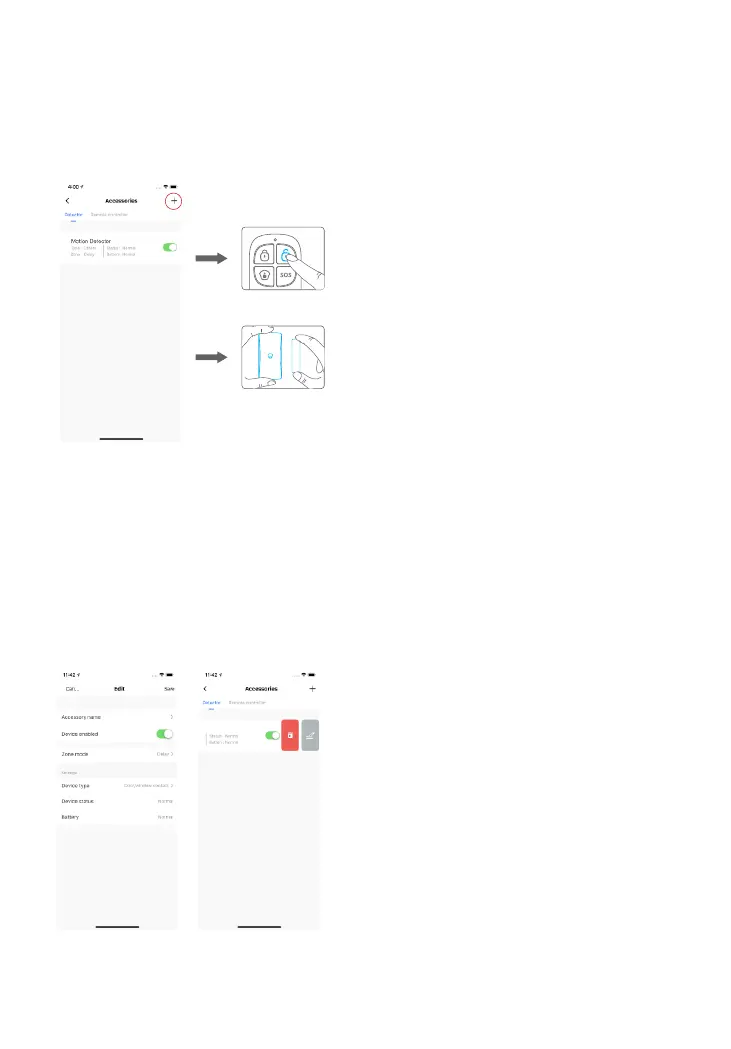
Enter the OV6 Smart Hub page and tap “Accessories”. Then, tap “+” and trigger the
accessory to add it to the hub.
Separate the transmitter
from the magnet
Press any button on the
remote control
Please note that pressing the tamper switch instead of triggering the sensor will
register it as a 24-Hour Zone sensor.
Edit Accessories
Tap the accessory to enter its setting page where you can rename the device or set
the device type and zone mode.
If you want to delete the accessory, press and slide the accessory to the left on the
list to delete it.



 To Next Page