Introduction
5
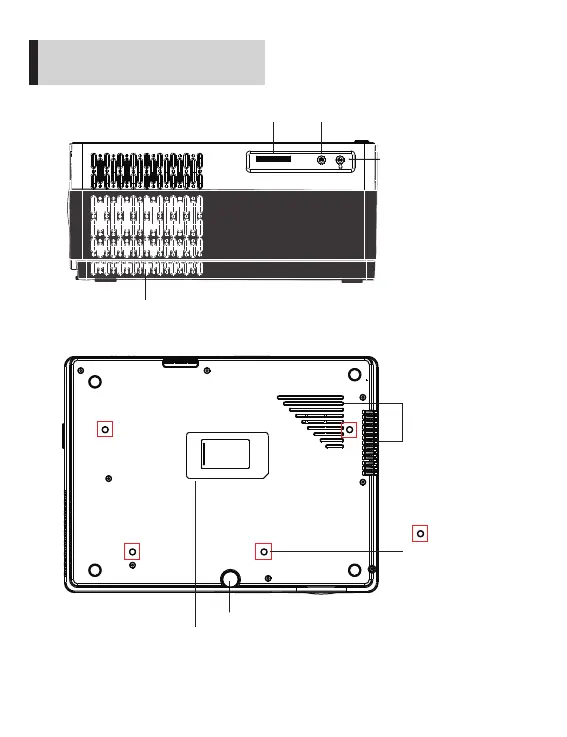
SD
AV
SD Card
Video input interface
Earphone output
Air Exhaust Port ( Attention: Do not block any ventilation openings! )
Adjustable Foot
If the projector lens have dust on it and influence your viewing experience, please remove
the lens cap and check carefully. You can use a cotton cloth dipping with a little alcohol to
wipe the lens. Also you can use the air gun to blow the dust. Then there will be no dust or
much less of it.
If still not working please contact us via cibest-us@outlook.com.
Screw holes needs
M4 screw
(Not Included)
Air Intake Port
( Attention: Do not
block any ventilation
openings! )
Dust cover


 To Next Page