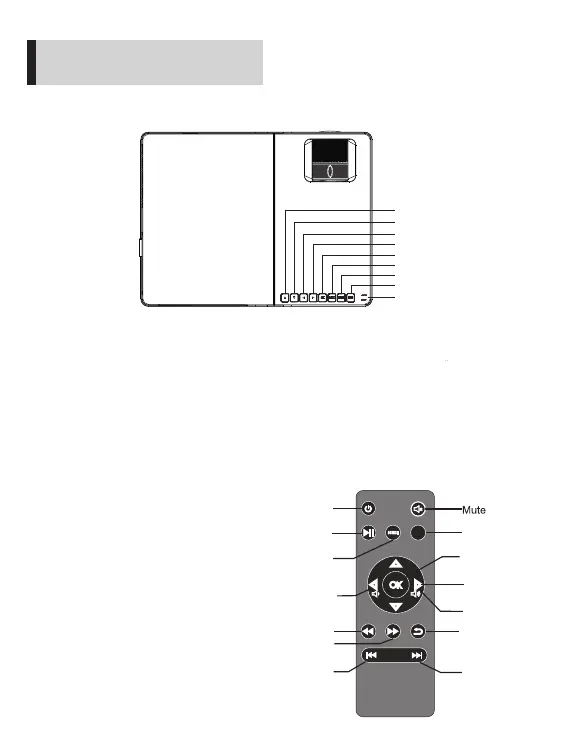
7.Key function diagram
Introduction
Left: used to move to the left, confirm the signal source channel, or
lower the volume
Right: used to move to the right, or increase the volume
Up: used to move upward
Down: used to move downward
Menu: used to select functions
Signal sources: used to select the input channel of the signal
Power key: ON/OFF key
Play/Pause: used to play and pause when playing files, pictures
and videos on USB flash disk
Play/Pause
Signal selection
Menu
Up/down/left/right
Fast-forward
Fast reverse
Back
Previous
Next
SOU RCE
MENU
Volume down
Volume up
8.Remote control keys
and
functions
arrow keys
Power key
OK
6
UP
Left
Right
Down
Source
Menu
OK
Play / pause
Power button



 To Next Page