60
1.3 ELECTRICAL CONNECTION
WARNING!! The electrical connections for the machine should only be carried out by a qualified technician who will be in
charge of the preparation of the installation and who should follow the indications below before connecting to the power supply.
- ENSURE that the power voltage and frequency correspond to that given on the data plate fixed on the side of the machine
Permitted Tolerances
: +/- 10% of rated voltage +/-1% of continuous rated frequency.
- IT IS IMPORTANT to connect the equipment to an efficient earthing system, fitted according to the standards in force
WARNING!! Do not use sockets or plugs that are not been earthed.
- IN ORDER to protect the equipment from possible overloads or short circuits, connection to the power supply must be made by
means of a thermomagnetic circuit breaker or a switch with
adequate dimensioned fuses.
- WE RECOMMEND, furthermore, that a differential switch (earth fault interrupter), with a high-sensitivity of at least 30 mA and
manual reset, be fitted upstream of the system.
CAUTION!! If the power supply is made by means of a generator make sure that the produced electrical energy is sufficient for
a sure start-up of the compressor.
For the size of safety device, the following should be taken into calculation:
-I
n
(rated current), indicated on the CE label, intervention curve “
C”
-PROCEED to the electrical connection of the machine by following the colours of the wiring in the power supply cable:
green/yellow = PROTECTIVE CONDUCTING WIRE
blue = NEUTRAL
-POSITION the door microswitch on the upper corner of the door (hinged side).
-CONNECT the resistor (if foreseen) to the relative power supply cables of the machine.
WARNING!! In the event that it is necessary to extend the power supply cable and/or auxiliaries,
first contact our Technical Department.
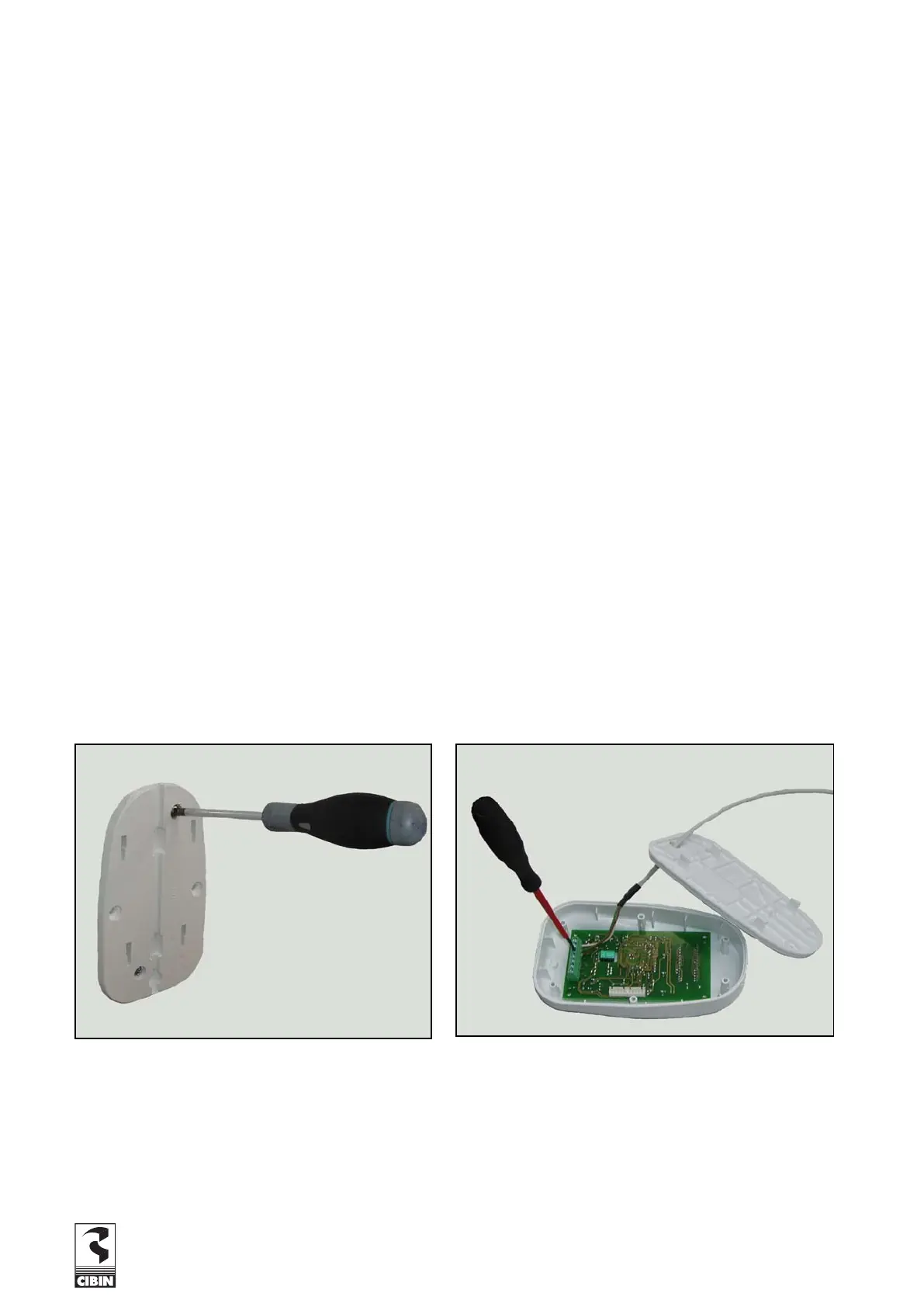
1.3.1 REMOTE KEYBOARD INSTALLATION AND DEINSTALLATION
Fig. 1.3.1.a
Fig. 1.3.1.b


 To Next Page