Step 7a: Enabling location controls - for iOS Users
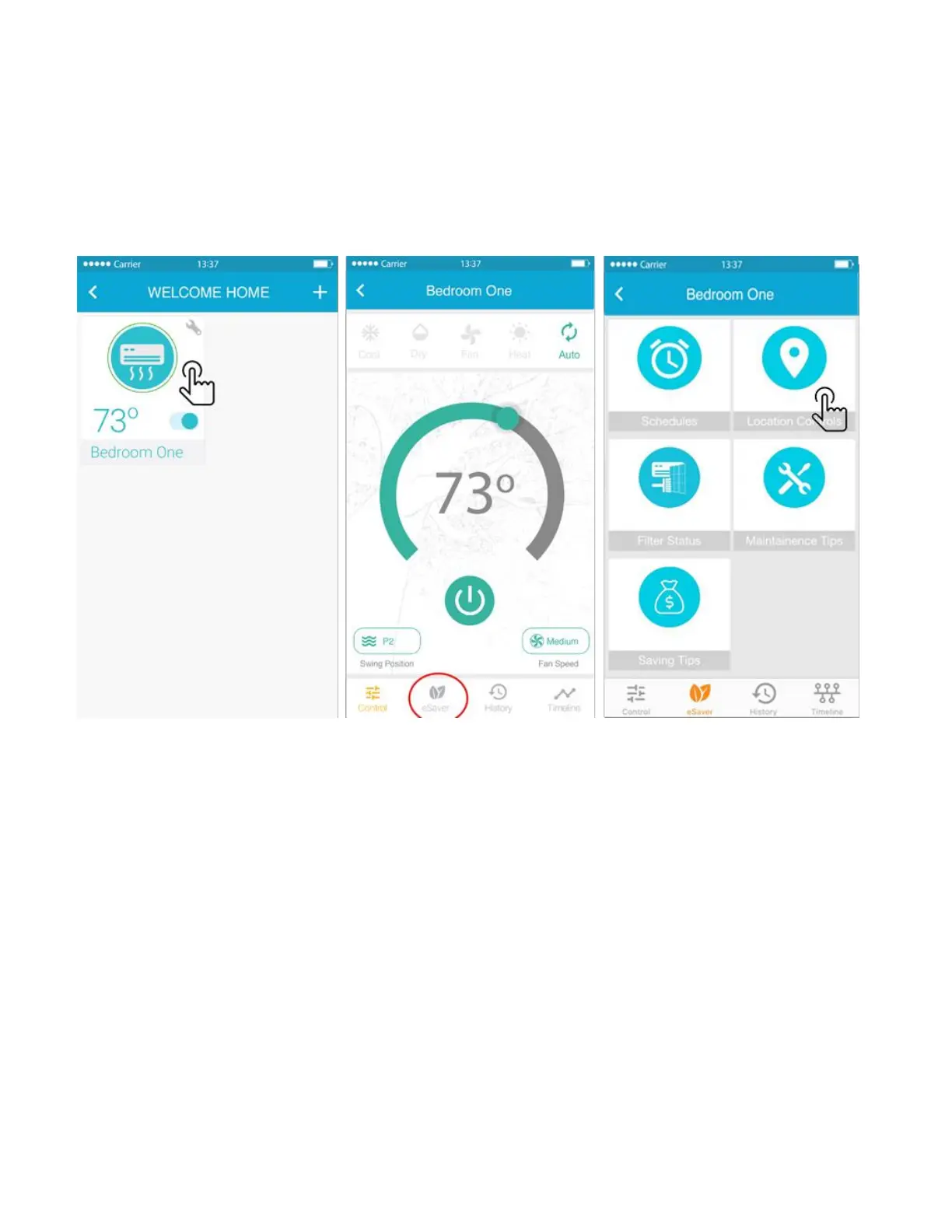
You can configure location based control for your Air-Conditioner / Heat Pump through Cielo Breez by
following the below given steps:
1. On the home screen, tap on the Air-Conditioner / Heat Pump you want to control through
location controls.
2. Tap on “eSaver” in the navigation bar and press the “Location Controls” option.
3. On the next screen you will be able to:
• See your current location on the map.
• Set a Geo-Fence range for your Air-Conditioner / Heat Pump between 1km to 10 Km. Entering or
exiting this range will trigger the Air-Conditioner / Heat Pump ON/ OFF.
4. Make sure to check the box to select the location of Cielo device.
5. Select your desired AC settings to be performed when you exit or enter the pre-set location and press
"Save".
6. Your Location based control is now set. You will get a notification in the timeline whenever location
based control is triggered.



 To Next Page