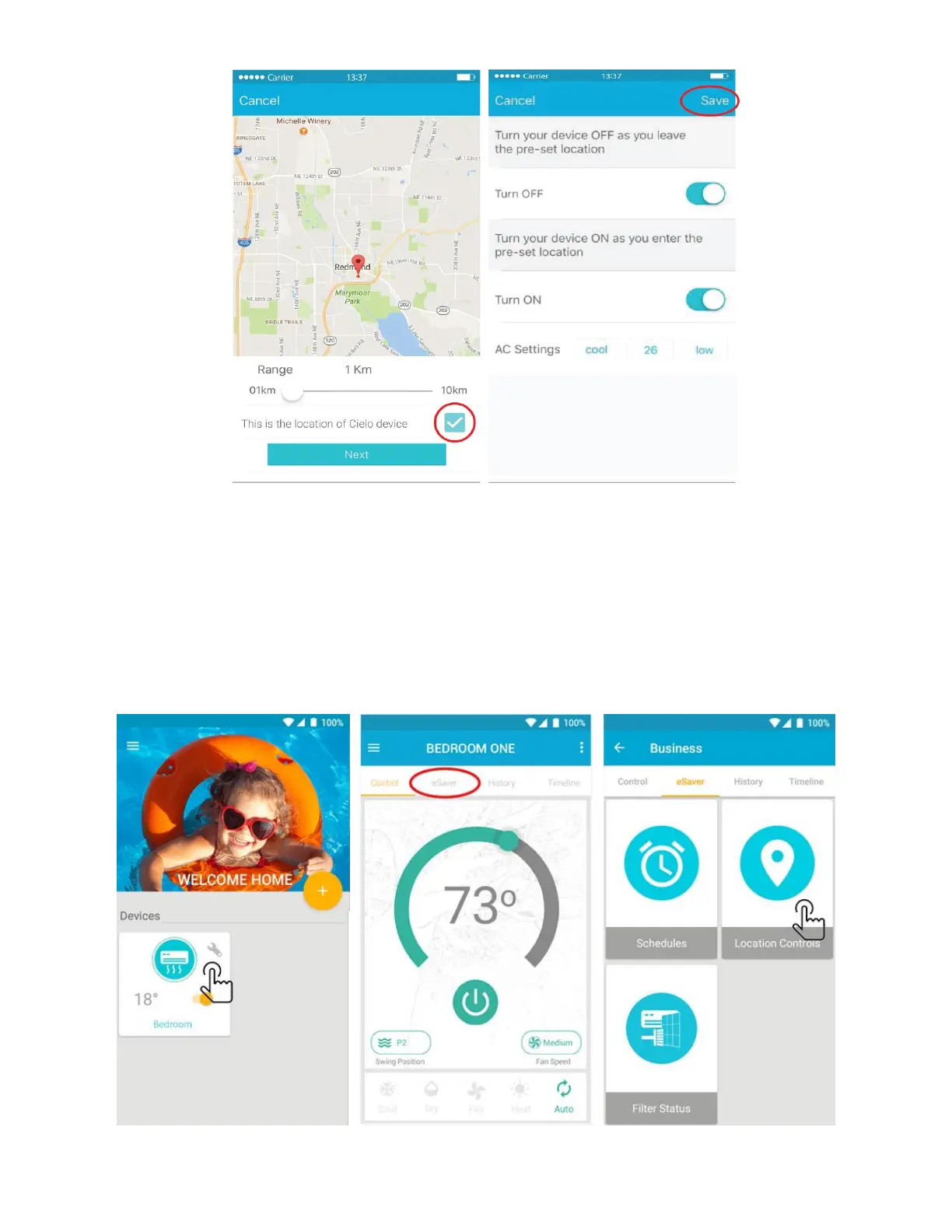
Step 7b: Enabling location controls - for Android Users
You can configure location based control for your Air-Conditioner / Heat Pump through Cielo Breez by
following the below given steps:
1. On the home screen, tap on the Air-Conditioner / Heat Pump you want to control through
location controls. This will take you to the control screen of your device.
2. Tap on “eSaver” in the navigation bar and press the “Location Controls” option.
3. On the next screen you will be able to:



 To Next Page