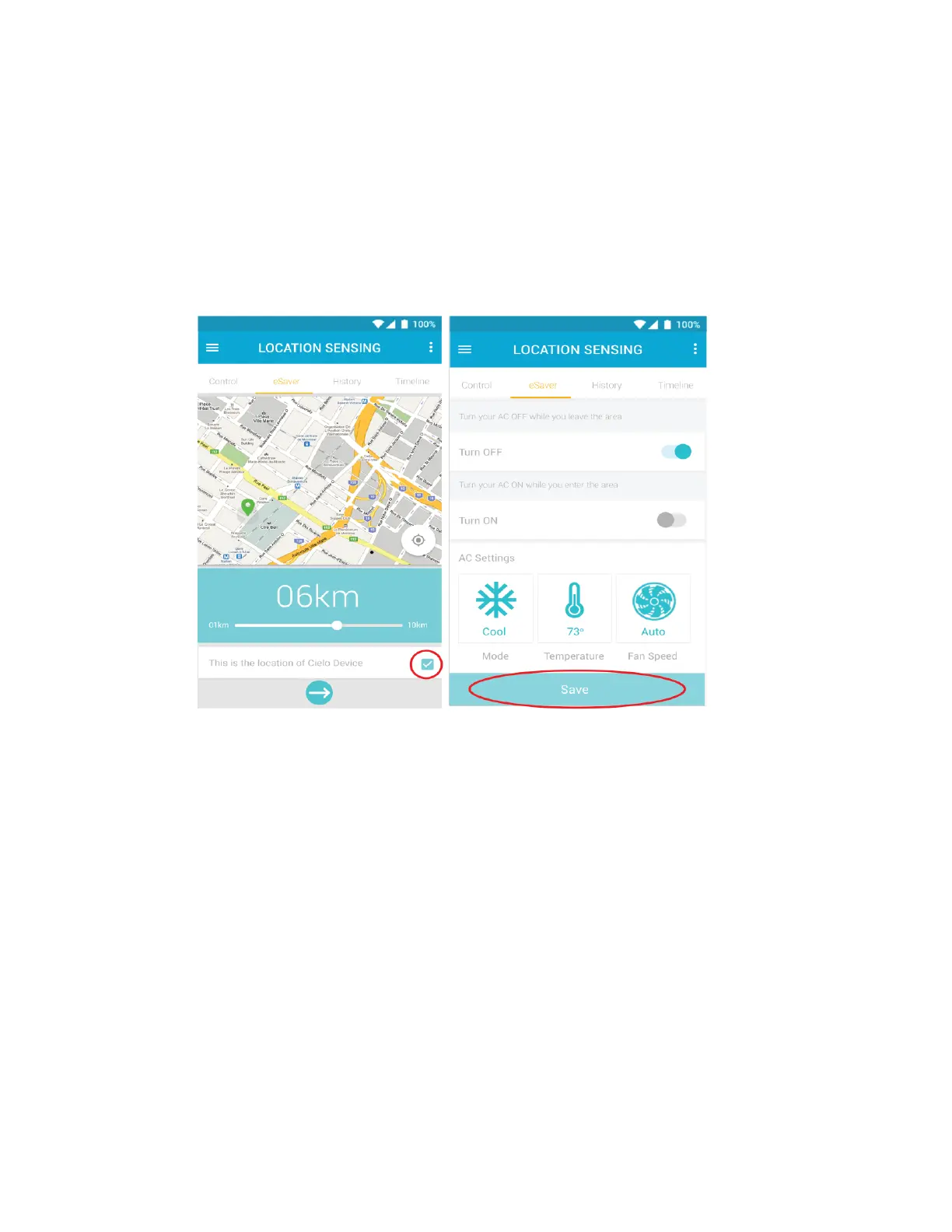
• See your current location on the map.
• Set a Geo-Fence range for your Air-Conditioner / Heat Pump between 1km to 10 Km. Entering or
exiting this range will trigger the Air-Conditioner / Heat Pump ON/ OFF.
4. Make sure to check the box to select the location of Cielo device.
5. Select your desired AC settings to be performed when you exit or enter the pre-set location and press
"Save".
6. Your Location based control is now set. You will get a notification in the timeline whenever location
based control is triggered.



 To Next Page