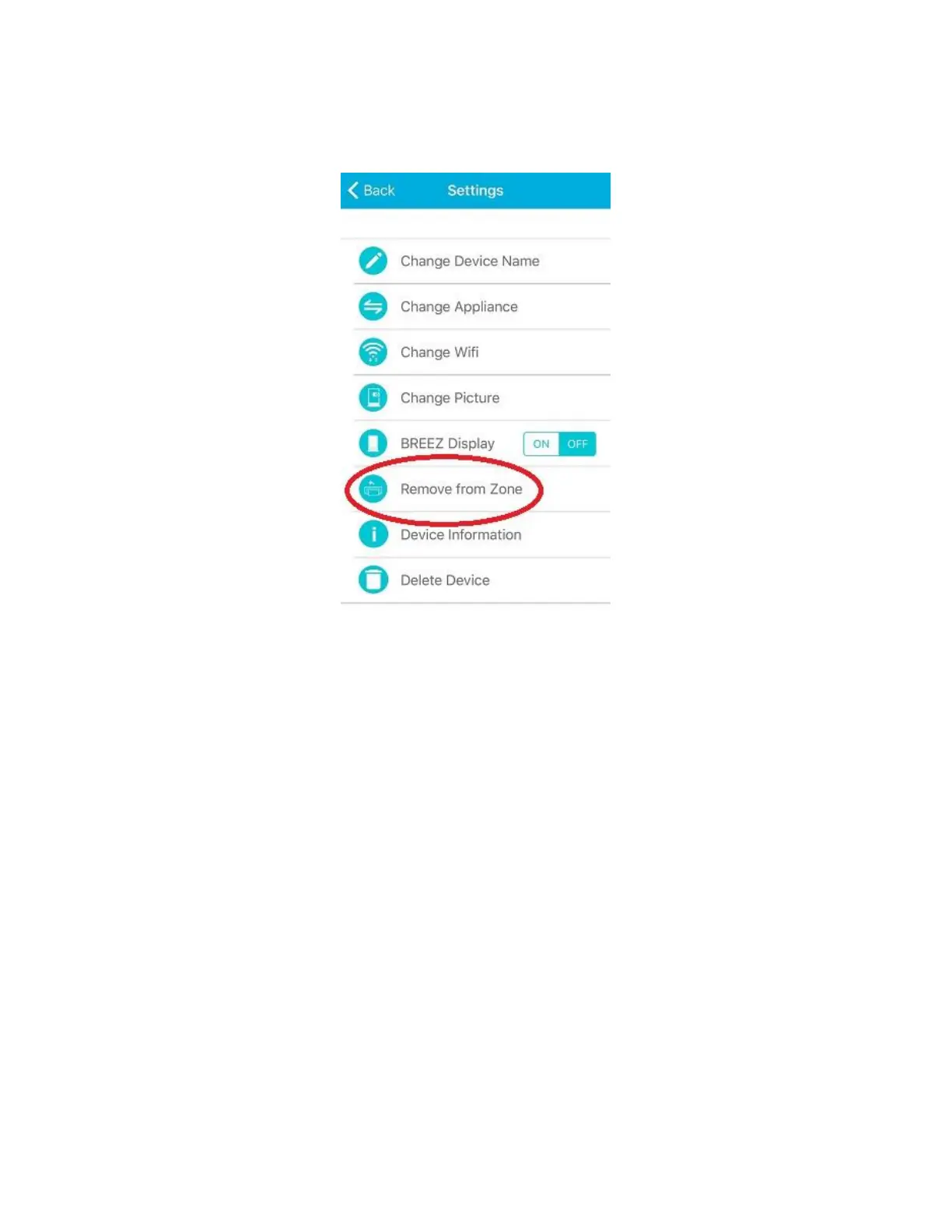
Step 13b: Changing the Zone of Device (for iOS Users)
To change the Zone of the device, select the Zone in which your desired device has been placed. Tap on
"wrench symbol" of the device and press "Remove from Zone".
The Device will appear in the Home screen. Tap on "wrench symbol" and press "Move to Zone". Add the
device to your desired zone by selecting the name of the Zone or create a new Zone of your choice as
mentioned above in Step 11b.



 To Next Page