- 12 -
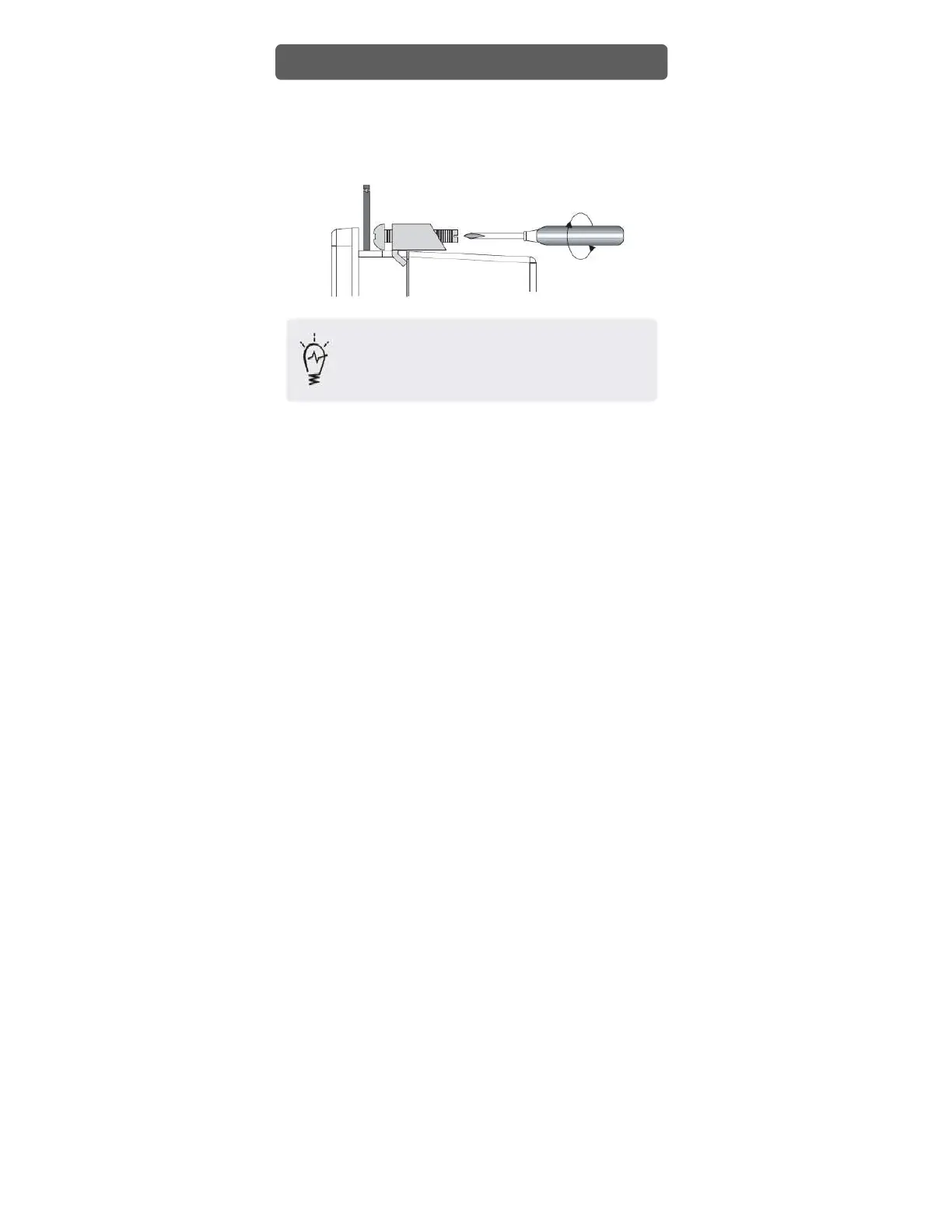
• Attach the Installation Fasteners from inside the panel
• Insert each the hook of fastener into slot and tighten it with a screwdriver
•
Tightening the screws with too much force can damage the case of the Xpanel.
•
The necessary torque is 0.5kgf.cm.
•
The torque of front USB cover must be less than 1kgf.cm.
•
Depending on the thickness of installation panel, the number of installation fasteners
used may need to be increased to provide the desired level of moisture resistance.
Installation


 To Next Page