- 20 -
Download project by USB
1) Run Xpanel Designer and retrieve a project to download.
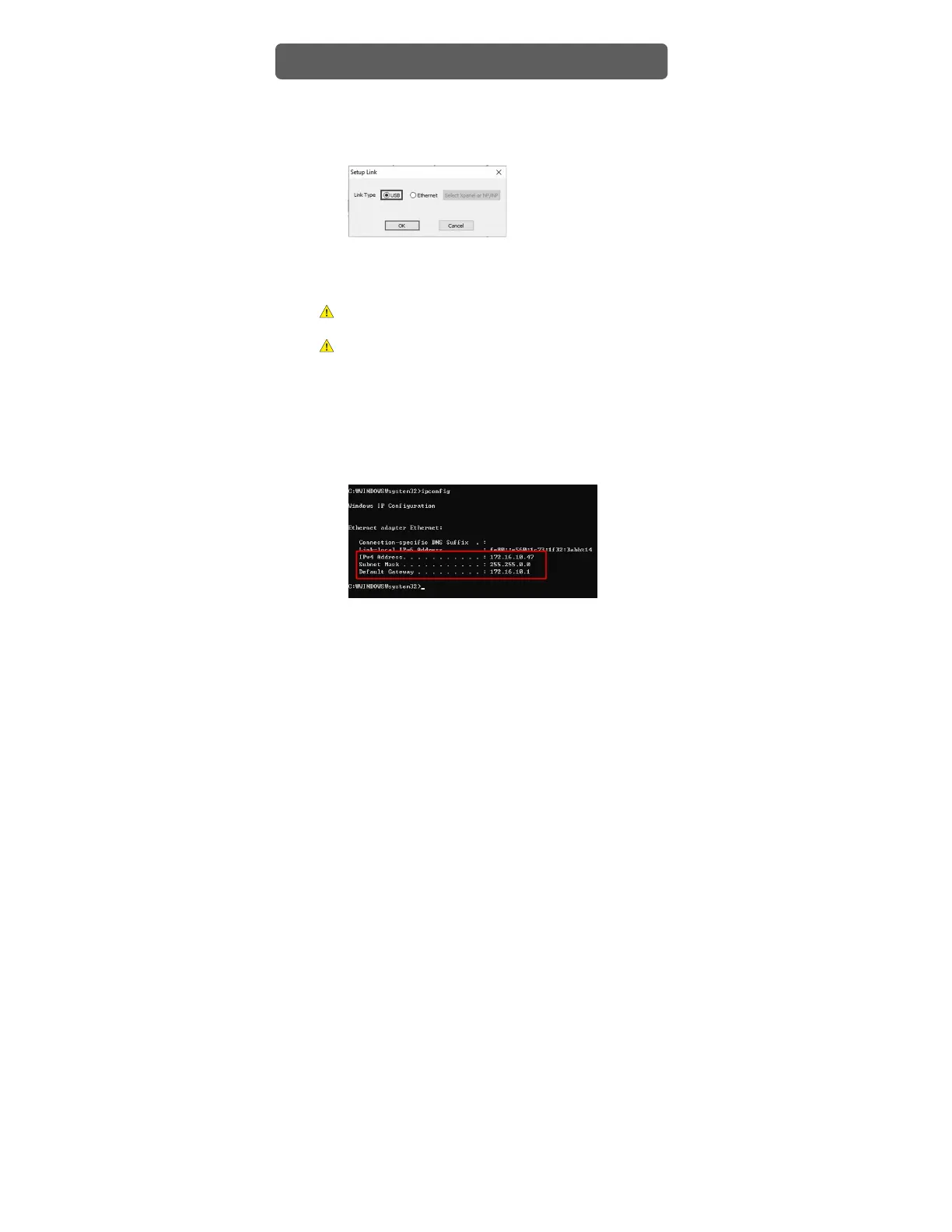
2) Go to [Online] – [Setup Link] and choose [USB].
3) Go to [Online] – [Download to Xpanel] to download the project.
Please note that only one Xpanel can be connected to a PC at a time, even if
the PC has two or more unused USB ports.
The project will not operate correctly if the version of the Xpanel Designer that
was used to create the project is different from the version of the Xpanel
Designer that is running the project. Update or downgrade the software until
both versions are identical.
Checking IP address of PC
1) Go to [Window] – [Run] and enter ‘cmd’ on the input screen.
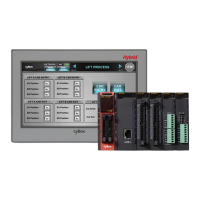
2) Enter ‘ipconfig’ on the command screen to check the PC’s Ethernet setup.
Project Download


 To Next Page