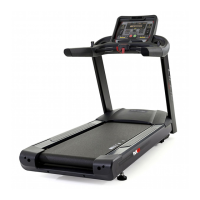
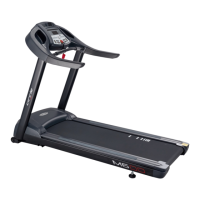
This document is a service manual for the Circle Fitness M8 LED Treadmill, released in December 2017. It provides comprehensive information for qualified service technicians on the system wiring, error messages, engineering modes, inverter and external keypad control, maintenance, and part replacement.
The M8 LED Treadmill is designed for fitness and exercise, offering various functionalities for users. The system wiring diagram (Section 1.1) illustrates the interconnected components, including the AC motor, inverter, EMI filter, console PCB, and various sensors for heart rate, speed, and incline. The console PCB acts as the central control unit, integrating inputs from the handlebar (heart rate, speed, incline) and outputting to the fan and Bluetooth module.
Important Technical Specifications:
- AC Input (TB1): The treadmill operates on AC input. Terminal 1 is for L (Line), Terminal 2 for N (Neutral), and Terminal 3 for GRD (Grounding).
- EMI Filter (CN4): This component filters electromagnetic interference. It includes terminals for FDC +V, FDC -V, RS485+, RS485-, IP5V (5V power), SAFE KEY, Emergency stop input terminal, and WAKE UP.
- RPM Speed (J6): The RPM speed is measured via a 2P XH 2.5mm 180°M connector. Terminal 1 is for RPM Signal input, and Terminal 2 is for GND.
- Incline Motor Connector (J8): This connector (PCH250 Terminal) manages the incline motor. It has terminals for Incline motor COM, Incline motor UP, and Incline motor DOWN.
- Incline Motor Position Feedback (J4): This feedback system uses an XH 3P 2.5mm 180°M connector. Terminal 1 is for GND, Terminal 2 for Incline VR signal input, and Terminal 3 for DC 3.3V.
- Console PCB Connectors:
- J16 (RJ45 Connector): Used for communication, with pins for GND, 12V, RS-485 DX+, RS-485 DX-, ERP, and ESP.
- J8 (Heart rate, Hand Pulse) Connector: Handles heart rate input, with pins for Hand contact info, Separate output, Standard pulse input, VCC, and GND.
- J1 (Safety Key) Connector: A safety feature, with pins for 12V and X (undefined).
- J17 (Fan) Connector: Controls the fan, with pins for 12V and GND.
- J3 (Quick Shift-Speed) Connector: Manages speed adjustments, with pins for Fast, COM(5V), and SLOW.
- J7 (Quick Shift-Incline) Connector: Manages incline adjustments, with pins for Up, COM(5V), and Down.
- J4 (Bluetooth) Connector: For Bluetooth connectivity, with pins for 5V, GND, RS-232-Rx, and RS-232-Tx.
- J2 (Bluetooth) Connector: Another Bluetooth connector, with pins for 5V and GND.
Usage Features:
The treadmill offers various engineering modes for diagnostics and settings:
- Engineering Mode 1 (Information): Accessed by pressing the X (Clear) button and then "0020" on the numeric keypad. This mode displays software version, total used hours, total used distance, average used speed, and error message records. It also allows language selection.
- Engineering Mode 2 (Settings): Accessed by pressing the X (Clear) button and then "0001". This mode allows adjustment of various settings, including:
- T (Unit) setting: Metric/Imperial units.
- GS INCLINE ON/ GS INCLINE OFF: Incline display settings.
- Minimum frequency setting: Range 1.0-10.0 Hz.
- Maximum frequency setting: Range 1.0-10.0 Hz.
- MAX SPEED setting: Maximum speed.
- MIN SPEED setting: Minimum speed.
- Maximum incline setting: Maximum incline.
- HRC Control setting: Dual/Single heart rate control.
- STEP ON/OFF setting: Enables/disables the belt running when no user is on the running belt.
- Bluetooth ON/OFF setting: Optional function.
- NOTE: Speed is automatically adjusted, incline is manually adjusted, and both speed and incline are automatically adjusted depending on the setting. Heart rate change is detected every 30 seconds. Speed is adjusted by 0.1 when heart rate target difference is more than 3 and adjusted by 0.2 when difference is more than 10. Incline is adjusted by 1%.
- Engineering Mode 3 (Lock Function): Accessed by pressing the X (Clear) button and then "0400". This function is used to preset a distance to lock the treadmill for maintenance purposes. The treadmill will pop out a "LOCKED" message and cannot be used when next powering-on. It can be unlocked by entering a password (0-9999, 0 means lock function is disabled).
- Inverter and External Keypad Control: The manual details how to connect the external keypad (KP-208) to the inverter and monitor its operation, including present output frequency, output frequency setting, output voltage, and system DC bus. It also explains how to use the external keypad to control start/stop/accelerate/slow down and incline.
Maintenance Features:
The manual outlines a comprehensive maintenance schedule and troubleshooting guide.
- General Maintenance:
- Keep the display console dry and cool.
- Clean fingerprints and salt buildup caused by sweat.
- Avoid long fingernails scratching the console surface.
- Use a 100% cotton cloth, lightly moistened with water and a mild liquid cleaning product.
- Do not use ammonia or acid-based cleaners.
- Brush away any wax deposits from the deck and belt area.
- Running Belt and Running Deck Lubrication: Regular lubrication is necessary for best performance and longer treadmill life. The maintenance procedure prevents premature wear of the running belt, running deck, and drive motor system.
- Light user: Less than 3 hours/week, lubricate every 4 months.
- Medium user: 3-5 hours/week, lubricate every 2 months.
- Heavy user: More than 5 hours/week, lubricate every 1 month.
- The manual provides instructions on how to spray silicone on the deck, emphasizing the importance of proper application to avoid injury and damage to the belt.
- Preventive Maintenance Schedule: A table details daily, weekly, monthly, seasonal, and 6-month inspection tasks for various parts, including console screws, frame, running surface, power cord, overlay, handlebar, handlebar screws, front roller & groove, rear roller, safety key, drive belt, running belt tension, motor control, and motor pulley & groove.
- Running Belt/Deck Maintenance Schedule:
- Running belt: F570063-001 (M8).
- Running deck: F580028-000 (M8/615140126.4t D&P prewax deck).
- Maintenance Solution: Long-term solution for bottom-worn-out issue on F570054-006 Habasit 2.4t.
- Maintenance Schedule (km/month):
- 3000km/3month: No silicone oil required.
- 6000km/6month: No silicone oil required.
- 9000km/9month: Detect motor current.
- 12000km/12month: No silicone oil required.
- 15000km/15month: No silicone oil required.
- Motor Current List: Provides output current values for new machine, slight wear, moderate wear, and need exchange conditions.
- Running belt/deck is worn: If the motor current is too high, it's likely due to a worn running belt/deck.
- Troubleshooting the Treadmill: A table lists common symptoms, their causes, and solutions.
- Console display does not illuminate:
- No power to treadmill: Check the on-off switch, indicator light, and AC power source.
- Console wire is not connected or incompletely: Check console wire every connector points.
- Overload, protecting is started: Check fuse (near on-off switch) and restart.
- Console power source damaged: Turn off power, check the motor cover, turn on power, check the console power pilot lamp (LED2) on the interface PCB. If not lit, replace it.
- Display not completely:
- Console is damaged: Replace the console PCB.
- Console source power is unstable: Check the power source, turn off power, open the motor cover, turn on the power, check the console power pilot lamp (LED1) on the interface PCB. If not lit, replacing it.
- Check if the Console power source is damaged: Instructions include opening the motor housing, measuring the output voltage of the inverter (should be 12V or not), opening the back cover, measuring the input power of the console PCB, and checking/replacing the RS-45 cable or console PCB.
Part Replacement Guide:
The manual provides detailed, step-by-step instructions with illustrations for replacing various components. Toolkits & Components Required include open end wrench, T-type wrench, Allen wrenches, combination wrench, screw driver, and belt tension gauge.
- Drive Belt Replacement: Involves removing motor covers, loosening tensioning screws, removing the drive belt, removing mounting screws on the front roller and motor plate, installing the new drive belt, checking pulley groove, pushing the motor to the front roller, installing motor alignment fixture, securing motor mounting screws, securing front roller mounting screws, putting the drive belt onto the drive belt guide fixture, putting the motor cover back, and tensioning the new running belt.
- Drive Motor Replacement: Similar to drive belt replacement, but also includes removing the ribbon cable of the motor on the inverter metal sheet case, removing the motor from the frame, cleaning up excessive belt shavings, installing the new M8 motor, placing and installing motor alignment fixture, making both front roller pulley and motor pulley to be tightly attached to the motor alignment fixture, reinstalling the new motor drive belt, securing motor mounting screws, plugging in the motor power connector, putting the motor cover back, and tensioning the new running belt.
- Running Belt Replacement: Involves removing motor covers, loosening tensioning screws on the rear roller, removing the drive belt, removing mounting screws on the motor plate, removing the drive belt out of the front roller, removing screws on rear roller cover, removing tensioning screws on the rear roller, removing deck screws, removing the running deck, installing new running belt, positioning the rear roller and front roller, installing motor drive belt, putting the rear roller cover back, securing tensioning screws on the rear roller, putting the motor cover back, and tensioning the new running belt.
- M8 Treadmill Side Rails Replacement: Involves removing motor covers, removing screws on rear roller cover, releasing side rail support bolts, removing the right & left upper side rails, removing side rail support bolts, removing screws on Velcro Support, removing the right & left side rails for replacement, placing and installing new side rails, installing and securing side rail support bolts, securing screws on Velcro Support, putting the right & left upper side rails back, securing screws on roller cover, pulling the upper side rails back and closing the roller cover, securing side rail support bolts, putting the motor cover back, and tensioning the new running belt.
- Remove and Replace the Quick Shift and Adjust the Tightness: Involves removing mounting screws on right & left handle bars, releasing screws to disassemble the lower console base, removing mounting screws and washers on the quick shift assembly, taking out the quick shift assembly, identifying plastic white screw and grub screw, explaining their function, tightening the grub screw to control tightness, installing the grub screw, and releasing hinge screws. If needed, further disassemble the assembly.
- Align the Quick Shift to Central Position: Involves measuring whether the quick shift stick is in the center or not, unscrewing positioning screws, and moving the quick shift assembly back or forth to center it.
- Panel of Console Replacement: Involves removing screws on lower console cover, removing cables and wires on panel of console, removing screws on panel of console, taking the panel out of console frame, replacing the new panel, plugging cables and wires back into the panel, and putting the lower console base back and securing screws.
- Emergency Stop Replacement: Involves removing screws on emergency stop lower cover, removing the emergency stop lower cover, placing and installing the emergency stop base and plugging the emergency stop cable, securing screws, and placing and installing the emergency stop lower cover.
- Hand Pulse Plate Replacement: Involves removing screws on right & left lower hand pulse plate, unplugging the hand pulse transfer, replacing and installing the hand pulse plate, plugging the hand pulse transfer, and securing screws.
- Inverter Replacement: Involves removing motor covers, removing screws on the inverter, unplugging cable wire, motor core wire, fan wire, incline motor wire, and EMI filter wire from the inverter, replacing and installing the new inverter, and plugging the cable wire, motor core wire, fan wire, incline motor wire, and EMI filter wire into the inverter.
- Incline Motor Replacement: Involves turning on the power and adjusting the incline level to maximum, placing sturdy objects under the treadmill to keep balance, turning the power switch to OFF position, unscrewing bottom bolt and screw on threaded rod of incline motor, removing top bolt and screw on the top incline motor, unplugging the connector on inverter and (Green) wire on the frame, removing the incline motor, plugging the connector into the inverter and (Green) wire on the frame, switching on the power and zeroing the incline motor, installing the incline motor, and checking the gap between mainframe and cushion on incline motor (should be 3mm to 5mm).
- Membrane and Overlay Replacement: Involves removing screws on lower console cover, releasing screws to disassemble the lower console base, removing the flexible flat cable of membrane on the PCB of console, removing the faulty membrane and overlay on console, clearing the upper console surface with alcohol, inserting the flexible flat cable of membrane, removing the protective film from the back of the membrane and pasting it, plugging the flexible flat cable of membrane back on the PCB, removing the protective film from the back of the upper overlay and lower overlay and pasting on the console, putting the lower console base back, and securing the mounting screws.

 Need help?
 General

 To Next Page