56
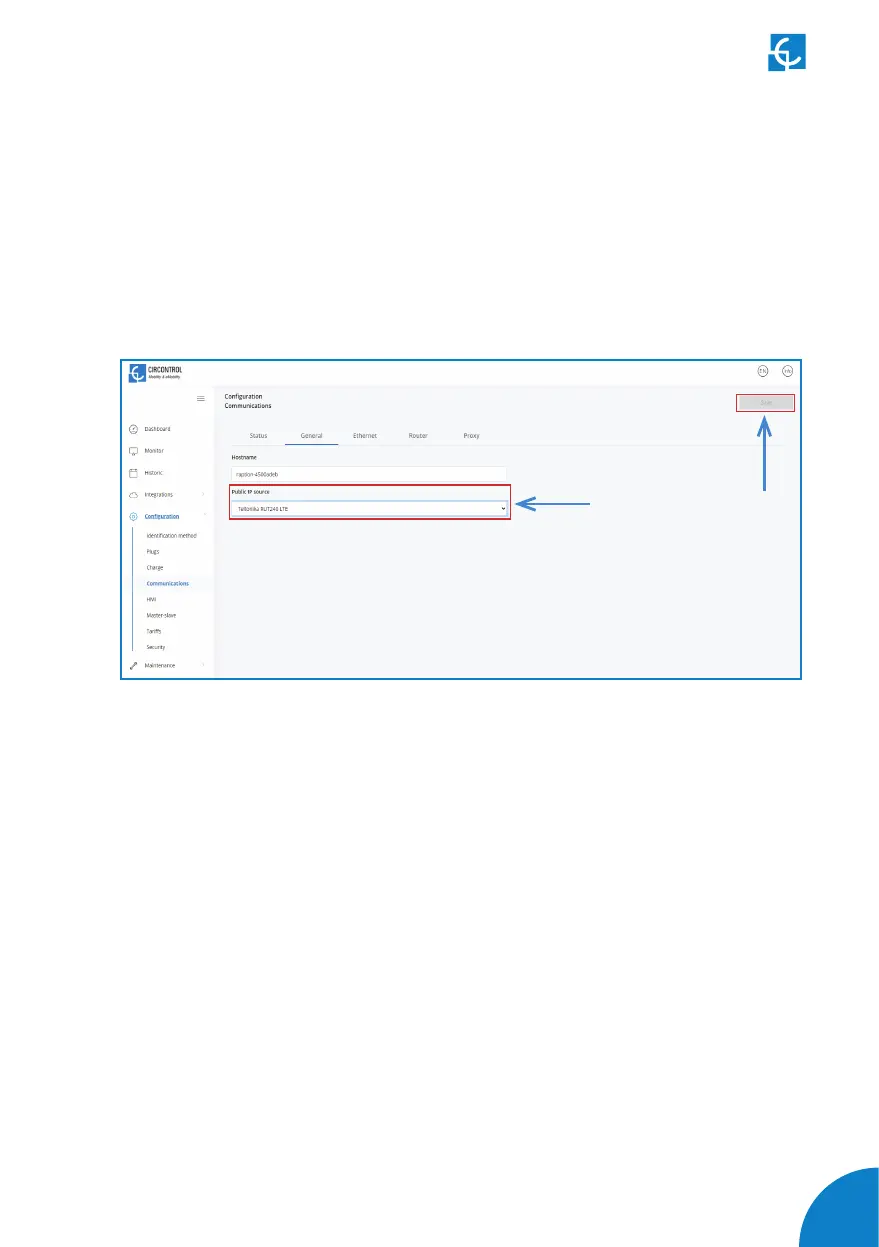
4.15 It is necessary to check that the Teltonika RUT240 LTE modem option is chosen
at Charge Point’s setup webpage:
Make sure that your Service PC is still connected with the Charge point through wifi,
open a web browser and type 192.168.1.50.
Go to Conguration > Communications > General
Click over the ‘Save’ button located at the top right corner.


 To Next Page