57
Raption Series User Manual
Setup webpage allows managing network setup, upgrading devices and other options.
Once the Service PC is already connected to Charge Point, it is possible to open Setup
Webpage through the IP entered. In the example shown in the previous section, it has
been set 192.168.1.50
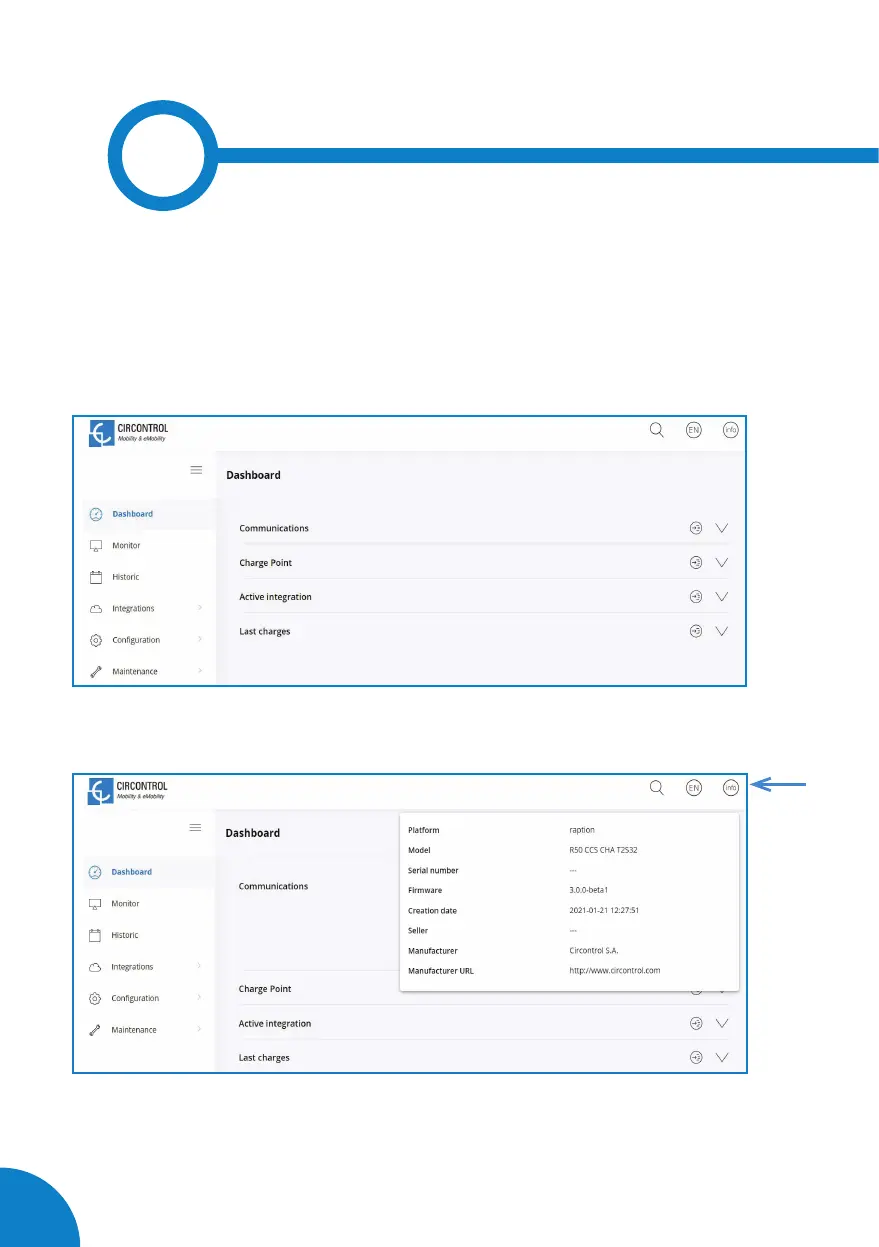
Open a web browser on the service PC and enter this IP, next image will appear.
The webpage opened shows the ‘Dashboard’ Overview’ as a main screen, but there are
many more options. In the next points, they will be explained.
In the right top corner it is shown the search engine icon, the language list and information
about the Charge Point. Once the info button is pressed, it appears the screen displayed
above, with model and firmware version information, among others.
6


 To Next Page