Easy-Touch Pro Getting Started Guide 9
Verify and Edit the Test Program
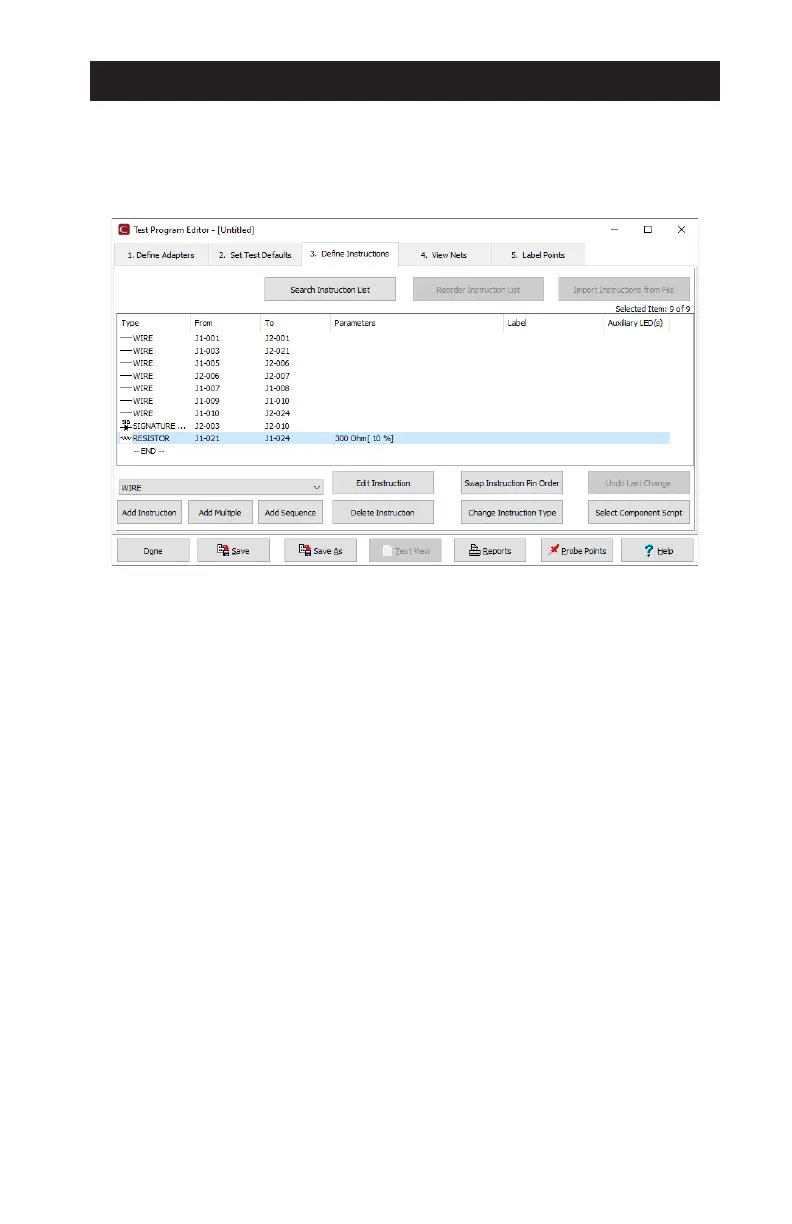
When the learn process is complete, the test program will open in the
Test Program Editor to the Define Instructions tab. Verify that the learned
instructions match the product’s documentation. Click/tap Help on any screen
for guidance.
Define Instructions Tab
● To edit an instruction, select it > Edit Instruction.
● To delete an instruction, select it > Delete Instruction.
● To add an instruction, select the appropriate instruction type from the drop
down list > Add Instruction and complete the form that opens.
Set Test Defaults Tab
● To edit the Connection Resistance and/or LV Insulation Resistance, click/
tap Set Low Voltage
● Select the Start Condition and the Test Method.
View Nets Tab
View Nets, Nets Joined by Components, and Single Points. Turn High Voltage
o for specified nets and customize High Voltage parameters by net, if required.
Label Points Tab
The location of the adapters (J1, J2, J3 etc.) and the positions within their
connectors (001, 002, 003 etc.) are used to identify test points, for example J1-
001. Product-specific nomenclature can be used instead by adding point Labels.



 To Next Page