5
Installation Note for Fan Tray Assemblies in Catalyst 4500 Series Switches
78-15335-01
Removing and Replacing the Chassis Fan Assembly
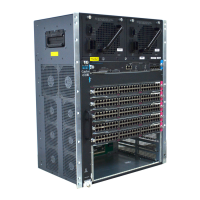
Figure 6 Catalyst 4507R System Fan Assembly
Removing the Fan Assembly
Caution When changing fan assemblies, try to keep changeover times to under a minute. Never operate the
system for an extended period if the fan assembly is removed or if it is not functioning properly. An
overtemperature condition can cause severe equipment damage or an unscheduled system shutdown.
Follow these steps to remove the existing chassis fan assembly:
Step 1 Loosen the two captive installation screws on the fan assembly by turning them counterclockwise.
Step 2 Grasp the fan assembly with both hands and pull it outward; wiggle it if necessary to unseat it from the
backplane. Slide it out of the chassis and put it someplace where it will not be dropped or stepped on.
68116
Captive installation
screws
Fan assembly
WS-X4448-GB-RJ45
STATUS
1
2
1
1
1
0
9
8
7
6
5
4
3
2
1
1
4
1
3
1
6
1
5
2
8
2
7
2
6
2
5
2
4
2
3
2
2
2
1
2
0
1
9
1
8
1
7
3
0
2
9
3
2
3
1
4
4
4
3
4
2
4
1
4
0
3
9
3
8
3
7
3
6
3
5
3
4
3
3
4
6
4
5
4
8
4
7
1
0
/
1
0
0
B
A
S
E
-
T
X
E
T
H
E
R
N
E
T
M
U
L
T
I
-
S
P
E
E
D
G
I
G
A
B
I
T
E
T
H
E
R
N
E
T
S
W
I
T
C
H
I
N
G
M
O
D
U
L
E
WS-X4448-GB-RJ45
STATUS
1
2
1
1
1
0
9
8
7
6
5
4
3
2
1
1
4
1
3
1
6
1
5
2
8
2
7
2
6
2
5
2
4
2
3
2
2
2
1
2
0
1
9
1
8
1
7
3
0
2
9
3
2
3
1
4
4
4
3
4
2
4
1
4
0
3
9
3
8
3
7
3
6
3
5
3
4
3
3
4
6
4
5
4
8
4
7
1
0
/
1
0
0
B
A
S
E
-
T
X
E
T
H
E
R
N
E
T
M
U
L
T
I
-
S
P
E
E
D
G
I
G
A
B
I
T
E
T
H
E
R
N
E
T
S
W
I
T
C
H
I
N
G
M
O
D
U
L
E
1
S
T
A
TU
S
W
S
-X
4
4
12
-2
G
B
-T
X
2
3
4
5
6
7
8
9
10
1
1
12
1
7
1
S
T
A
T
U
S
W
S
-X
4
4
12
-2G
B
-T
X
2
3
4
5
6
7
8
9
1
0
1
1
12
1
7
1
S
T
A
TU
S
W
S
-X
4
4
1
2
-2
G
B
-T
X
2
3
4
5
6
7
8
9
1
0
1
1
1
2
1
7
U
P
LIN
K
UP
LIN
K
CONSOLE
10/100
BASE-TX
STATUS
U
P
LIN
K
UP
LIN
K
CO
NS
OLE
10/100
BAS
E-TX
STATUS








 To Next Page