EasyManua.ls Logo

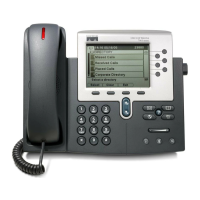
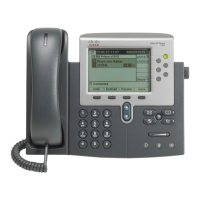
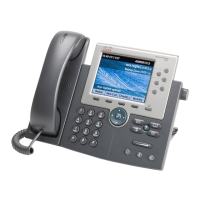
Cisco 7945G - User Manual

Cisco 7945G
104 pages
Print Icon
To Next Page IconTo Next Page
Loading...
Americas Headquarters
Cisco Systems, Inc.
170 West Tasman Drive
San Jose, CA 95134-1706
USA
http://www.cisco.com
Tel: 408 526-4000
800 553-NETS (6387)
Fax: 408 527-0883
Cisco Unified IP Phone 7965G and
7945G Phone Guide for Cisco
Unified
Communications Manager 7.0
(SCCP
and SIP)

Table of Contents

Other manuals for Cisco 7945G

Questions and Answers

  • J
    Janice SanchezAug 16, 2025
    What to do if Call Forward All shows an error on Cisco 7945G?
    • S
      smoralesAug 16, 2025
      If your Cisco IP Phone shows an error when setting up Call Forward All, it might be because the target number would create a forwarding loop or exceed the maximum allowed links in the chain. Contact your system administrator for more details.
  • S
    Scott CunninghamAug 19, 2025
    Why does my Cisco IP Phone keep resetting unexpectedly?
    • J
      Jay BowmanAug 19, 2025
      Your Cisco IP Phone might be resetting unexpectedly due to several reasons. Check the Ethernet connection to ensure it's active and that there are no cable breaks, or switch issues. Intermittent network outages can also cause this, as voice traffic can't recapture lost packets like data traffic can. To eliminate DNS or other connectivity errors, reset the phone settings to their default values using the Erase softkey. Alternatively, disable DHCP and assign static IP values to the phone, assign a TFTP server, and verify that the local host files have the correct Cisco Unified Communications Manager server name mapped to the correct IP address. Power cycling the phone can also help.
  • D
    Debra LewisAug 22, 2025
    How to fix Cisco IP Phone unable to obtain IP address?
    • K
      kaylarossAug 22, 2025
      If your Cisco IP Phone is unable to obtain an IP address, ensure that the network or VLAN to which the phone is connected has access to the DHCP server. Also, verify that the switch port is enabled.
  • D
    Dawn WagnerAug 25, 2025
    Why Cisco 7945G does not register with Cisco Unified Communications Manager?
    • P
      Paula CollinsAug 26, 2025
      If your Cisco IP Phone does not register with Cisco Unified Communications Manager, the CTL file may not contain the correct information for the Cisco Unified Communications Manager server.
  • S
    Steven RodriguezAug 27, 2025
    Why can't I hear a dial tone on my Cisco 7945G?
    • C
      Christopher LawsonAug 27, 2025
      If you can't hear a dial tone or complete calls on your Cisco IP Phone, it might be due to a few reasons. First, ensure you've logged into the Extension Mobility service. Also, remember to enter a client matter code (CMC) or forced authorization code (FAC) after dialing if you're using an SCCP phone. Lastly, check if time-of-day restrictions are enabled, as they might prevent you from using certain features during specific hours.
  • E
    Elizabeth RobertsonAug 30, 2025
    How to display missing softkeys on Cisco 7945G?
    • N
      Nicole CervantesAug 30, 2025
      If the softkey you need isn't showing up on your Cisco IP Phone, try pressing the 'more' button to see additional softkeys. Also, make sure you've changed the line state, such as going off-hook or having a connected call. It's also possible that your phone isn't configured to support the feature associated with that softkey.
  • O
    ograntSep 2, 2025
    What to do if Barge fails on Cisco 7945G IP Phone?
    • R
      rodney68Sep 2, 2025
      If Barge fails and results in a fast busy tone on your Cisco IP Phone, it could be because you are trying to barge an encrypted call, but your phone isn't configured for encryption.
  • J
    Jacob MedinaSep 4, 2025
    Why am I disconnected from Barge call on Cisco IP Phone?
    • E
      Elaine BriggsSep 5, 2025
      If you get disconnected from a call you joined using Barge on your Cisco IP Phone, it's likely because the call was put on hold, transferred, or turned into a conference call.
  • B
    brian08Sep 7, 2025
    Why does CallBack fail on my Cisco IP Phone?
    • W
      williamlopezSep 7, 2025
      CallBack may fail on your Cisco IP Phone if the other party has call forwarding enabled.
  • J
    Jeremy WilliamsSep 10, 2025
    How to wake up blank screen on Cisco IP Phone?
    • T
      Tyler MorrisonSep 12, 2025
      If your Cisco IP Phone screen appears blank, try waking it up by lifting the handset or pressing any button.

Cisco 7945G Specifications

General IconGeneral
ProtocolsSCCP, SIP
HeadsetDedicated headset port
SpeakerphoneFull-duplex speakerphone
Display5-inch 320x240 pixel color display
AudioWideband audio support
Network10/100 Ethernet switch
PowerIEEE 802.3af PoE
Lines2 lines
CodecsG.711, G.729a, G.722, iLBC
Weight1 kg

Videos

How to Factory Reset Cisco CP-7945G IP Phone

Related product manuals