EasyManua.ls Logo

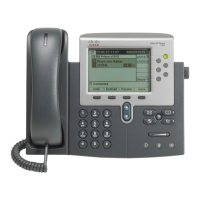
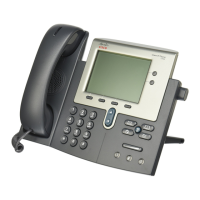
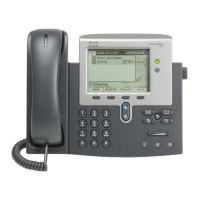
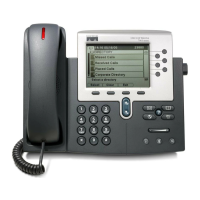
Cisco 7942G - User Manual

Cisco 7942G
22 pages
Print Icon
To Next Page IconTo Next Page
Loading...
USER GUIDE
Cisco Unified IP Phones 7942G and 7962G for
Cisco Unified Communications Manager Express Version 7.1
1 Overview, page 2
2 Operating Your Phone, page 6
3 Phone Features Index, page 20

Other manuals for Cisco 7942G

Questions and Answers

  • M
    Manuel NelsonJul 31, 2025
    Why doesn't the softkey I need appear on my Cisco 7942G?
    • E
      Eric ZimmermanJul 31, 2025
      If the softkey you want to use does not appear on your Cisco IP Phone, you may need to press 'more' to reveal additional softkeys. Also, you might need to change the line state by going off-hook or having a connected call. It is also possible that your phone is not configured to support the feature associated with that softkey.
  • J
    jharrisAug 6, 2025
    What causes Barge to fail on my Cisco 7942G, resulting in a fast busy tone?
    • P
      pmartinezAug 7, 2025
      Barge attempts can fail and result in a fast busy tone if you cannot barge an encrypted call because the phone you are using is not configured for encryption. When this occurs, your phone plays a fast busy tone.
  • J
    Jeffery JacksonAug 14, 2025
    How to troubleshoot a Cisco 7942G IP Phone when I cannot hear a dial tone or complete a call?
    • R
      Randy WintersAug 14, 2025
      If you cannot hear a dial tone or complete a call on your Cisco IP Phone, ensure you log into the Extension Mobility service. Also, you may need to enter a client matter code (CMC) or forced authorization code (FAC) after dialing a number if you have an SCCP phone. Additionally, your phone might have time-of-day restrictions that prevent you from using some features during certain hours.
  • R
    Robin NielsenAug 21, 2025
    Why does Cisco CallBack fail on my Cisco IP Phone?
    • M
      millerronaldAug 21, 2025
      Cisco CallBack might fail if the other party has call forwarding enabled.

Summary

Overview

Physical Description

Describes the physical components and features of the Cisco Unified IP Phone.

Connecting Your Phone

Explains how to connect the Cisco Unified IP Phone to power and network.

Adjusting the Handset Rest

Instructions on how to adjust the handset rest for optimal positioning.

Operating Your Phone

Soft Key Descriptions

Details the functions and usage of the various soft keys on the phone.

Basic Call Operations

Covers holding, muting, answering, ending calls, and managing call waiting.

Retrieve Voice Messages

Instructions on how to access and listen to voice messages.

Phone Settings and Customization

Explains how to adjust volume, ring type, and display contrast settings.

Call Management Features

Describes call forwarding, parking, and pickup functionalities.

Whisper Intercom

Explains how to use the intercom feature for one-way audio communication.

Priority (Precedence) Calls

Covers placing and understanding priority calls with MLPP.

Call-Blocking Override

Describes how to override call blocking using a PIN.

Call Transfer Procedures

Details blind and consultative call transfer methods.

Transfer to Voice Mail

Instructions for transferring a call directly to a voice mailbox.

Cancel Transfer

Steps to cancel a consultative call transfer attempt.

Forwarding All Calls

How to forward all incoming calls to another number or voicemail.

Conference Call Setup

Steps to place and establish three-party and ad-hoc conference calls.

MeetMe Conference Calls

Instructions for placing and ending MeetMe conference calls.

Live Call Recording

Instructions on how to record an active call.

Shared-Line Call Management

Explains joining, holding, resuming, and enabling privacy on shared-line calls.

Local Directory Access

Steps to access the phone's local directory and search for contacts.

Personal Speed Dial Programming

Instructions for programming and using personal speed-dial buttons.

System Speed Dial Directory

How to place calls from the system speed-dial directory.

Single Number Reach (SNR)

Features for switching calls between desk and remote phones.

Call History Management

How to view, place calls from, and clear call history.

Intercom Feature Usage

Explains how to use the intercom feature for voice communication.

Activate Do Not Disturb (DnD)

Instructions for activating and deactivating the Do Not Disturb feature.

Extension Mobility Profile

Describes logging in to configure the phone with a user's profile.

Personal Speed Dial via My Phone Apps

How to place calls from personal speed dial using My Phone Apps.

Phone Features Index

Cisco 7942G Specifications

General IconGeneral
Lines2
Audio Codec SupportG.711, G.729a, G.729ab, G.722
Network ProtocolsSIP, SCCP
Ethernet Ports2 x 10/100
Power OptionsPoE 802.3af, Optional Power Cube
SpeakerphoneYes
Headset PortYes
Weight3.5 lbs

Related product manuals