About the ASA 5500-X
ASA Chassis Panels
Cisco ASA 5512-X, ASA 5515-X, ASA 5525-X, ASA 5545-X, and ASA 5555-X Hardware Installation Guide
17
Rear Panel Ports
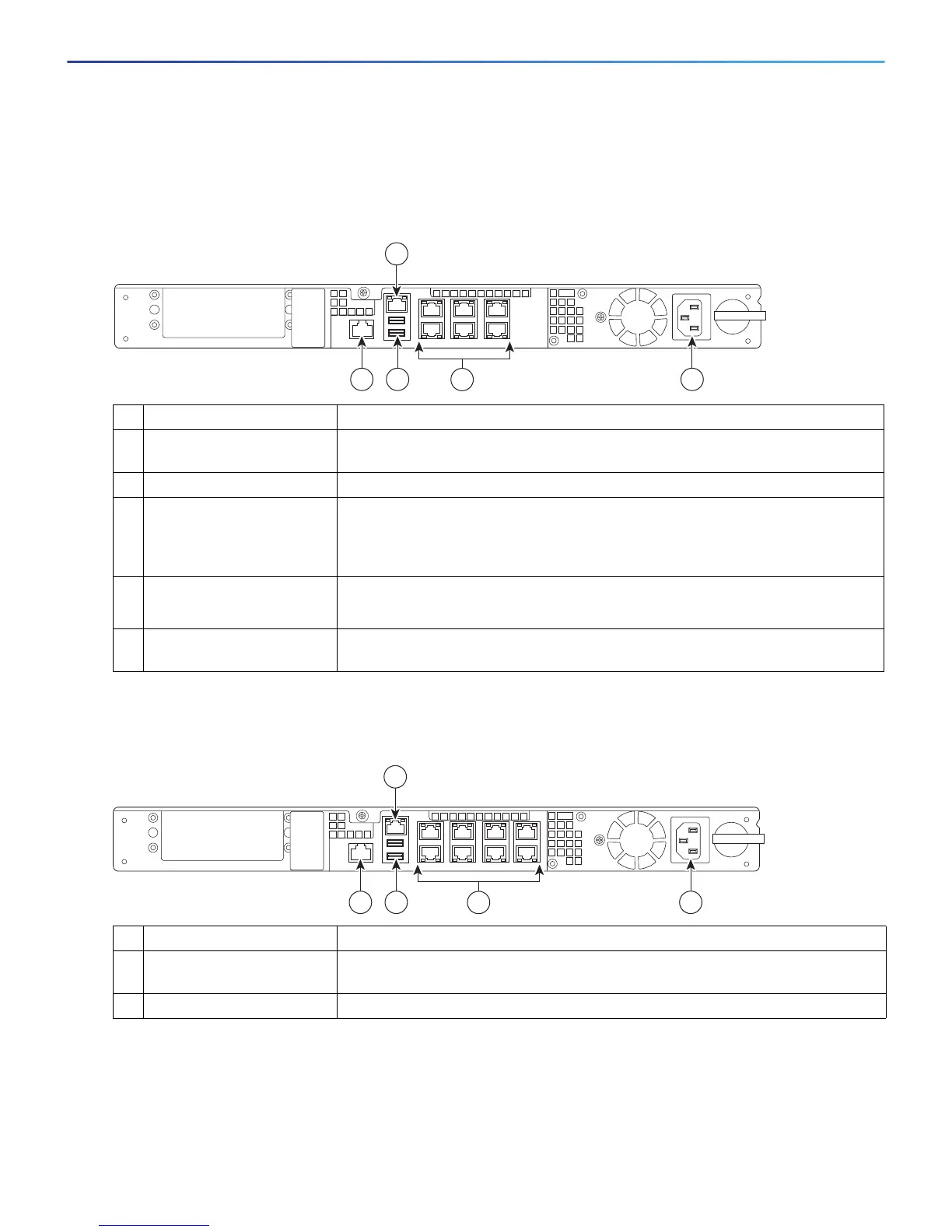
Figure 4 shows the ports for the ASA 5512-X and ASA 5515-X models.
Figure 4 Rear Panel Ports for the ASA 5512-X and ASA 5515-X
.
Figure 5 shows the ports for the ASA 5525-X.
Figure 5 Rear Panel Ports for the ASA 5525-X
LED Description
1 Management 0/0
interface
The GigabitEthernet interface that is restricted to management use only.
Connect with an RJ-45 cable.
2 Power supply The chassis power supply.
3 GigabitEthernet data
interfaces (0/0 through
0/5)
The 6 on-board data interfaces. Connect with an RJ-45 cable.
The top row port numbers are (from left to right) 5, 3, 1.
The bottom row port numbers are (from left to right) 4, 2, 0.
4 USB Ports The two USB standard ports.
(See the Internal and External USB Flash Drives, page 10.)
5 Console port The RS-232 serial console port used to directly connect a computer to the
ASA. Connect with an RJ-45 cable.
LED Description
1 Management 0/0
interface
The GigabitEthernet interface that is restricted to management use only.
Connect with an RJ-45 cable.
2 Power supply The chassis power supply.



 To Next Page
 Loading...