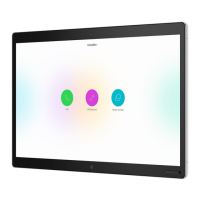
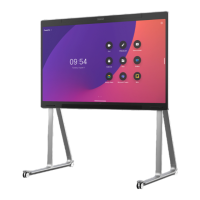
The Cisco Board and Board Pro are advanced collaboration devices designed to facilitate seamless communication, content sharing, and digital whiteboarding in professional environments. These devices integrate video call capabilities with an interactive display, making them versatile tools for meetings, presentations, and creative brainstorming.
Function Description:
The primary function of the Cisco Board and Board Pro is to serve as an all-in-one collaboration hub. They enable users to:
- Place and receive calls: Users can initiate calls by searching for contacts by name, number, or address, leveraging an on-screen keyboard for input. The device provides a dedicated "Call" button for easy access to calling features.
- Share content: Content can be shared both inside and outside of calls. Users can connect presentation sources via cable or wirelessly using an app. The device displays the shared content directly on its screen. During a call, users can access call controls and select a source to share, with an option to preview content before sharing it live.
- Digital Whiteboarding: The devices feature an infinite canvas digital whiteboard, allowing users to draw, write, and annotate using a pen or their finger. This whiteboard supports various tools such as undo/redo, selection, pen (with adjustable color, line thickness, and eraser), shapes, and sticky notes.
- Annotate shared content: Users can annotate directly on shared computer screens during presentations, using the same set of tools available for whiteboarding. These annotations are saved as whiteboards.
- Email annotations and drawings: Whiteboards, including annotated shared content, can be sent via email to selected recipients, provided the Board is configured with a mail server.
Important Technical Specifications (Inferred from usage):
- Operating System: RoomOS 11.1 (as indicated in the document's footer).
- Display: Large interactive touchscreen display, capable of showing shared content, video feeds, and the digital whiteboard interface. The exact size is not specified but is implied to be substantial for collaborative work.
- Input Methods: Touch input (finger), dedicated stylus/pen for drawing and writing, on-screen keyboard for text input.
- Connectivity: Wired (cable for presentation sources) and wireless (app-based sharing) for content sharing. Network connectivity for calls and email functionality.
- Audio/Video: Integrated video call capabilities, implying built-in cameras and microphones for conferencing.
- Storage: Ability to save whiteboards and annotations, with a mechanism for managing multiple whiteboards (adding, deleting, switching). Whiteboards are deleted when a session ends.
Usage Features:
- Intuitive User Interface: The device features a clean and straightforward interface with clearly labeled buttons and icons for various functions (Call, Share, Whiteboard, Annotation).
- Search Functionality: A search field allows users to quickly find contacts for calls.
- Content Preview: Before sharing content during a call, users have the option to preview it, ensuring the correct content is displayed.
- Multi-App Management: Users can swipe up from the bottom of the screen to access a task switcher, allowing them to view and switch between open apps, current whiteboards, and the home screen.
- Session Management: The "End Session" feature in the control panel allows users to clear all whiteboards for the next user, ensuring privacy and a fresh start for subsequent sessions.
- Infinite Canvas Whiteboard: The digital whiteboard offers an "infinite canvas," meaning the workspace is as large as desired, providing ample space for extensive brainstorming and drawing.
- Annotation Tools: A comprehensive set of annotation tools enhances collaboration, allowing for detailed feedback and creative expression on shared content.
- Wireless Sharing: The ability to share content wirelessly simplifies setup and allows for greater flexibility in meeting spaces.
- Integrated Communication: Combining calling, sharing, and whiteboarding into a single device streamlines workflows and reduces the need for multiple tools.
Maintenance Features (Inferred from usage):
- Session Reset: The "End Session" feature serves as a maintenance tool, allowing users to clear all personal data (whiteboards) from the device after use, preparing it for the next user and maintaining data privacy.
- System Updates: As indicated by "RoomOS 11.1," the device likely receives regular software updates to improve functionality, security, and performance.
- Configuration Options: The mention of configuring the Board with a mail server for email functionality suggests administrative configuration options for system maintenance and integration with existing IT infrastructure.
- Support Documentation: The reference to "Quick Reference Guide for Touch Controller RoomOS 11.1" and "Cisco Room Series User Guide for Touch Controller RoomOS 11.1" indicates comprehensive documentation is available for troubleshooting and advanced usage, which is crucial for maintenance and support.
The Cisco Board and Board Pro are designed to be user-friendly while offering powerful features for modern collaborative workspaces, making them suitable for a wide range of professional applications from quick calls to in-depth creative sessions.

 Need help?
 General









 To Next Page